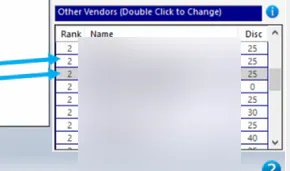
Source parts from vendors
Vendor sourcing assigns vendors to each location and sales code, and ranks them. When you order parts, Nexsyis offers the sourced vendors in that order. If a part shows no vendors to choose from, the vendor hasn’t been sourced yet.
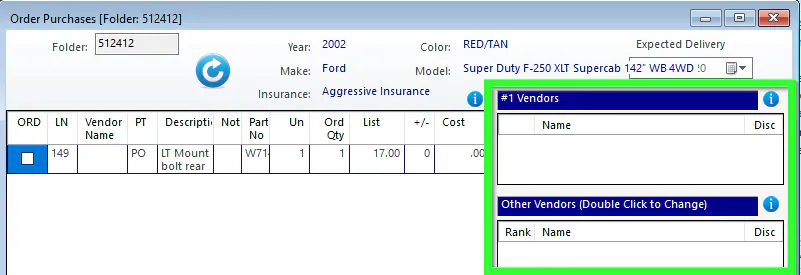
Source a vendor
Section titled “Source a vendor”-
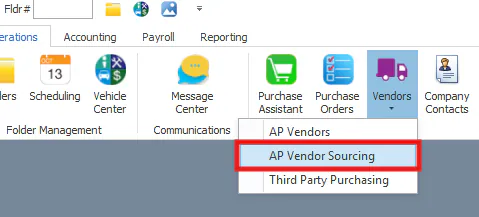
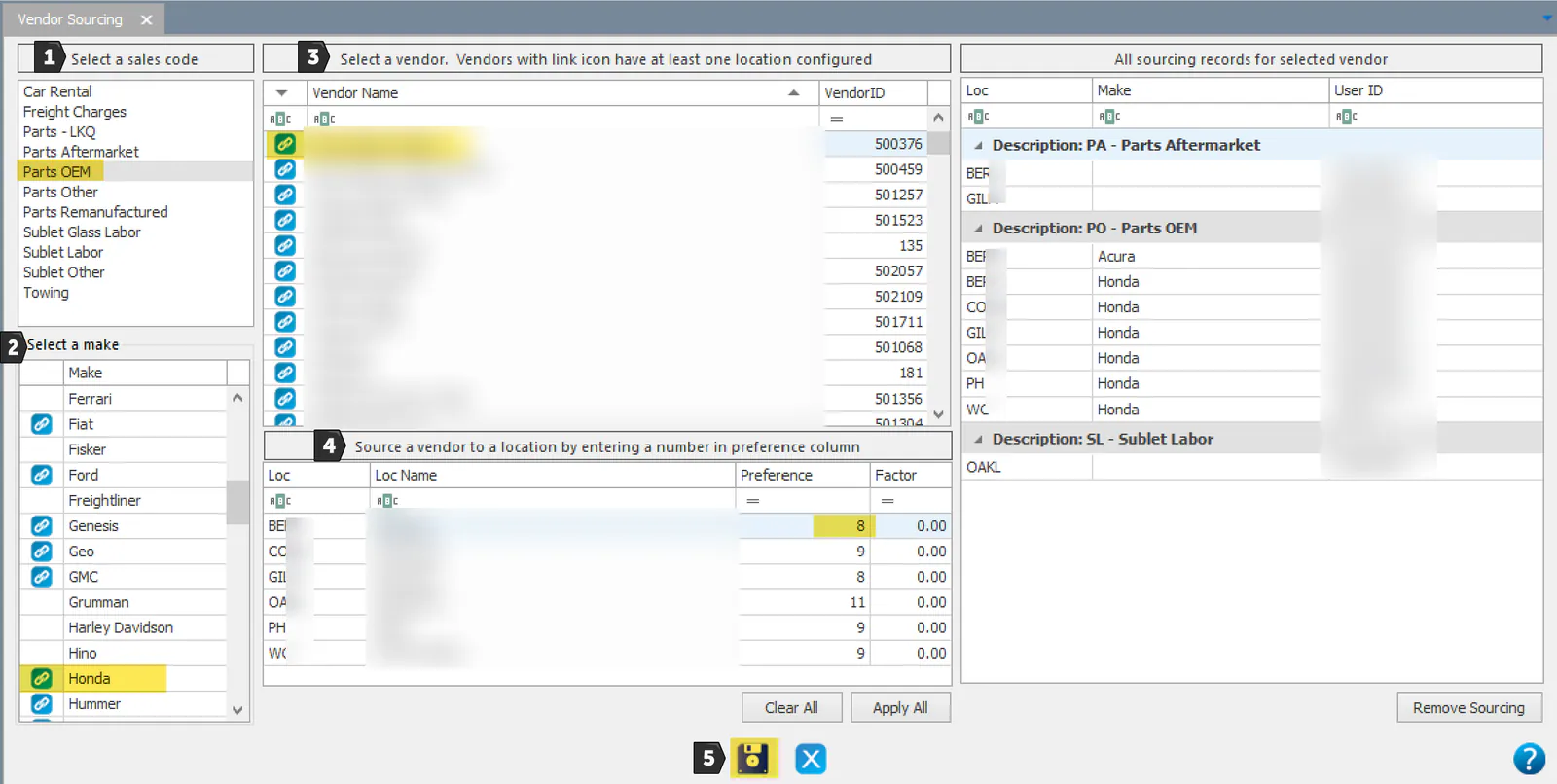
Open Operations › Vendors › AP Vendor Sourcing.
-
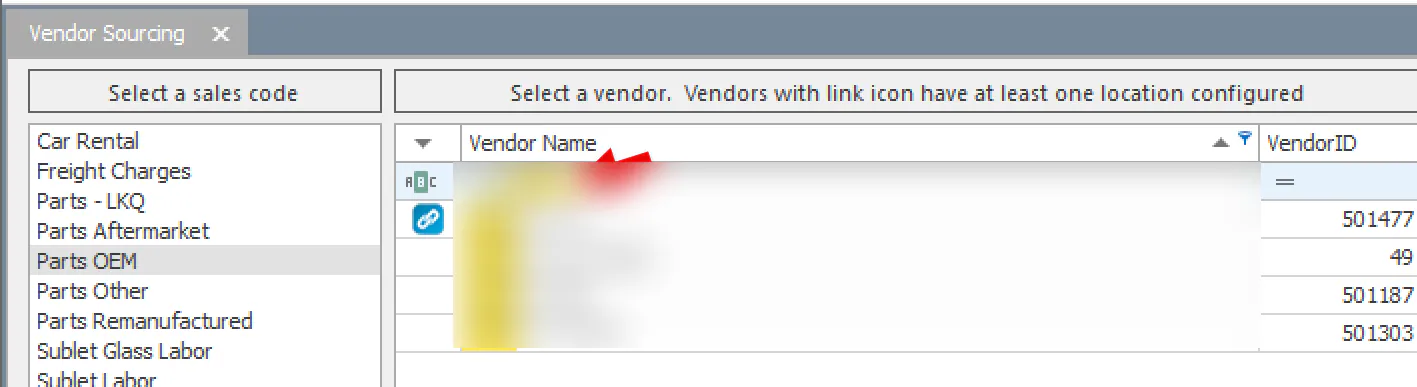
Choose a Sales Code from the list on the left. A link icon shows next to items that are already sourced.
-
For Parts OEM only, choose the vehicle make.
-
Select the vendor name. To find a vendor quickly, type in the row above the vendor names.
On the right, All Sourcing Records lists the vendor’s other sourcing records. To remove one, select it and then Remove Sourcing.
-
For each location, enter:
- Pref: the vendor’s rank on the parts ordering screen.
- Factor: the discount or markup as a percentage, for example 33 for 33%. For most purchase types it’s a discount from list price. For sublet (SO, SL) and LKQ (PL) purchases it’s a markup from cost.
To copy a line to every location, select it and then Apply All.
-
Select Save.
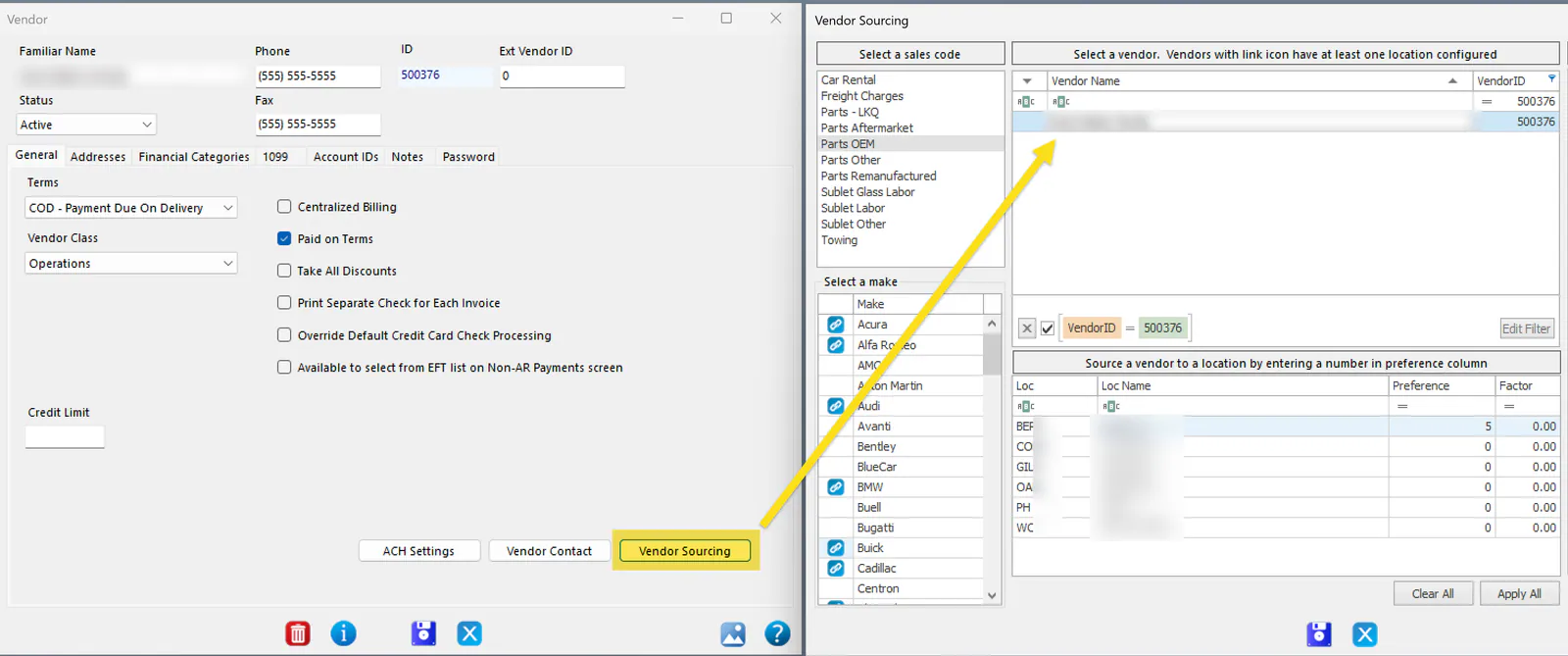
After you set up a new vendor, you can also open sourcing from the vendor’s own screen by selecting Vendor Sourcing. The list is filtered to that vendor.
How OEM sourcing affects other part types
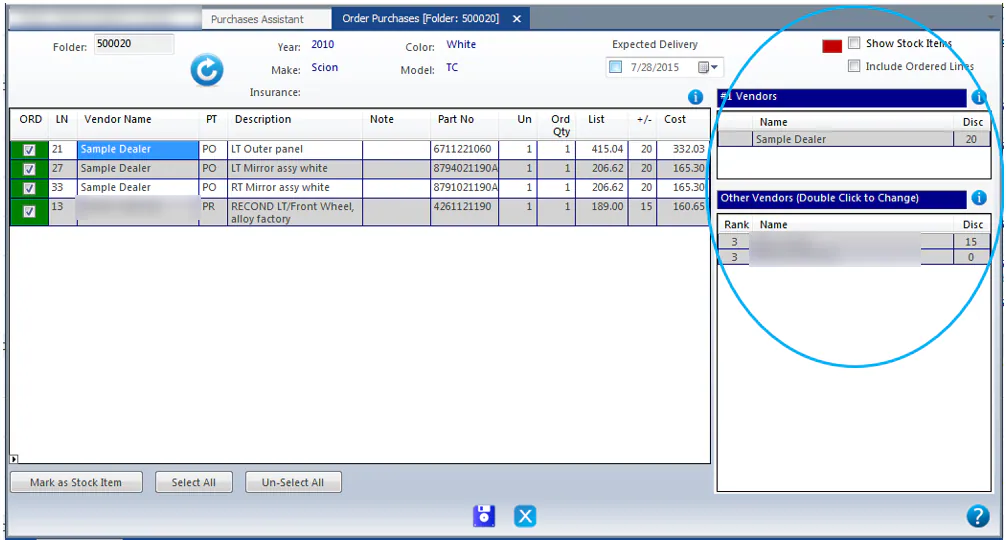
Section titled “How OEM sourcing affects other part types”- Vendors sourced to Parts OEM automatically appear under Other Vendors when you order Parts Aftermarket or Parts LKQ.
- A vendor sourced to Parts OEM and Parts Aftermarket doesn’t automatically show for Parts LKQ. Source it to LKQ separately.
- A vendor sourced to Parts OEM and Parts LKQ must be sourced to Parts Aftermarket separately.
- When you order Parts Aftermarket, vendors sourced to Parts OEM only have a gray background, and vendors sourced to both Parts OEM and Parts Aftermarket appear twice.