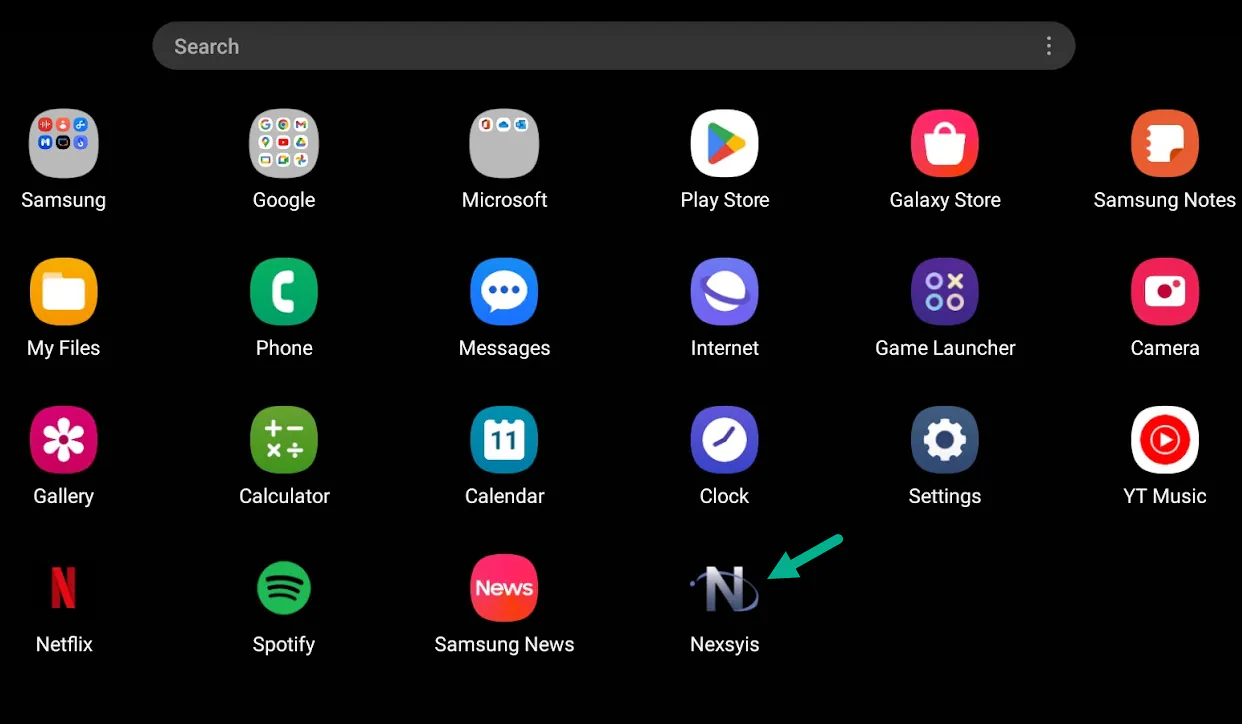
Add NexsyisNow to your phone's home screen
Add a NexsyisNow icon to your phone or tablet’s home screen so NexsyisNow opens like an app. The steps depend on your device.
Apple devices
Section titled “Apple devices”-
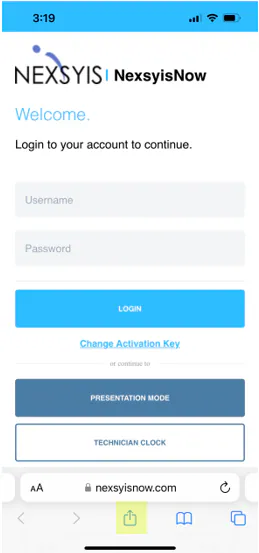
Open Safari and go to nexsyisnow.com (in Canada, nexsyisnowca.com).
-
Select the share button (the box with an up arrow) at the bottom of the screen.
-
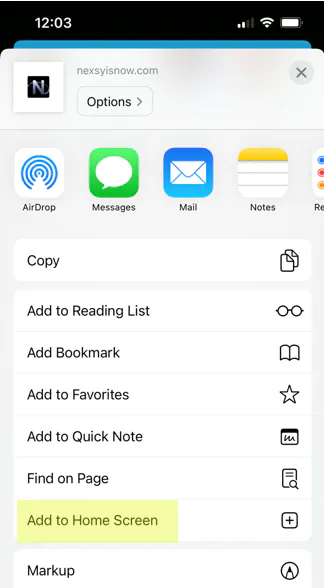
Select Add to Home Screen.
-
Enter a name for the icon, then select Add.
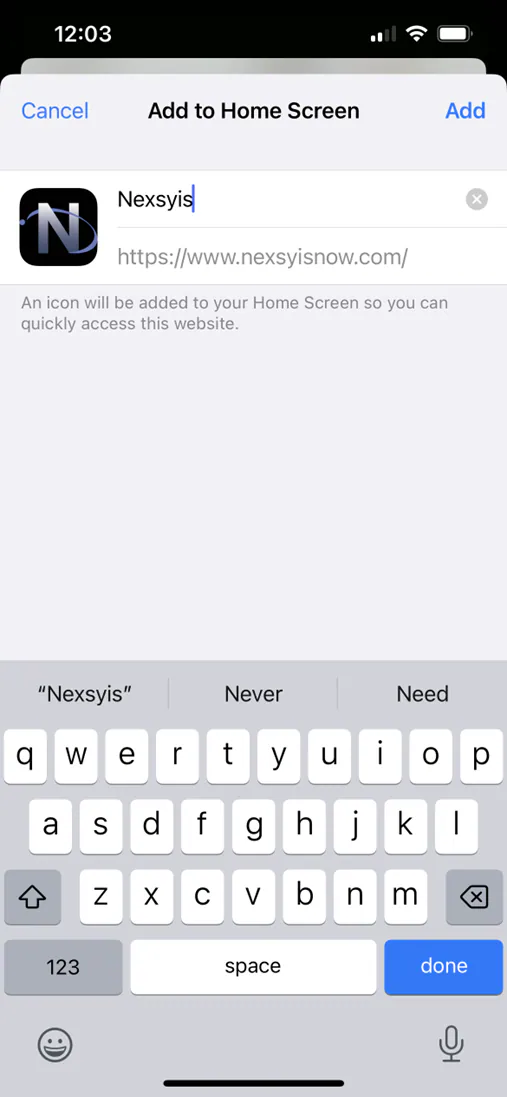
The NexsyisNow icon shows on your home screen.
Android devices
Section titled “Android devices”-
Open your internet browser and go to nexsyisnow.com (in Canada, nexsyisnowca.com).
-
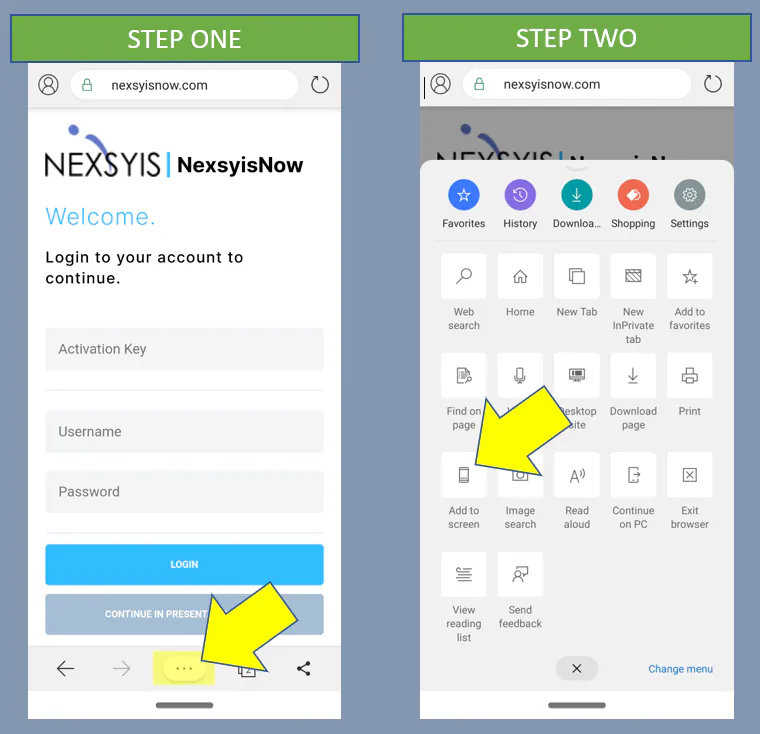
Select the button with three dots at the bottom of the browser.
-
Select Add to screen.
-
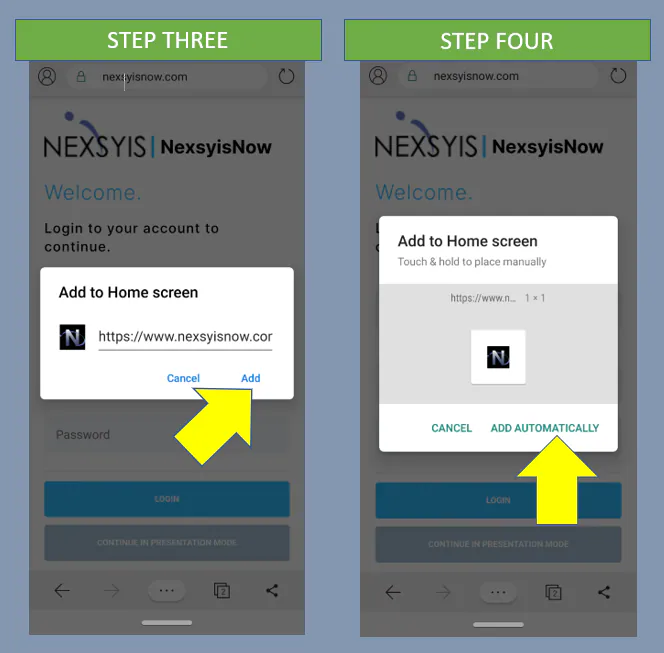
Check that the web address is the NexsyisNow address, then select Add.
-
Select Add Automatically, or drag the icon to where you want it on your home screen.
The NexsyisNow icon shows on your home screen.
Samsung devices
Section titled “Samsung devices”-
Open the Internet browser and go to nexsyisnow.com (in Canada, nexsyisnowca.com).
-
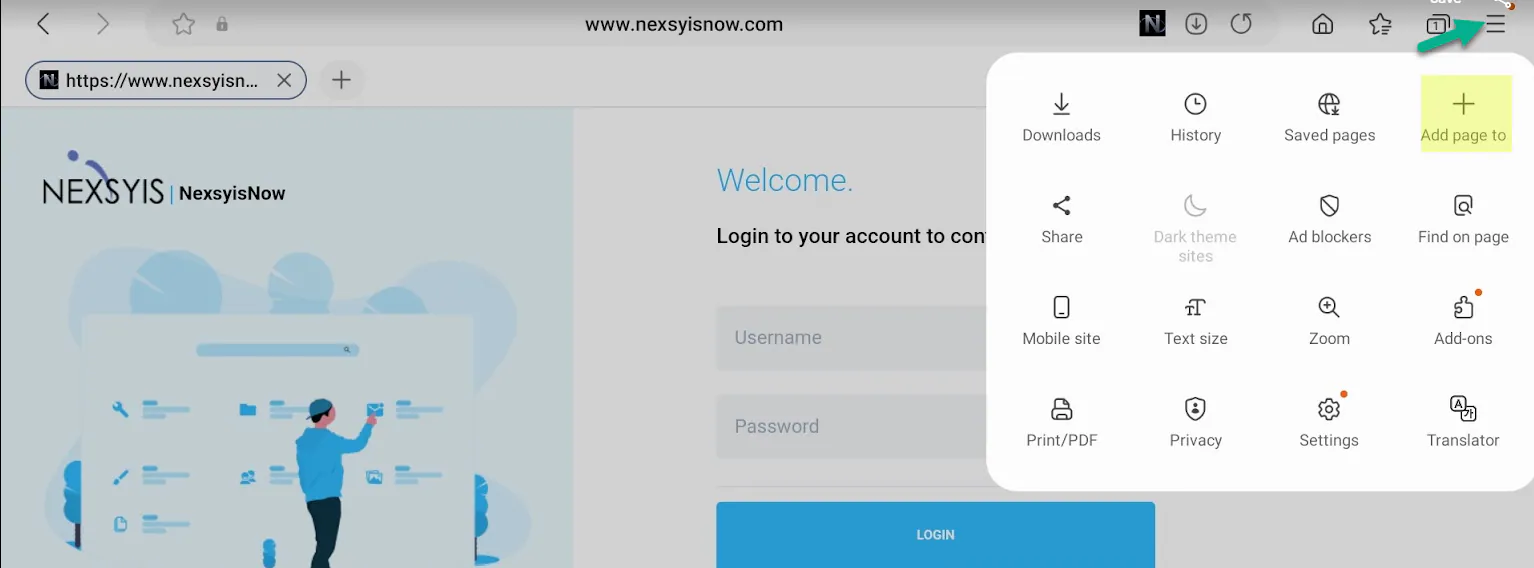
Select the menu button (three lines) at the top right, then select Add page to.
-
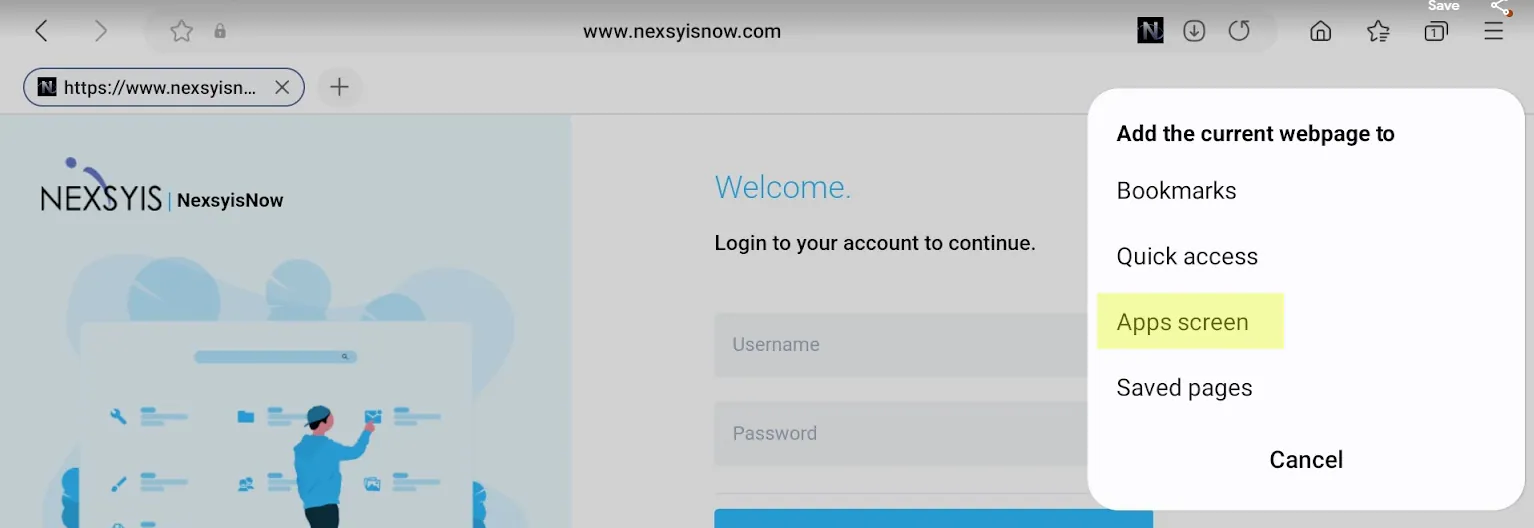
Select Apps screen.
-
Select Install.
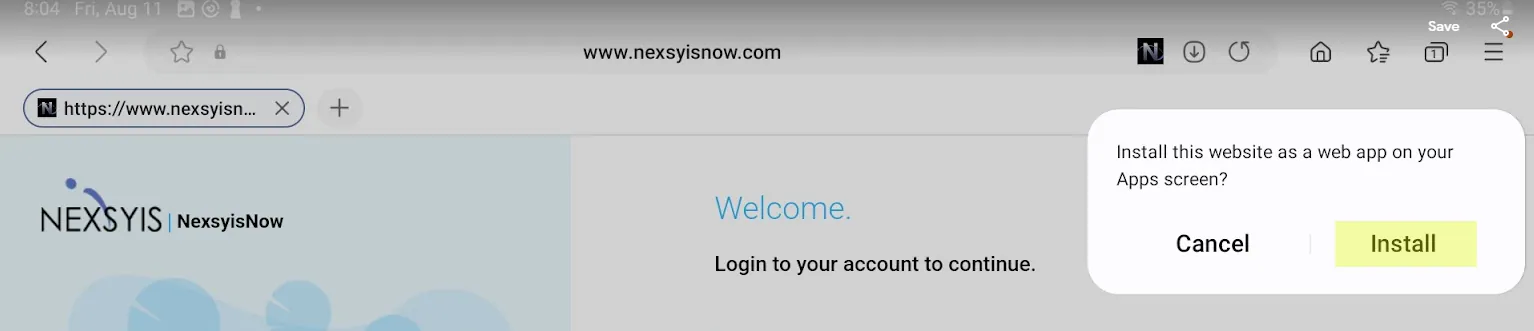
The NexsyisNow icon shows on your apps screen.