
Void a card payment
Void a card payment taken today, before its batch closes. The payment is removed from the open batch and Nexsyis writes a reversal of the payment on the folder.
Before you begin
Section titled “Before you begin”- You can void a payment only until its batch is finalized at midnight. After that, refund the payment instead.
- The RCM software must be installed on your computer. If no terminal is connected to your computer, set RCM to the Back Office (US) or Back Office (CAN) device type. Contact Nexsyis Support (nexsupport@nexsyis.com) if you need help with this.
Void the payment
Section titled “Void the payment”-
Open the card payment.
-
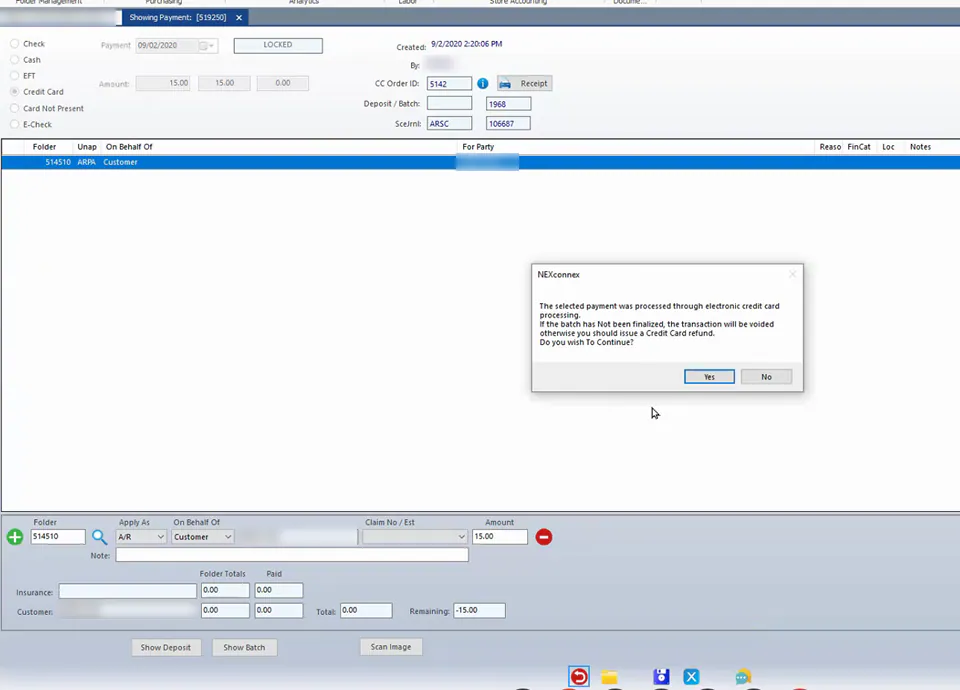
Select the reverse button at the bottom of the screen.
-
A message tells you the payment was processed through electronic credit card processing, and that it will be voided if the batch hasn’t been finalized. Select Yes.
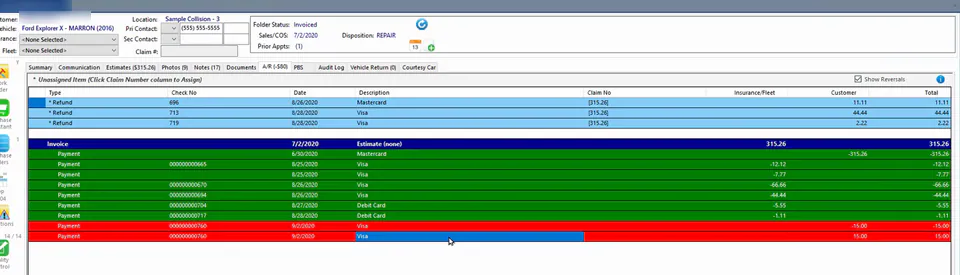
The payment and its reversal show on the folder’s A/R tab when Show Reversals is checked.
Because the payment is removed from the open batch, it won’t appear on the Global Payments merchant portal.
If the batch has been finalized
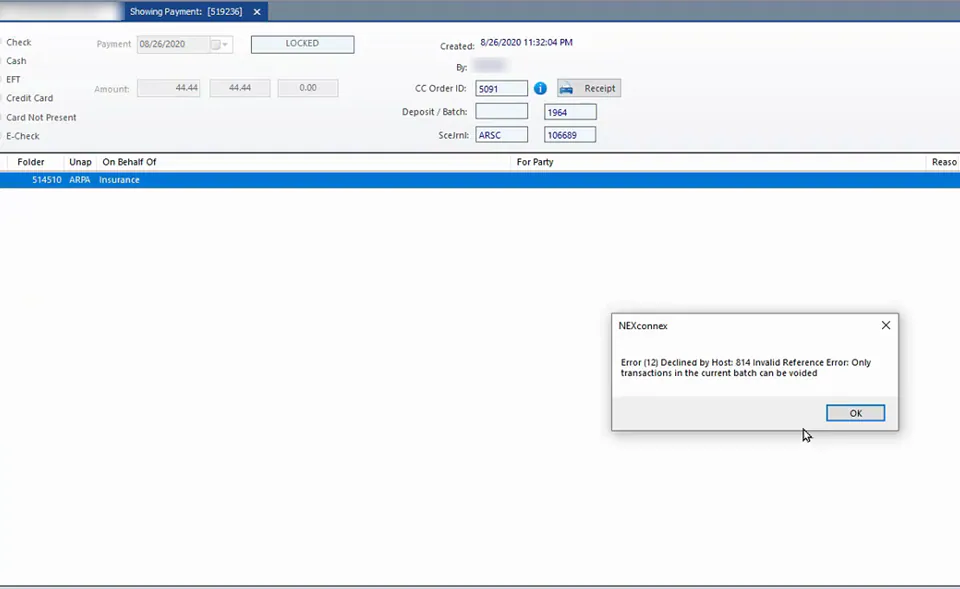
Section titled “If the batch has been finalized”If the batch has already been finalized, you see an error saying that only transactions in the current batch can be voided. Refund the payment instead.
See the receipt details
Section titled “See the receipt details”Print the Customer Account Statement from the folder’s print screen to see the receipt details for the original payment and the void.