
Use the AR dashboard
The Accounts Receivable (AR) dashboard in NexsyisNow shows how much is owed to the shop, how old it is, and who owes it.
Before you begin
Section titled “Before you begin”You need the Allow access to the Accounts Receivable Dashboard transaction permission.
Open the dashboard
Section titled “Open the dashboard”- In NexsyisNow, select the dashboard icon in the left menu.
- Select the Accounts Receivable tab.
- Choose a time frame: Today, This Week, This Month or This Year.
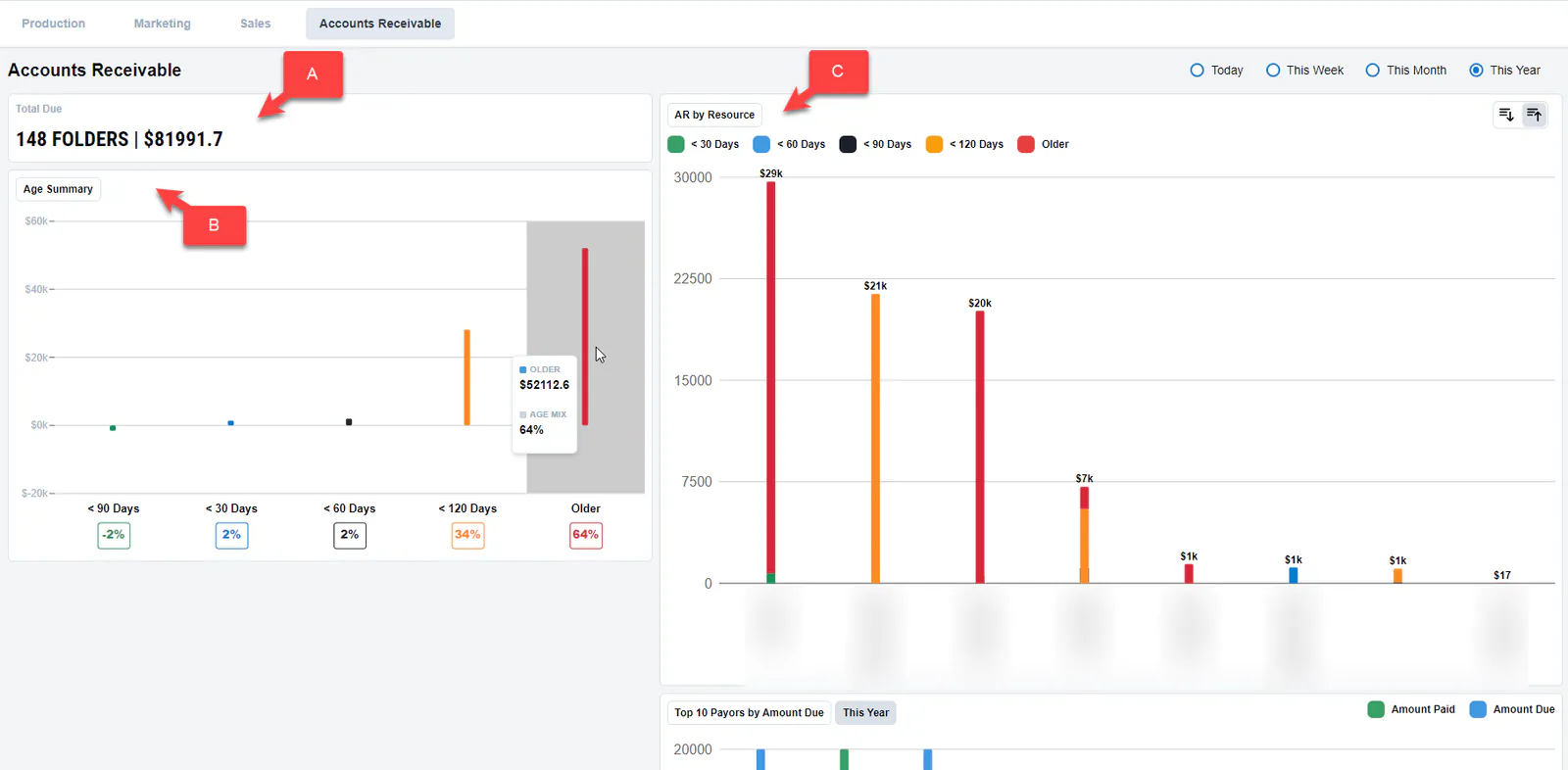
What the dashboard shows
Section titled “What the dashboard shows”- A. Total Due: the number of folders and the total amount due.
- B. Age Summary: the percentage of AR due in each age group. Hover over the chart to see the numbers.
- C. AR by Resource: AR owed, by the resource assigned to the repair.
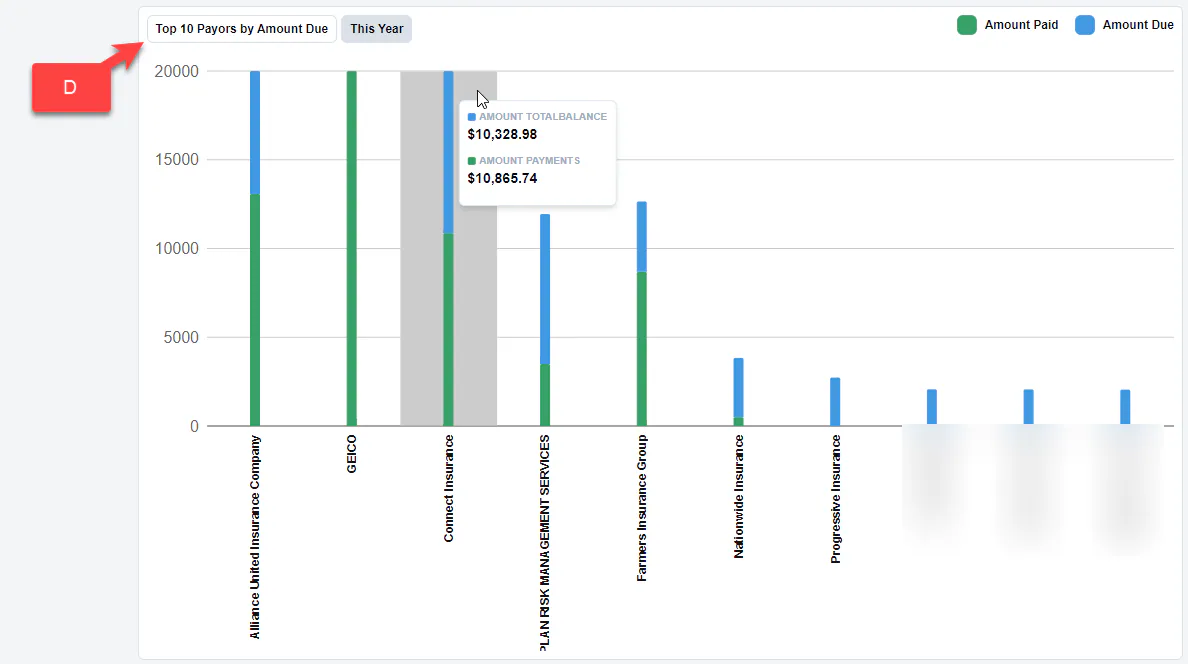
- D. Top 10 Payors by Amount Due: the ten payors that owe the most, from the most owed to the least. Hover over the chart to see the numbers.