
Remove a work order from an AR-only folder
When a repair from your prior system is re-created in Nexsyis only to collect its AR balance, it shouldn’t have a work order. If someone creates one by mistake, follow these steps to remove it and invoice the estimate again.
Remove the work order
Section titled “Remove the work order”-
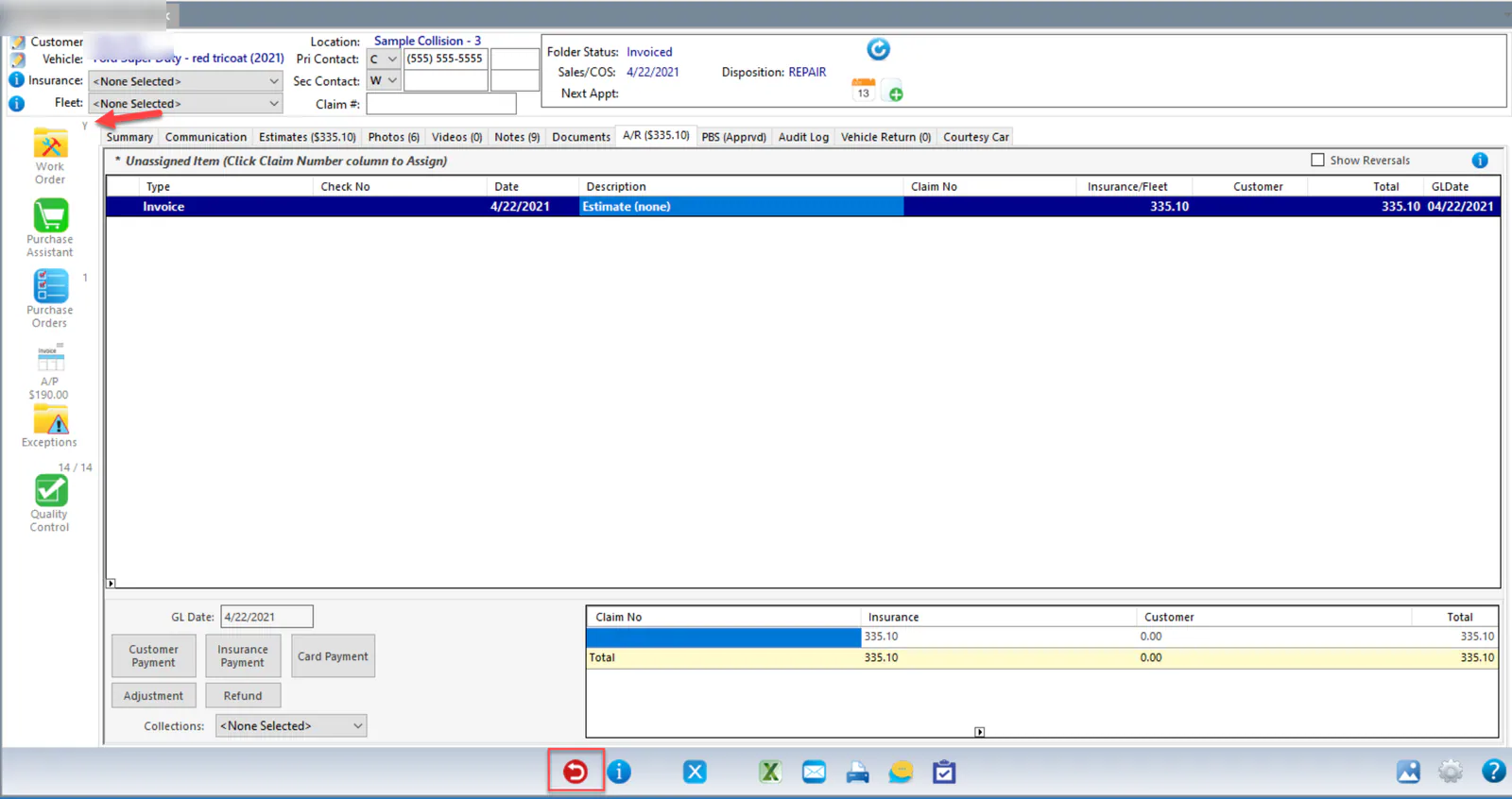
On the folder’s A/R tab, reverse the AR invoice: with the invoice selected, select the red reverse button at the bottom of the folder.
-
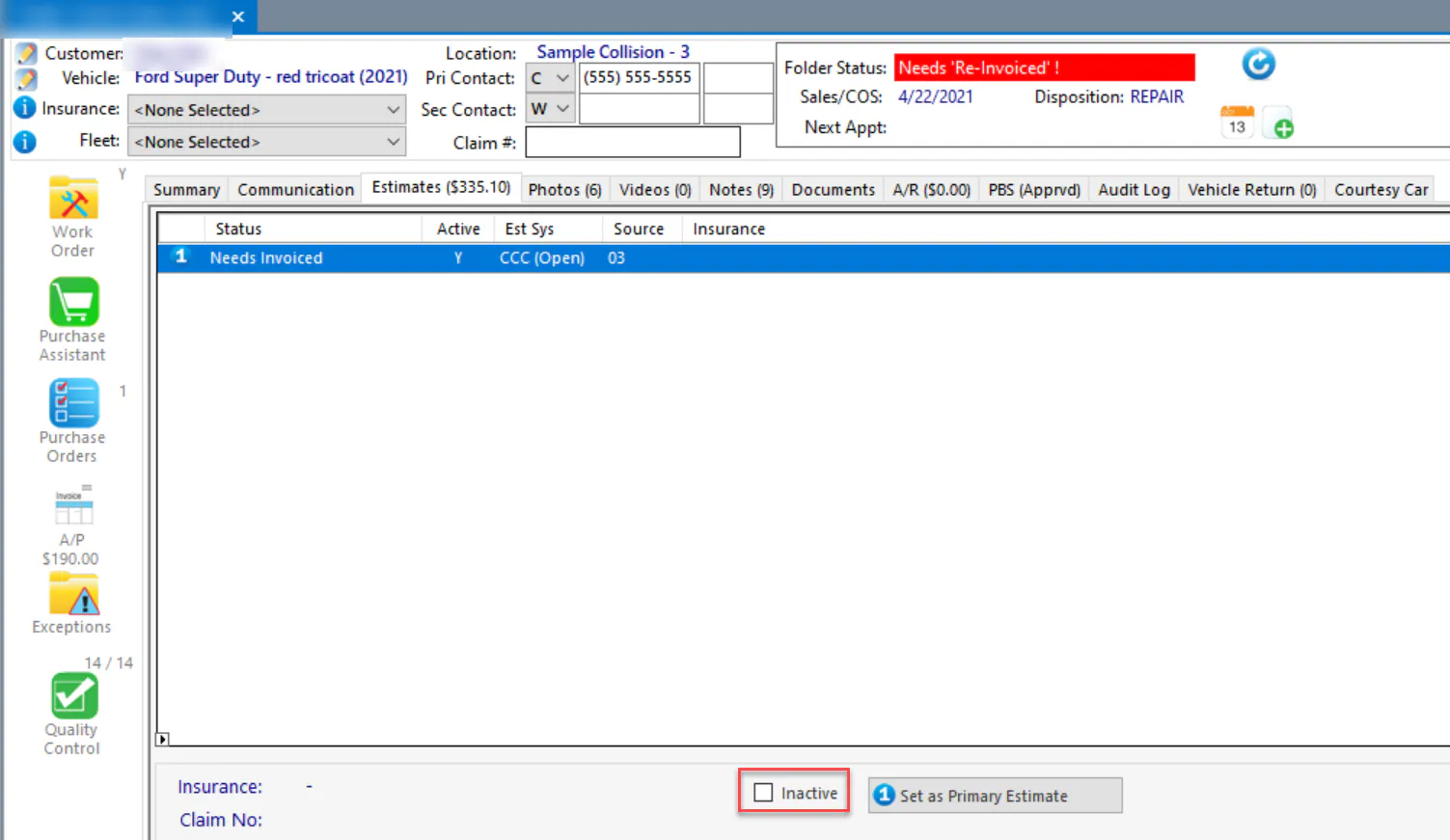
On the Estimates tab, select Inactive for the estimate.
-
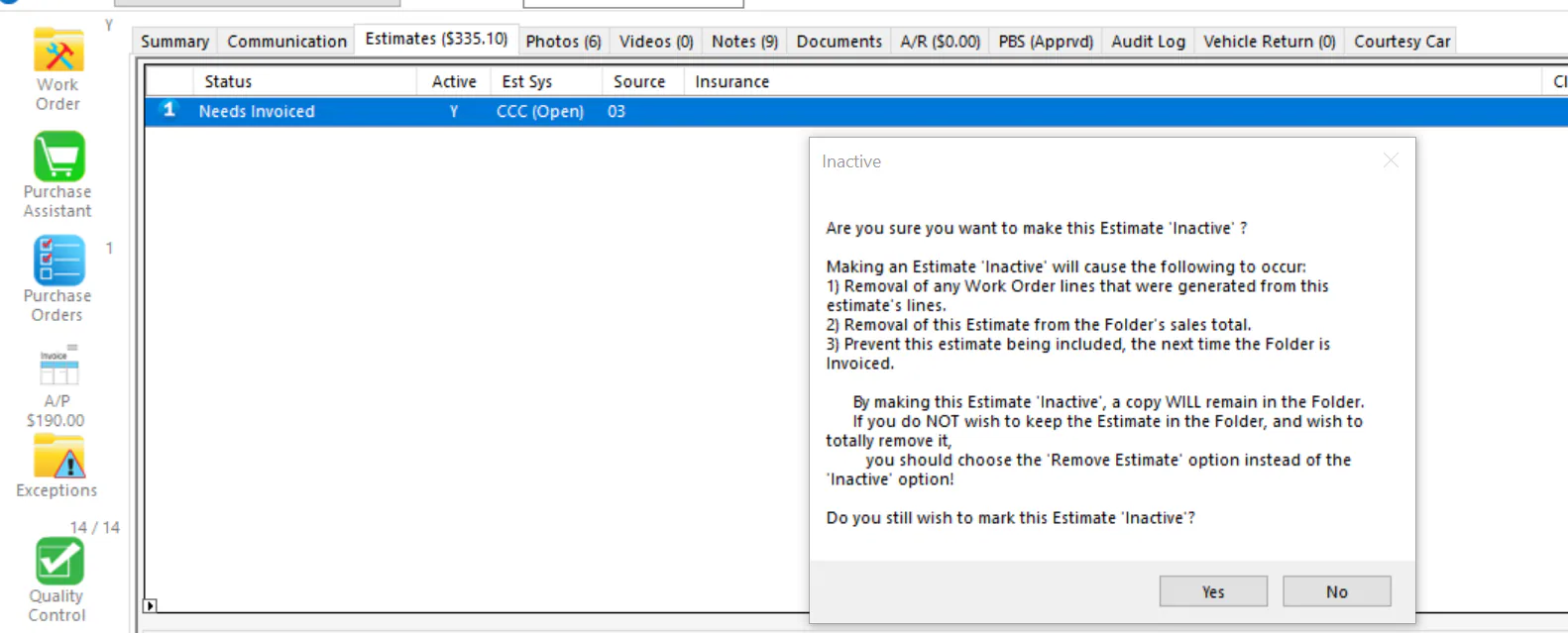
Select Yes. This removes the work order. If you close and reopen the folder, the Y next to the Work Order button is gone.
-
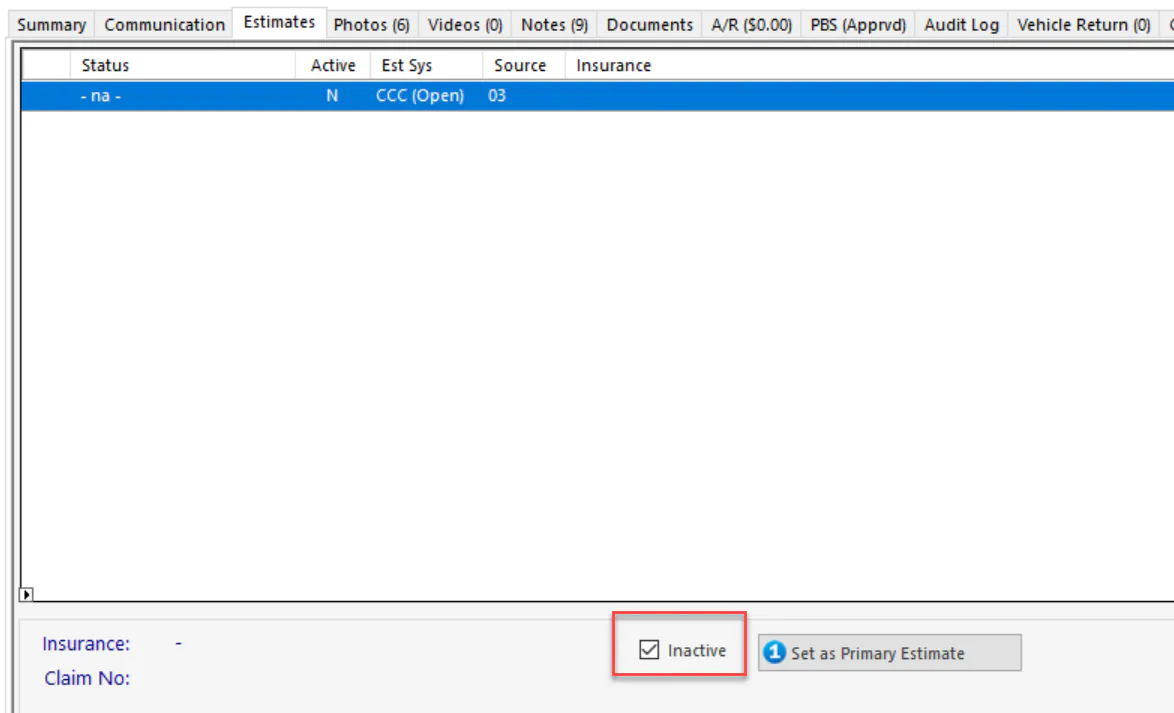
Clear Inactive to make the estimate active again.
-
The estimate now shows Needs Invoiced. Select Invoice Estimates.
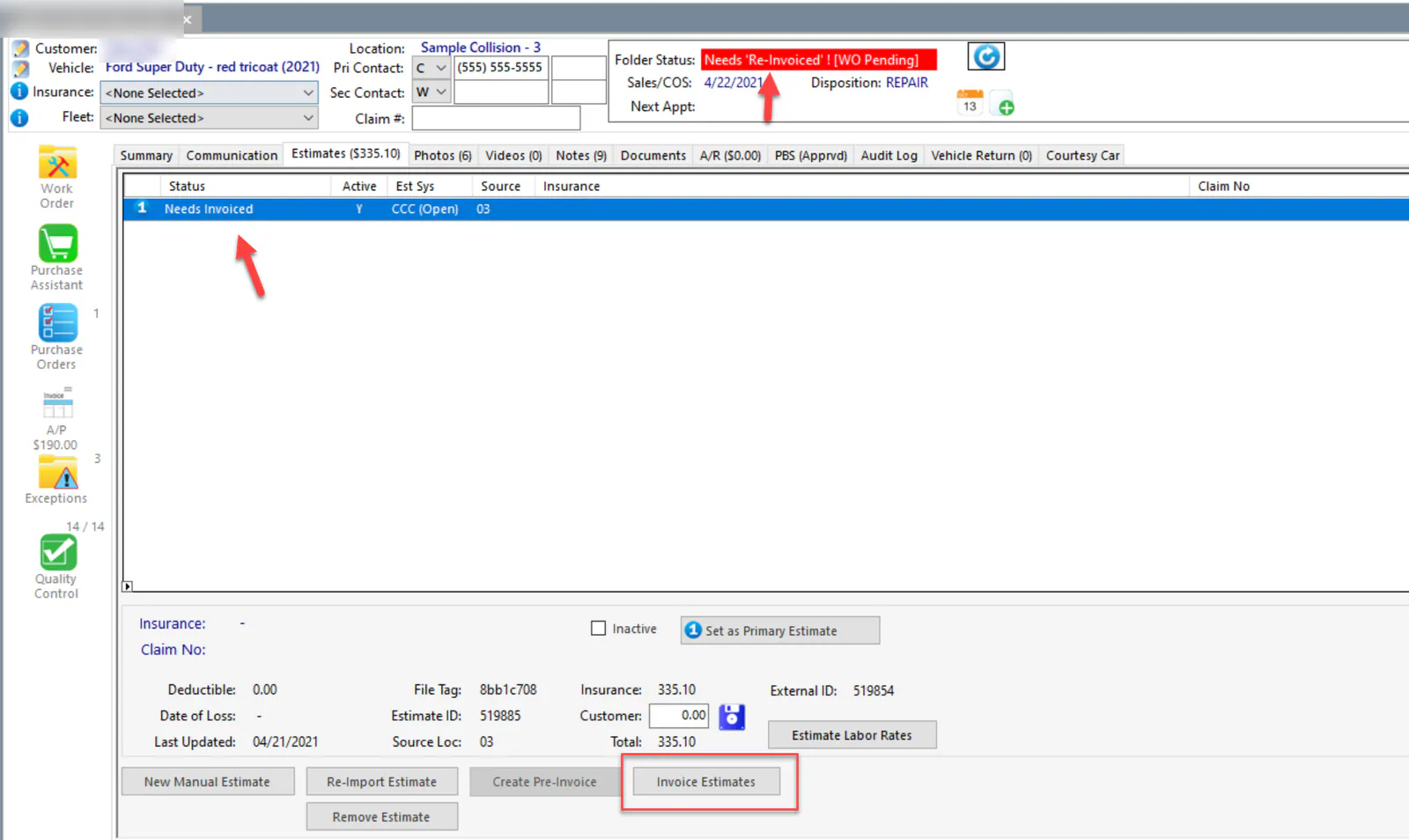
The folder is invoiced again, without a work order.