
Run a report
Find the report you need, set its parameters and run it. In NexsyisNow you can also change the columns, filter the results and export them.
Find a report
Section titled “Find a report”-
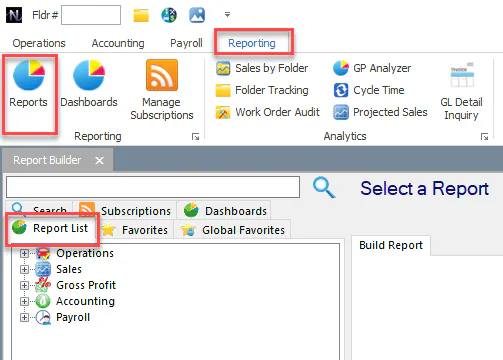
On the Reporting tab, select Reports.
-
On the Report List tab, expand a category and select the report. To search by name, use the search box and the Search tab.
Set the report parameters
Section titled “Set the report parameters”-
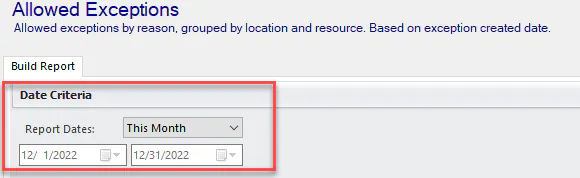
Under Date Criteria, choose a date range from Report Dates.
-
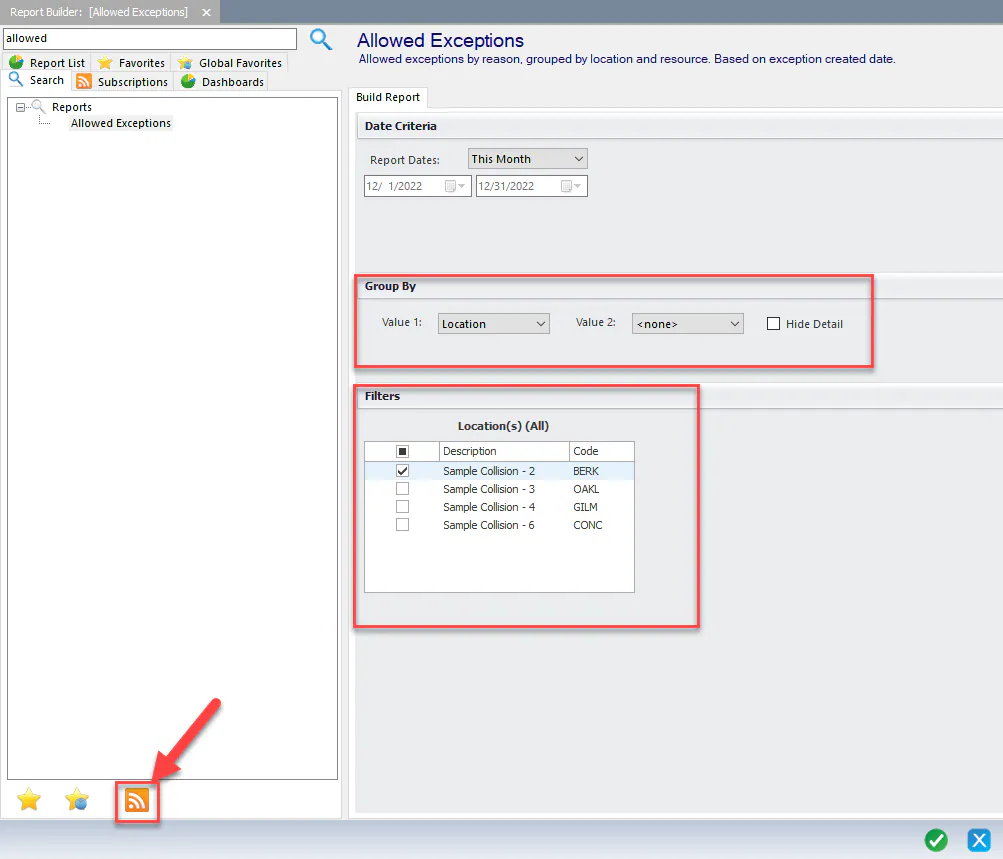
Under Group By, choose how to group the results.
-
Under Filters, choose the locations and any other filters the report offers.
Find a report
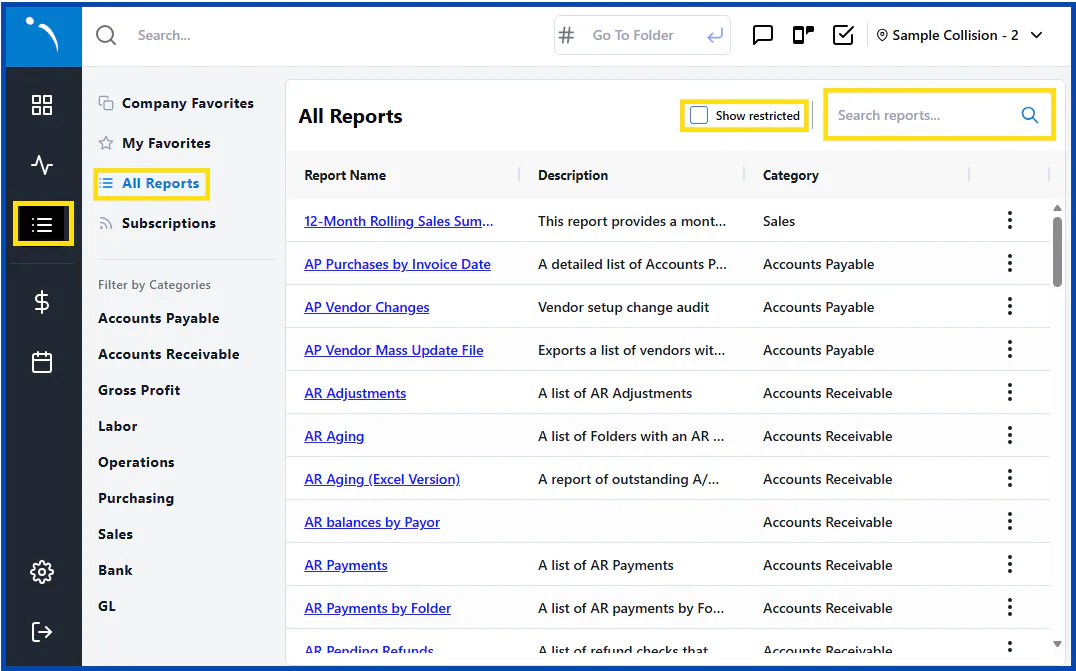
Section titled “Find a report”- Select the reports button in the navigation menu on the left.
- Select All Reports to see every report, or select a category under Filter by Categories.
- To find a report by name or keyword, type in Search reports….
To also see reports you don’t have permission to run, select Show restricted.
Choose the parameters
Section titled “Choose the parameters”On the Parameters tab:
-
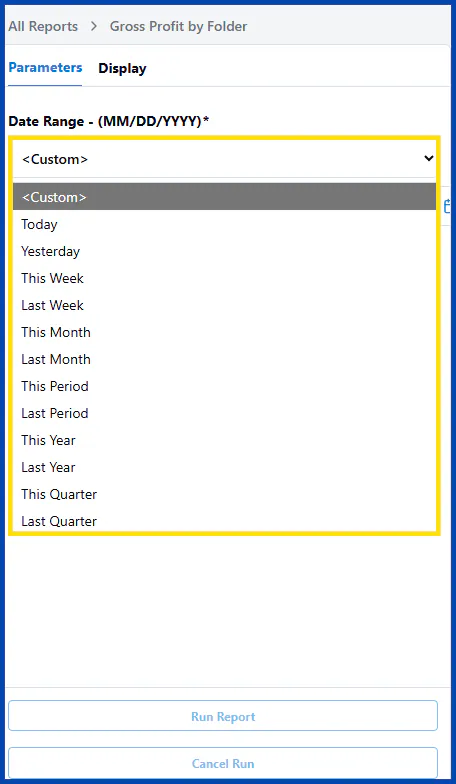
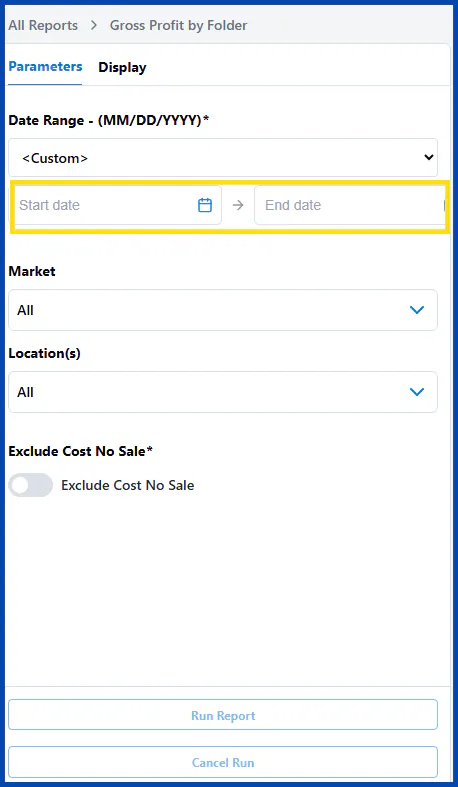
Choose a Date Range from the list, or choose <Custom> and enter a Start date and End date.
-
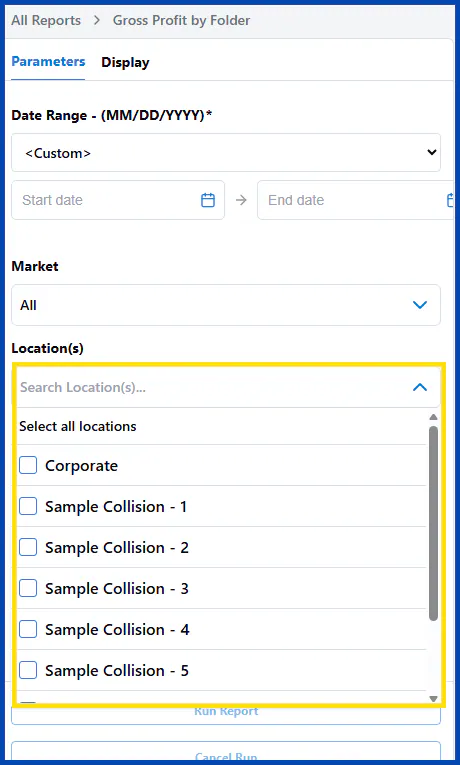
Under Location(s), select the locations to include, or Select all locations.
-
Select Run Report.
Choose the columns
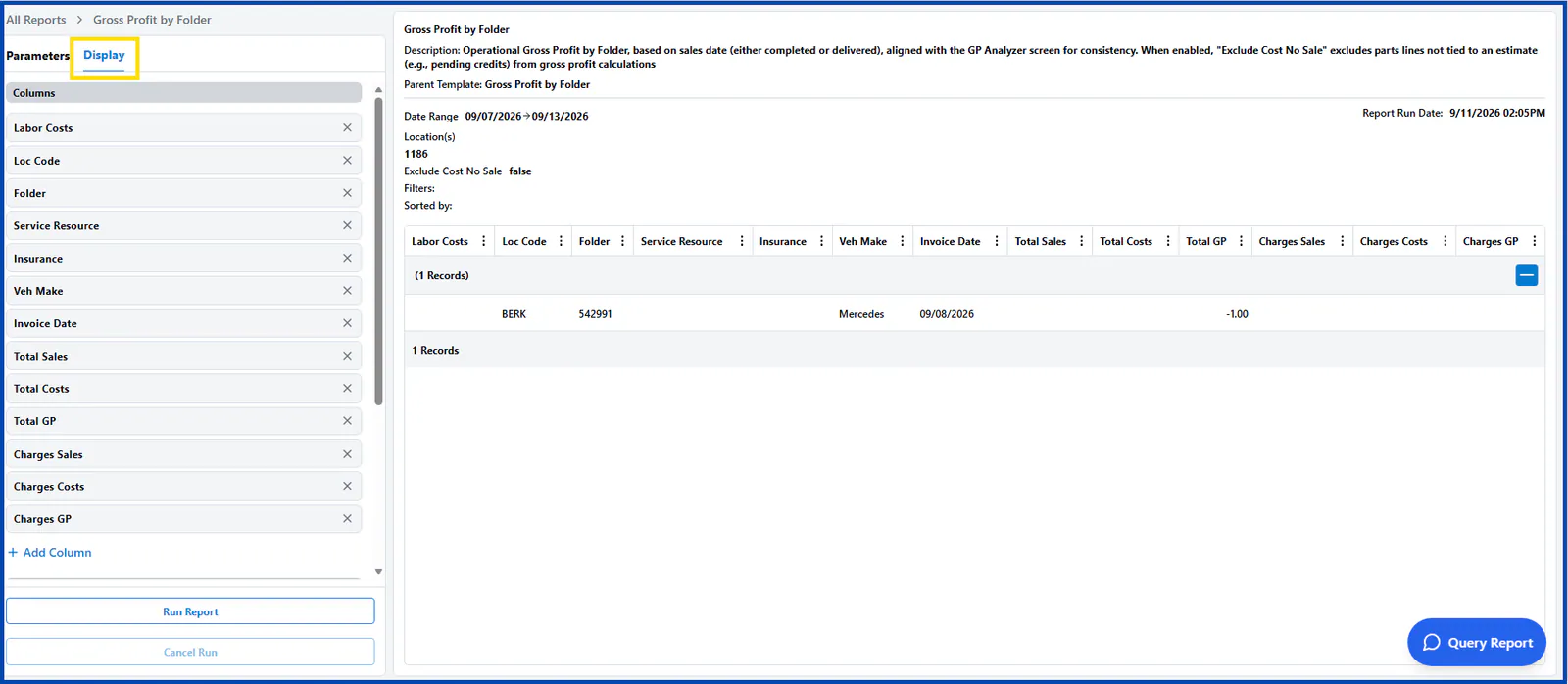
Section titled “Choose the columns”On the Display tab, you can add, remove and reorder columns, and group the report by up to three values.
-
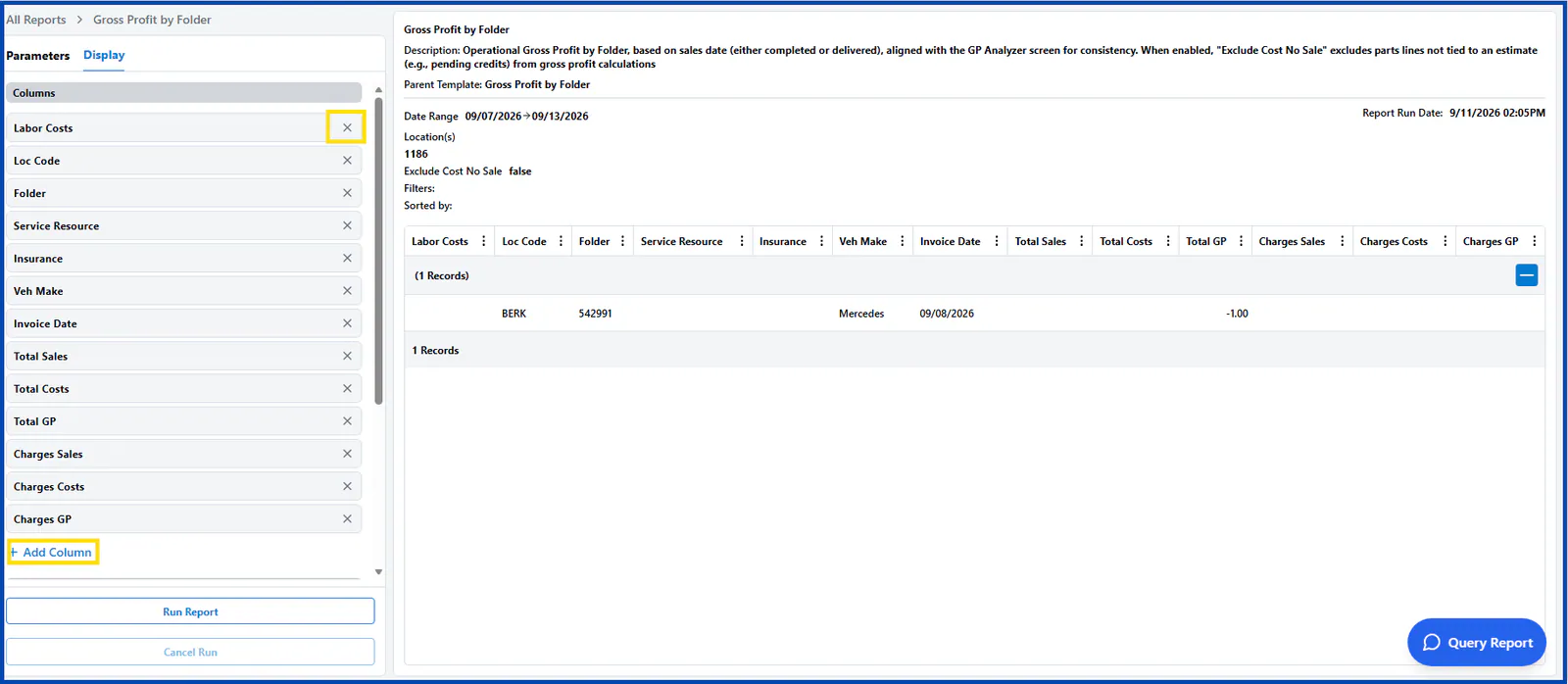
Remove a column: select the X next to the column name.
-
Add a column: select + Add Column at the bottom of the column list.
-
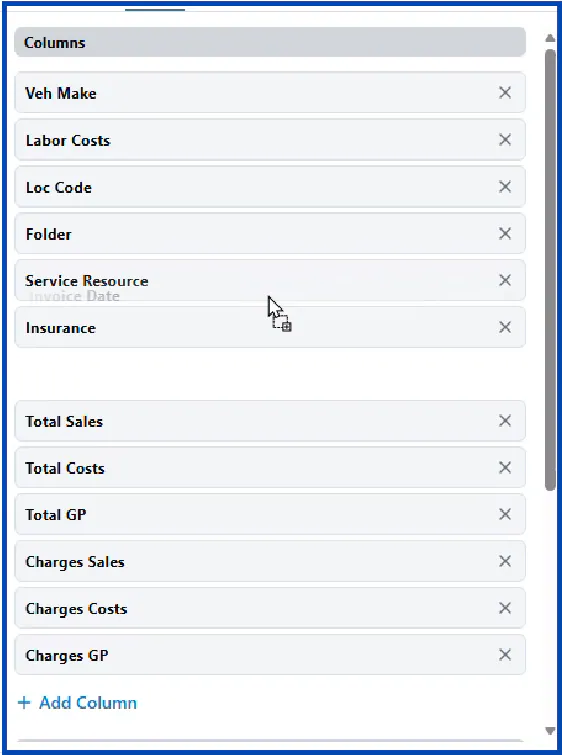
Reorder columns: drag a column up or down the list.
-
Group the report: under Group By, choose up to three values, for example Location. Grouping by location shows the data and totals for each location in one report.
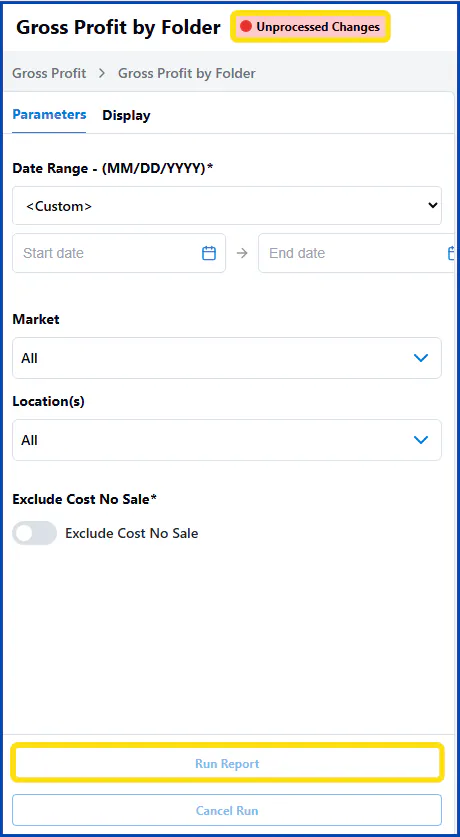
After you change the parameters or columns, select Run Report again to see the changes and fill in any new columns. Until you do, Unprocessed Changes shows next to the report name.
Filter and read the results
Section titled “Filter and read the results”-
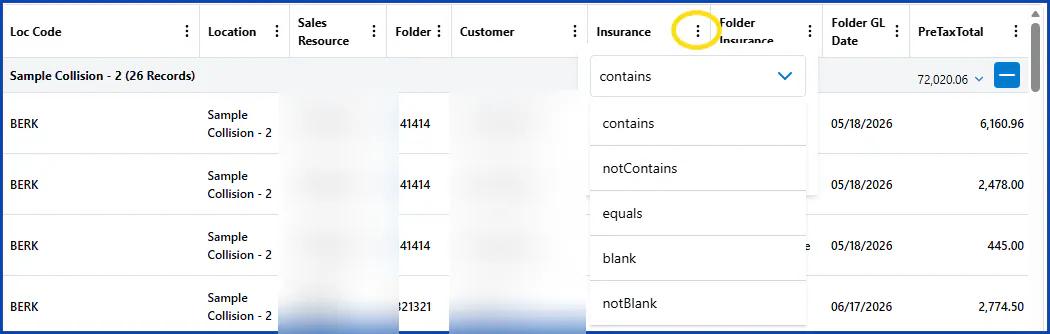
Filter a column: select the three dots in the column header and choose a filter, such as contains or equals. You can filter one column or several.
-
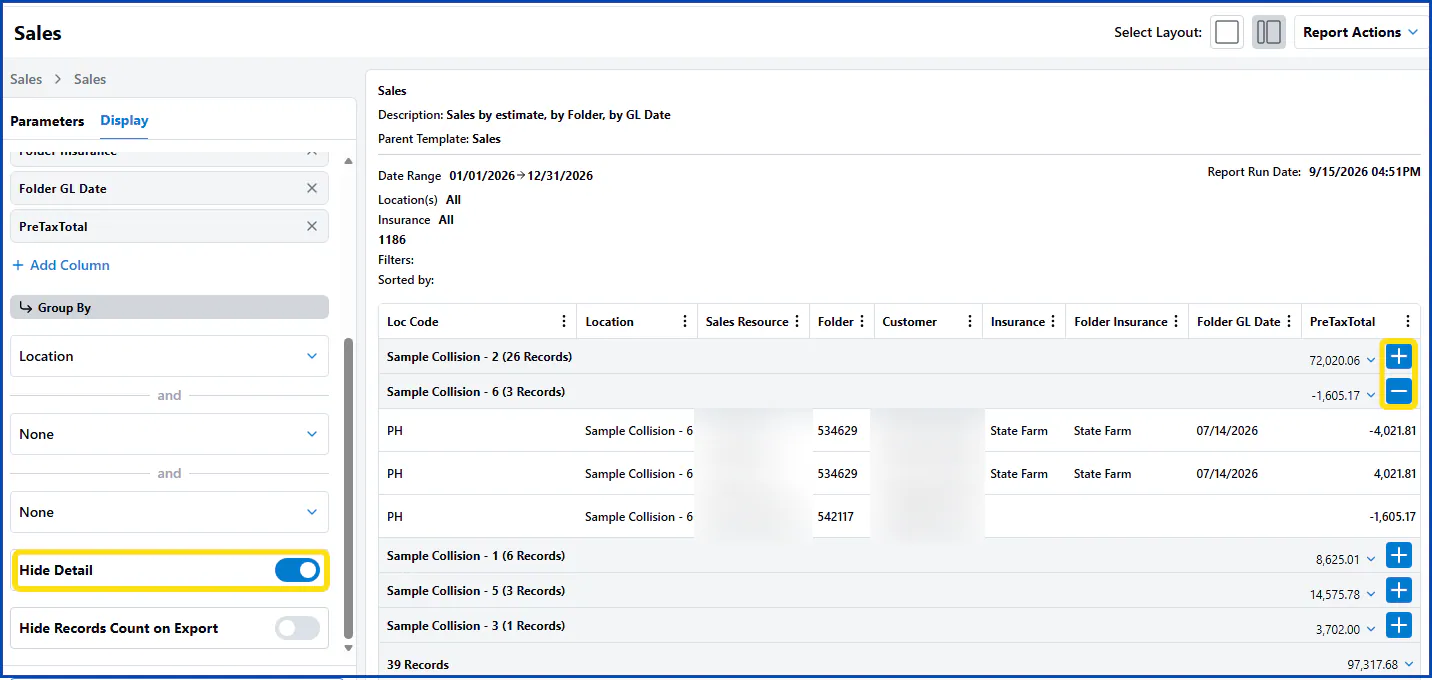
Show only group totals: in a grouped report, turn on Hide Detail on the Display tab. The report opens with each group collapsed. Select + to expand a group and - to collapse it.
-
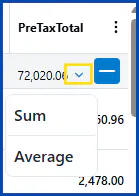
Sum or average: select the down arrow next to a total and choose Sum or Average.
Print or export the report
Section titled “Print or export the report”Select Report Actions, then:
- Quick Print to print the report.
- Export to CSV to download the report as a file you can open in Excel.
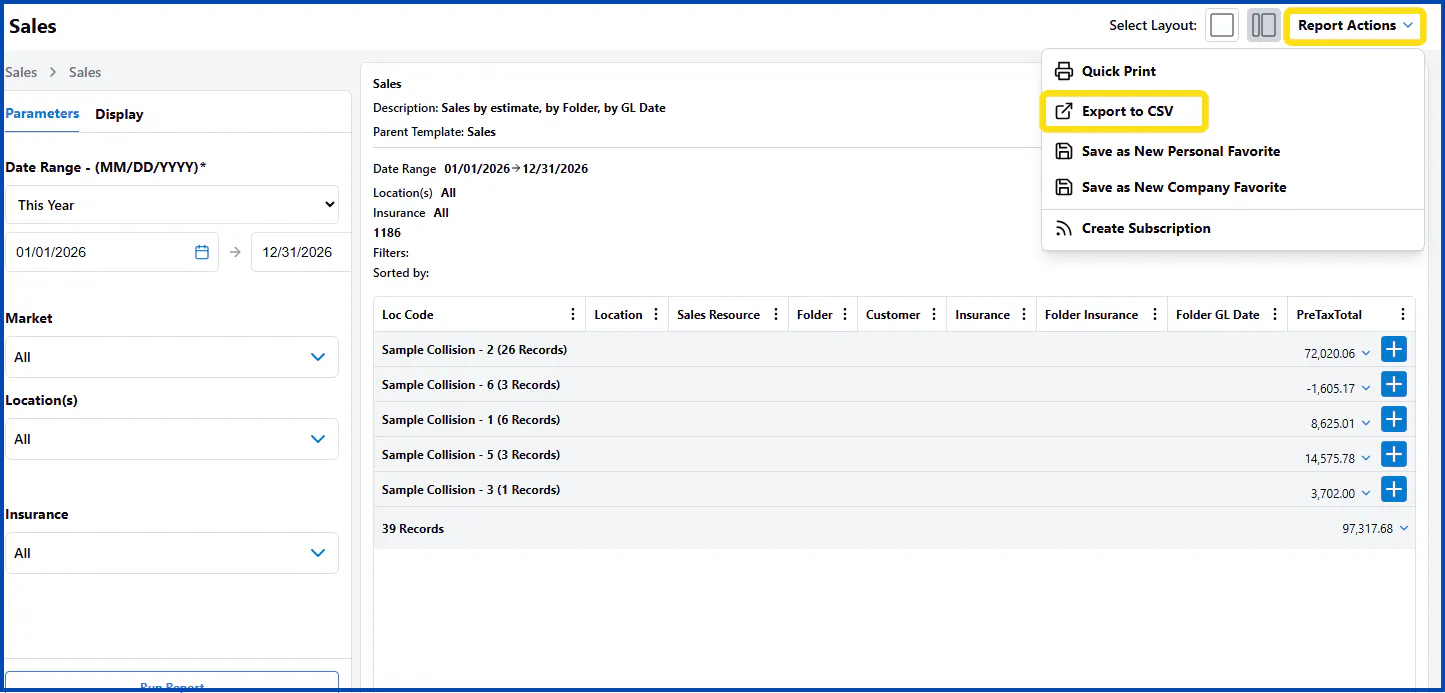
The Report Actions menu also has options to save the report as a favorite and create a subscription.