Fix the wrong default location
The Vehicle Center or the Scheduling screen can open to the wrong location when someone saves a global view with Include selected filters with saved view checked. That saves the filters at the top of the screen, including the location, for all users. To fix it, save the view again without its filters.
Before you begin
Section titled “Before you begin”Saving a global view needs the Allow editing/creation in Vehicle Center of Global grid views permission.
Fix the Vehicle Center
Section titled “Fix the Vehicle Center”-
In the Vehicle Center, select the default view from the View drop-down, then select New View.

-
Leave the view name the same and check Global View.
-
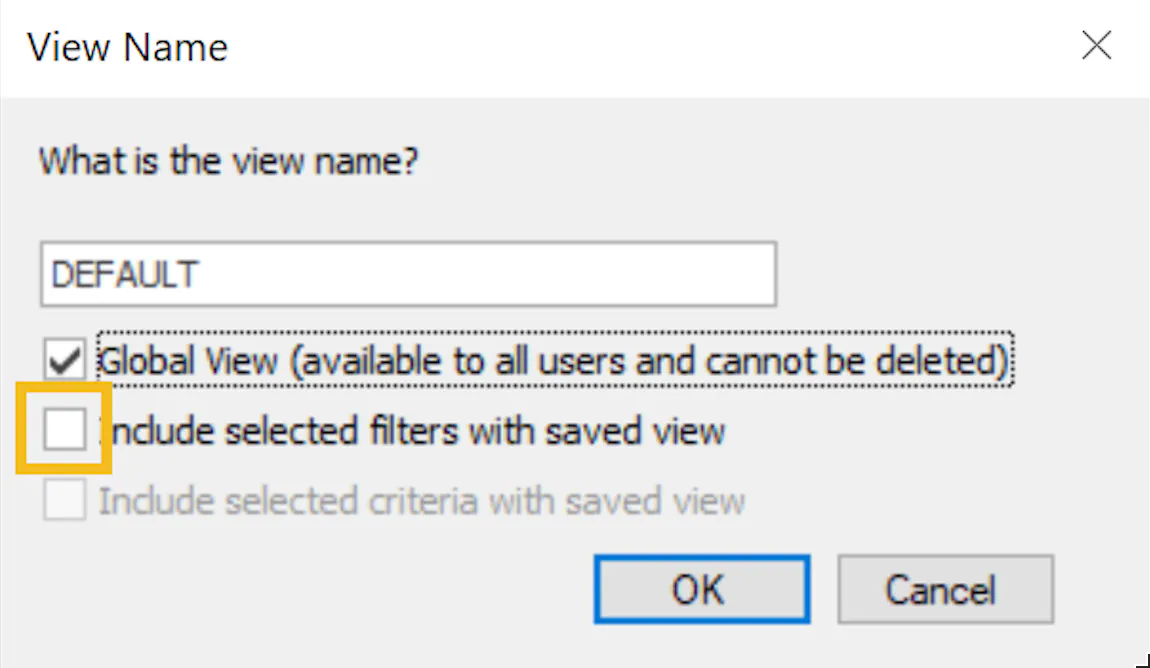
Uncheck Include selected filters with saved view.
-
Select OK.
Fix the Scheduling screen
Section titled “Fix the Scheduling screen”Try these steps in order. After each one, close the Scheduling screen and open it again to check the location.
1. Save the global view without filters
Section titled “1. Save the global view without filters”If you have permission to save global views:
- Select the new view button.
- Leave the view name the same and check Global View.
- Leave Include selected filters with saved view unchecked.
- Select OK.
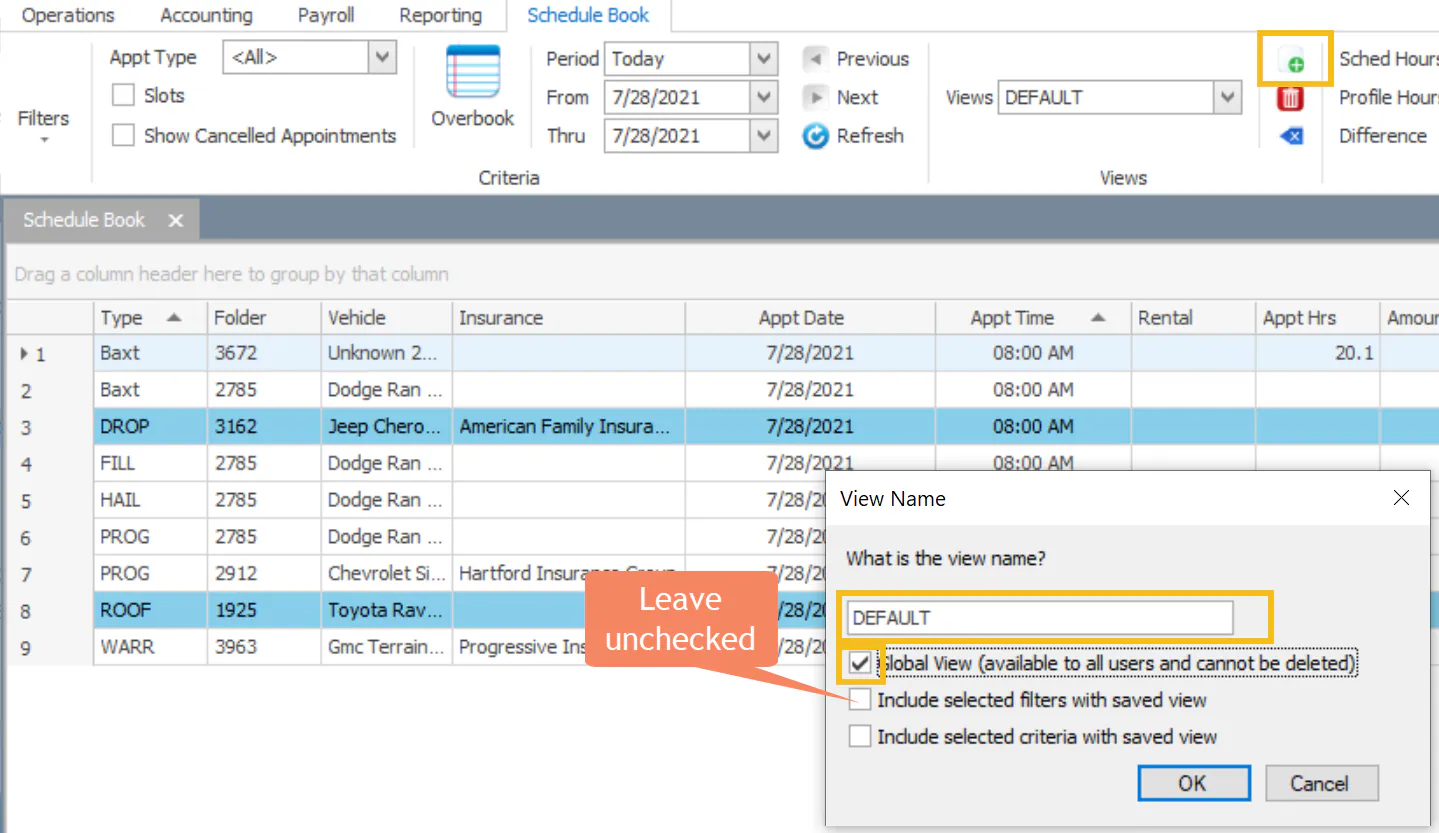
When Include selected filters with saved view is unchecked, the Scheduling screen uses each user’s default location.
2. Save your own view without filters
Section titled “2. Save your own view without filters”If the location is still wrong, your own copy of the view may have saved the location.
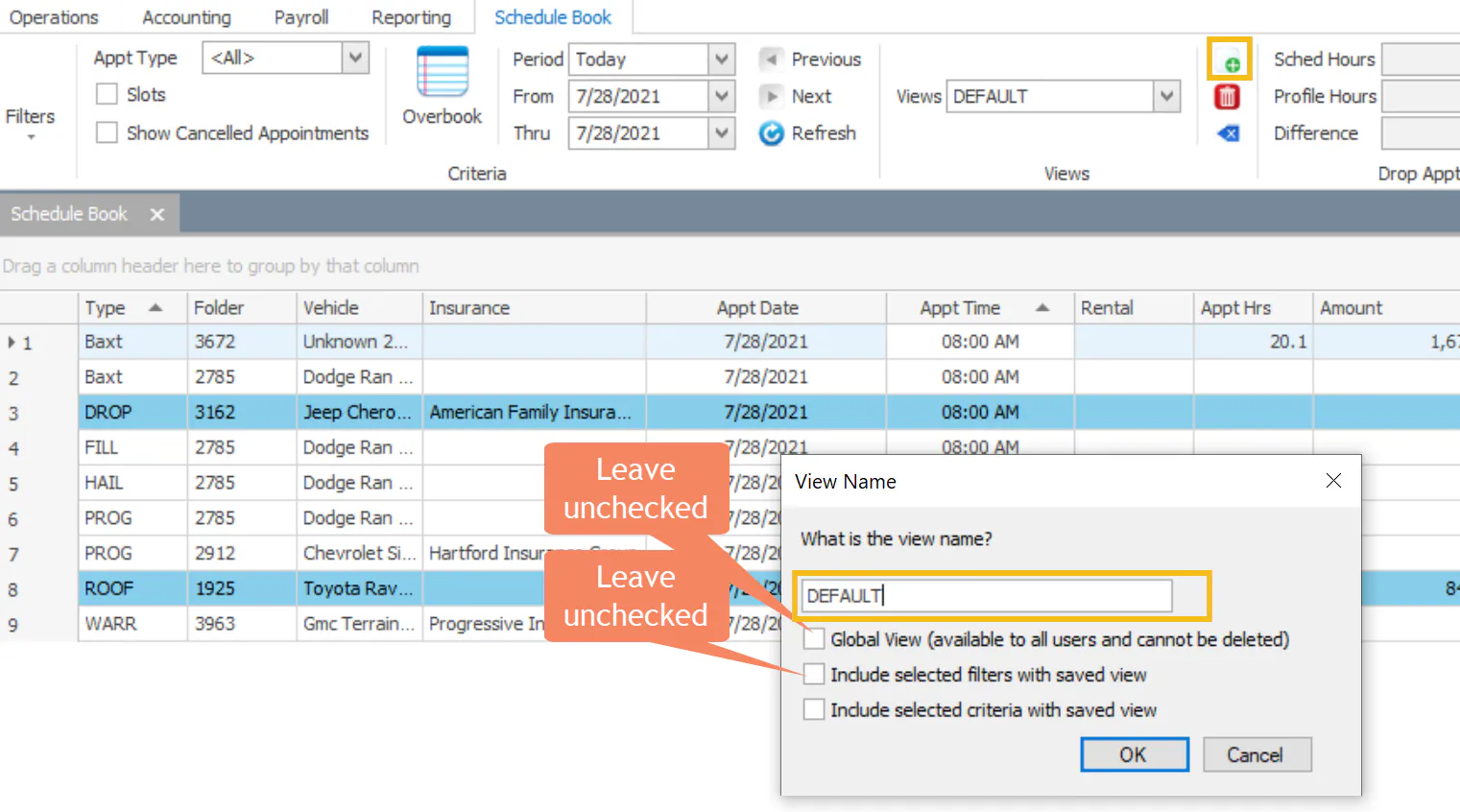
- Select the new view button.
- Leave the view name the same. Don’t check Global View, and leave Include selected filters with saved view unchecked.
- Select OK. This saves over your own view.
3. Reset your view to the company default
Section titled “3. Reset your view to the company default”-
Select the reset view button, then select OK.
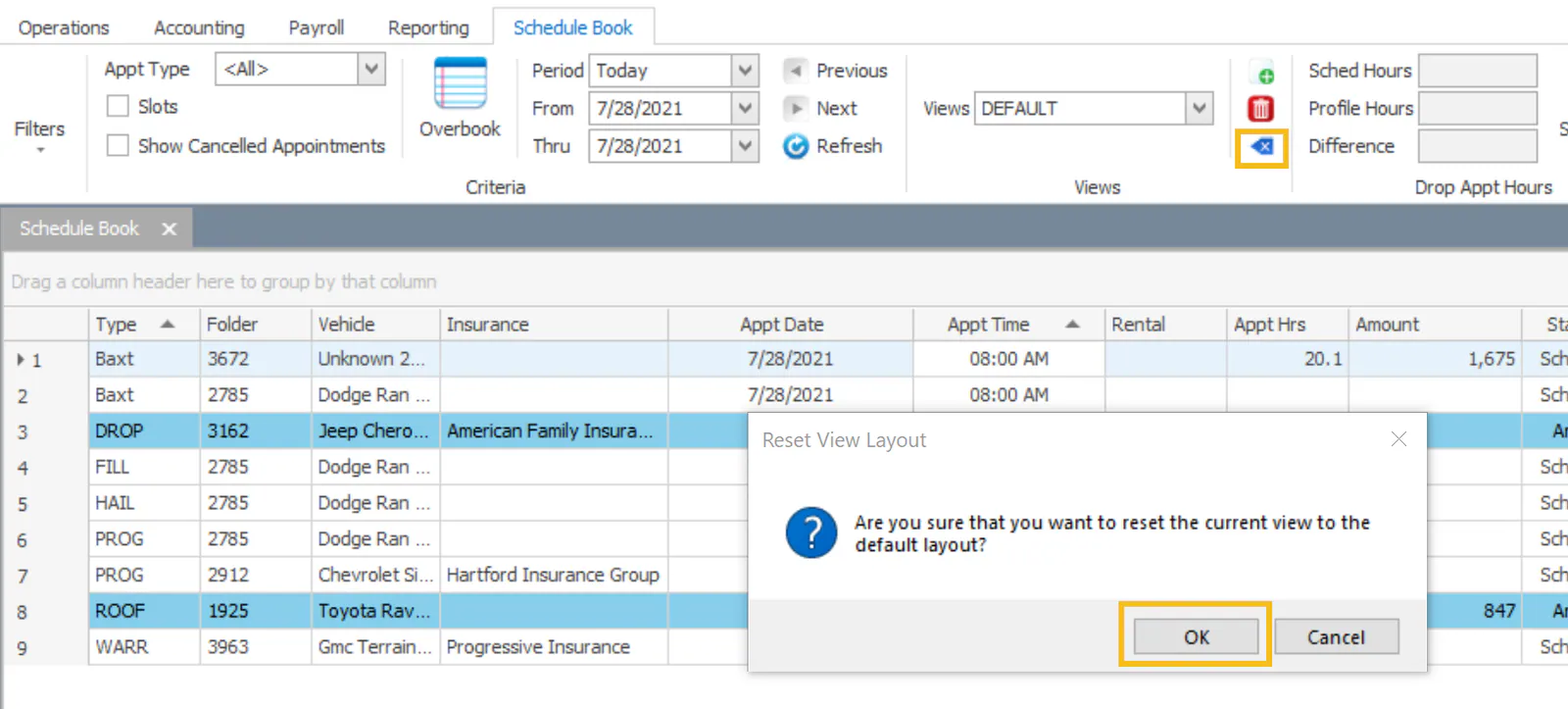
-
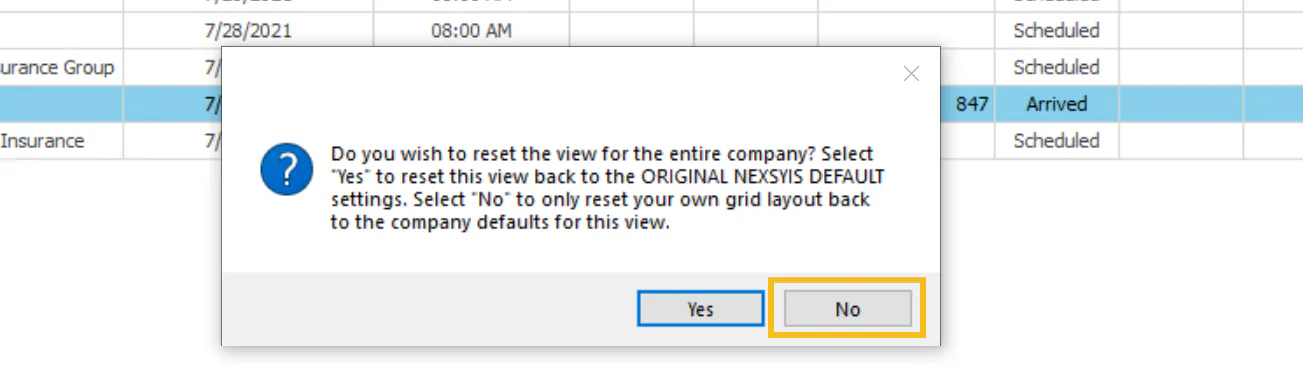
When you’re asked whether to reset the view for the entire company, select No. Only your own layout is reset to the company default.