
Track AR prepayments
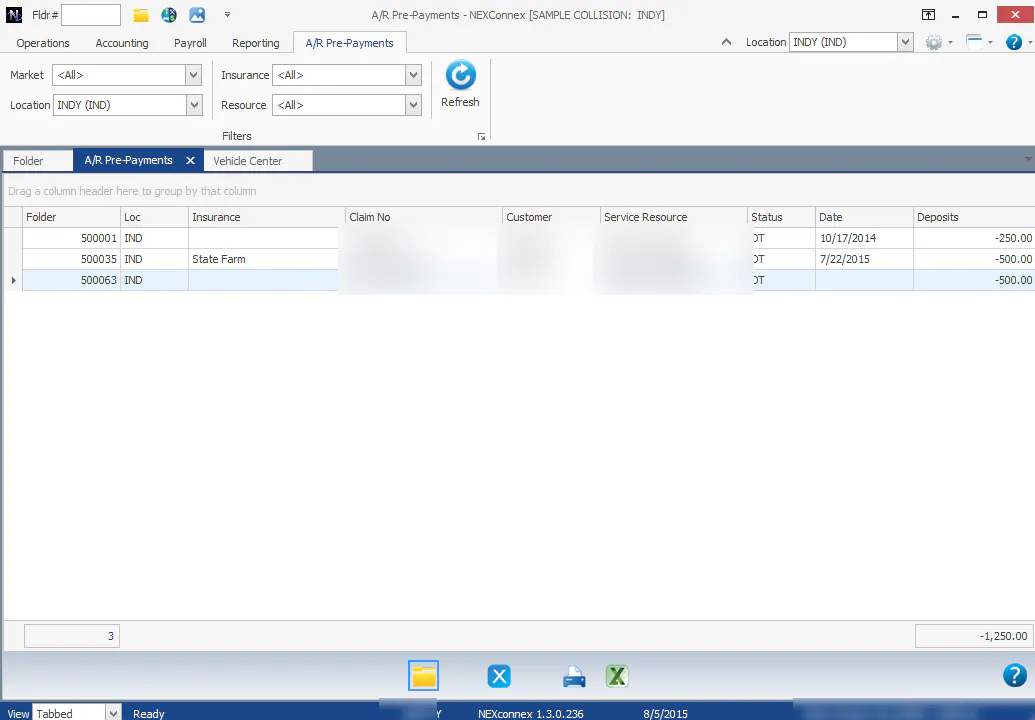
A payment taken before a folder is invoiced is a prepayment, or customer deposit. Use the A/R Pre-Payments list to see them all.
How prepayments work
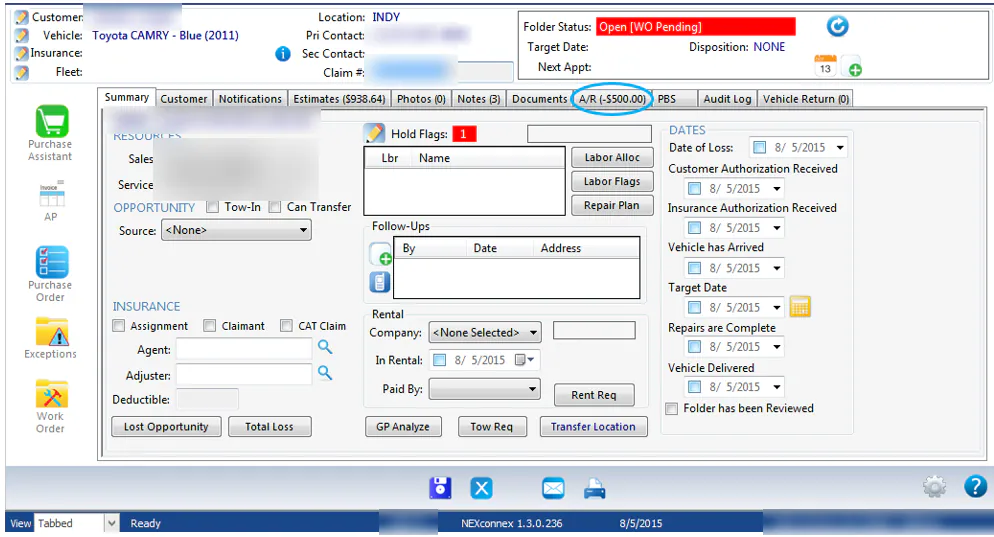
Section titled “How prepayments work”Any payment on a folder that hasn’t been invoiced is treated as a customer deposit. It shows as a negative amount on the folder’s A/R tab. When the folder is invoiced, the deposit is applied against the invoice and the folder’s AR balance goes down by the same amount.
For how this posts to the general ledger, see Customer deposits and the month-end reclass.
View the A/R Pre-Payments list
Section titled “View the A/R Pre-Payments list”On the Operations tab, select Payments › A/R Pre-Payments List.
The list shows AR payments on folders that haven’t been invoiced yet, with the total at the bottom.
See prepayments on vehicles that haven’t arrived
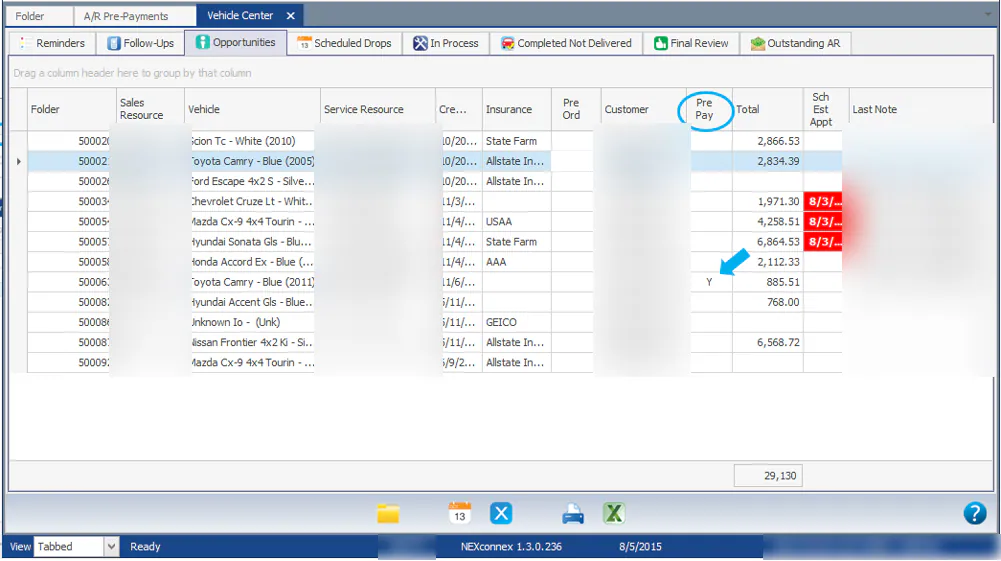
Section titled “See prepayments on vehicles that haven’t arrived”On the Vehicle Center Opportunities tab, a Y in the Pre Pay column means the folder has a prepayment.
On the folder, the A/R tab shows the deposit as a negative amount.
Clear a prepayment from the list
Section titled “Clear a prepayment from the list”A folder leaves the list when you either:
- Invoice the estimate, or
- Refund the money.