Make an AR adjustment
Use an AR adjustment to change what a customer or insurance company owes when no money changes hands, for example a discount, or a small balance you agree to write off.
Make an adjustment
Section titled “Make an adjustment”-
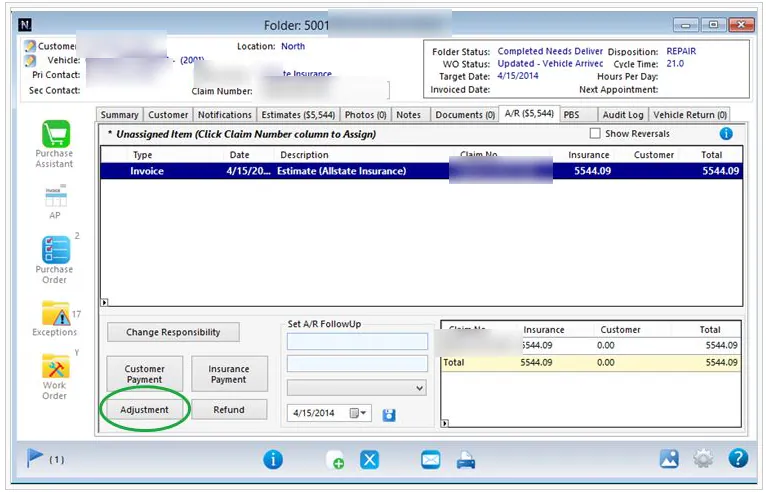
On the folder’s A/R tab, select Adjustment.
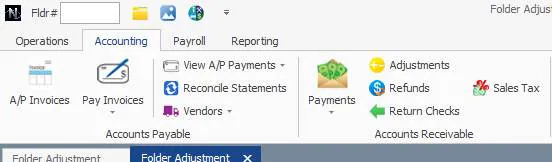
You can also go to Accounting › Accounts Receivable › Adjustments.
-
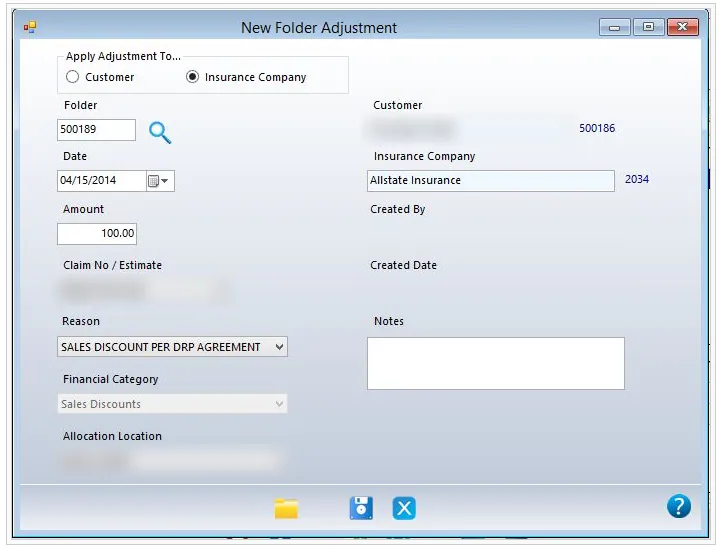
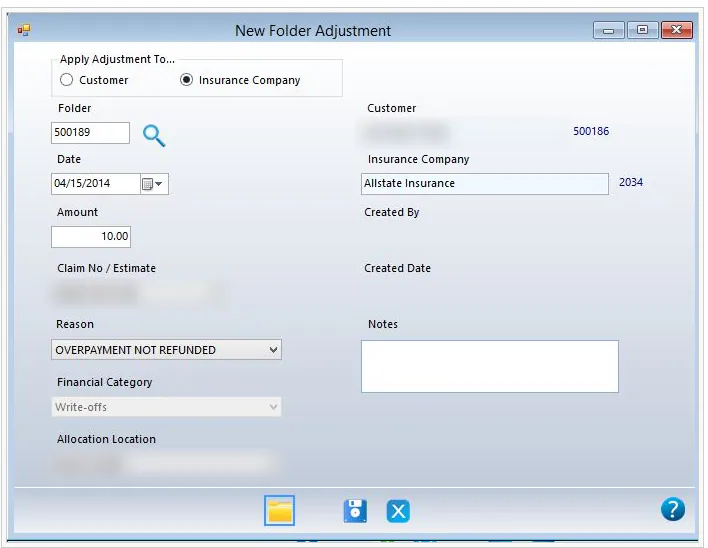
Under Apply Adjustment To, select Customer or Insurance Company.
-
Check the Date and enter the Amount.
-
If the folder has more than one estimate, choose the claim in Claim No / Estimate.
-
Choose the Reason and Allocation Location. The Financial Category is filled in from the reason.
-
Add any Notes.
-
Select Save.
Examples
Section titled “Examples”DRP discount. The insurance company gets a $100.00 discount under a DRP agreement. No cash is refunded; the balance is discounted. Use the reason SALES DISCOUNT PER DRP AGREEMENT, which posts to Sales Discounts.
Calling it even. You and an insurance company owe each other money. You owe them $10.00 more, but they agree to call it even. Use the reason OVERPAYMENT NOT REFUNDED, which posts to Write-offs.
Reverse an adjustment
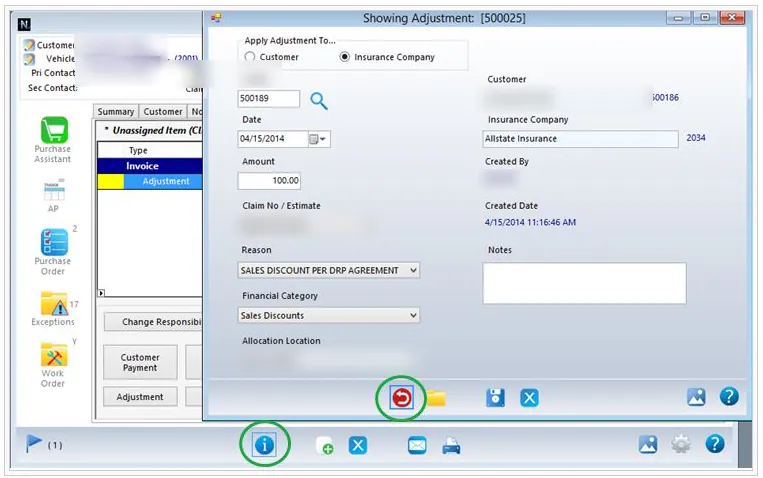
Section titled “Reverse an adjustment”- On the folder’s A/R tab, select the adjustment, then select the details button on the button bar.
- Select the red reverse button.