
Invoice tow bills
The best way to handle a tow bill is to put it on the estimate, so it’s ordered, received and invoiced like a part. If that isn’t possible, you can enter the AP invoice directly against the folder.
Through the estimate (recommended)
Section titled “Through the estimate (recommended)”- In CCC or your other estimating system, create the file, add the tow bill amount, and export it to EMS.
- In Nexsyis, create a folder from the estimate file, or import the estimate into an existing folder.
- Create the work order. This sends the tow line to the Purchase Assistant.
- In the Purchase Assistant, order the tow line. Ordering assigns it a PO number.
- Receive the line, then enter the AP invoice.
Directly against the folder (not recommended)
Section titled “Directly against the folder (not recommended)”-
Enter the AP invoice directly against the folder, without importing an estimate or ordering the tow.
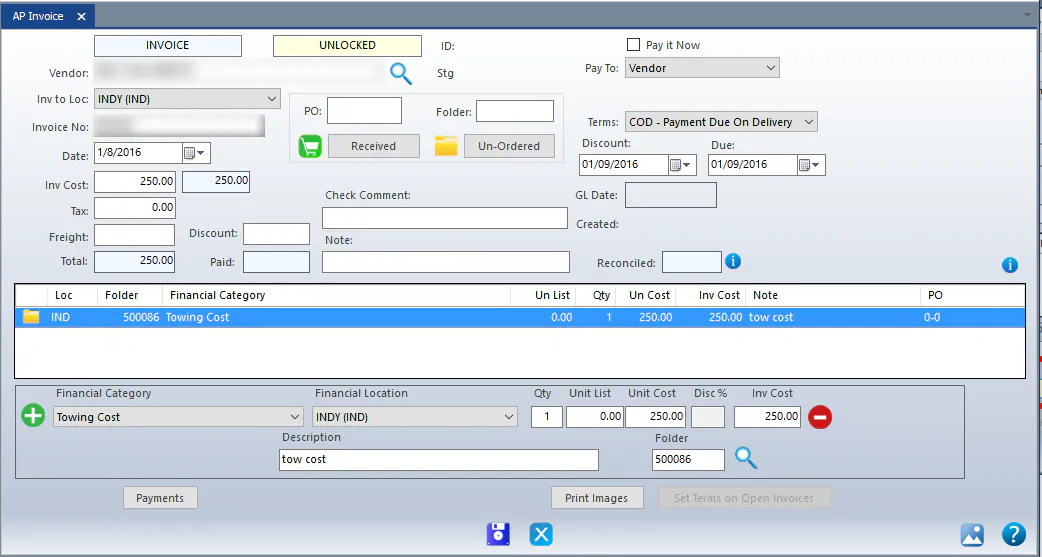
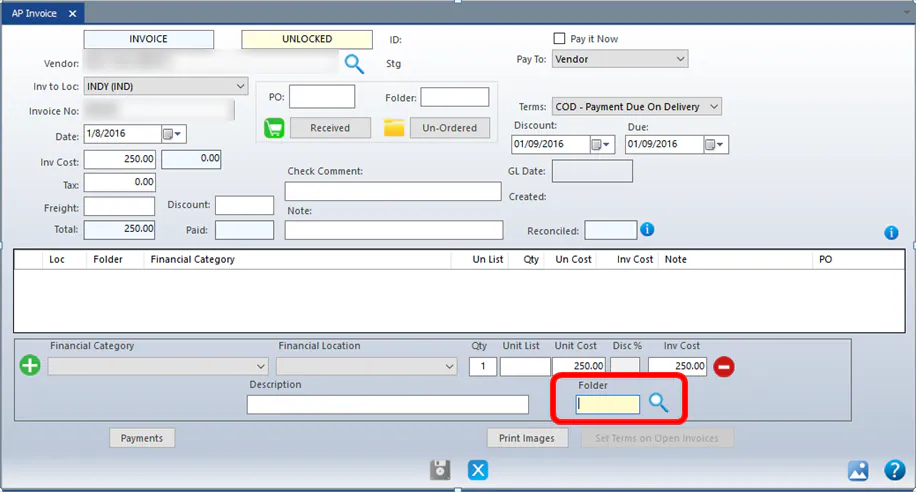
-
This creates a Cost, No Sale exception on the folder’s Exceptions screen, because there’s AP with no estimate line.
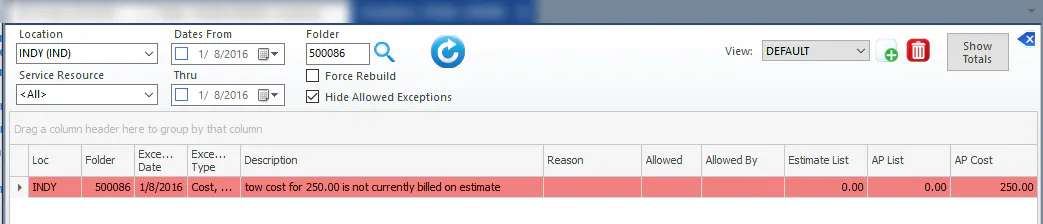
-
Once the estimate is imported, use the Linkage screen to link the estimate line to the AP invoice line. See Review exceptions.