
Undo a return
If a part you marked as rejected and returned can’t be returned after all, undo the return and then the reject.
Undo the return
Section titled “Undo the return”Select the red line, then right-click and select Un-Return, or select Un-Return at the bottom of the screen.
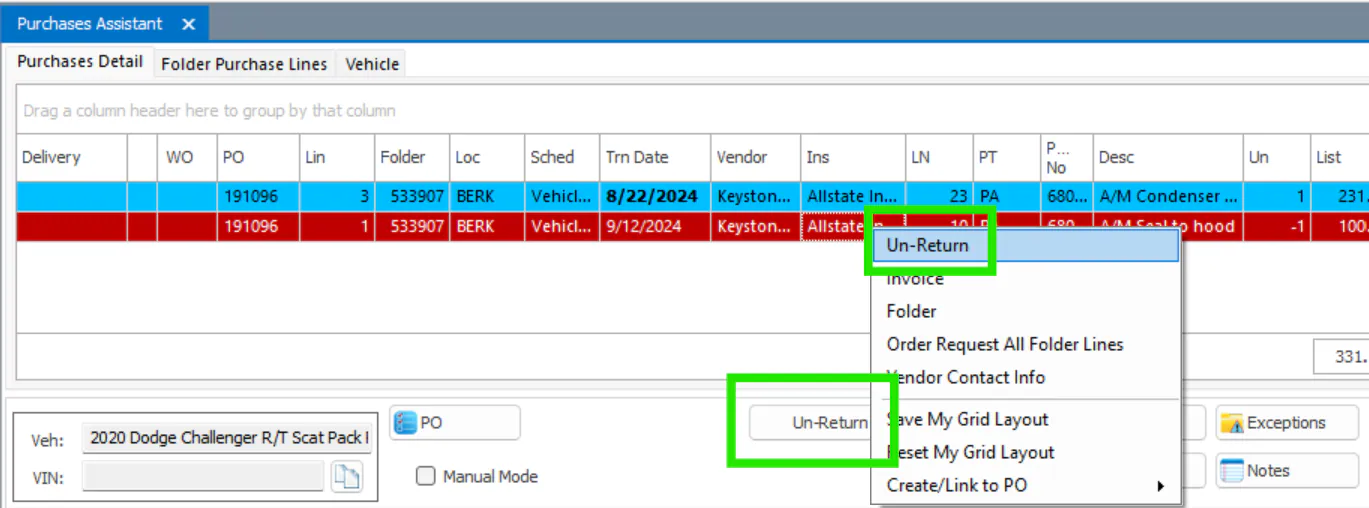
The line goes back to cyan: Rejected (Not Returned).
Undo the reject
Section titled “Undo the reject”Select the cyan line, then right-click and select Un-Reject, or select Un-Reject at the bottom of the screen.
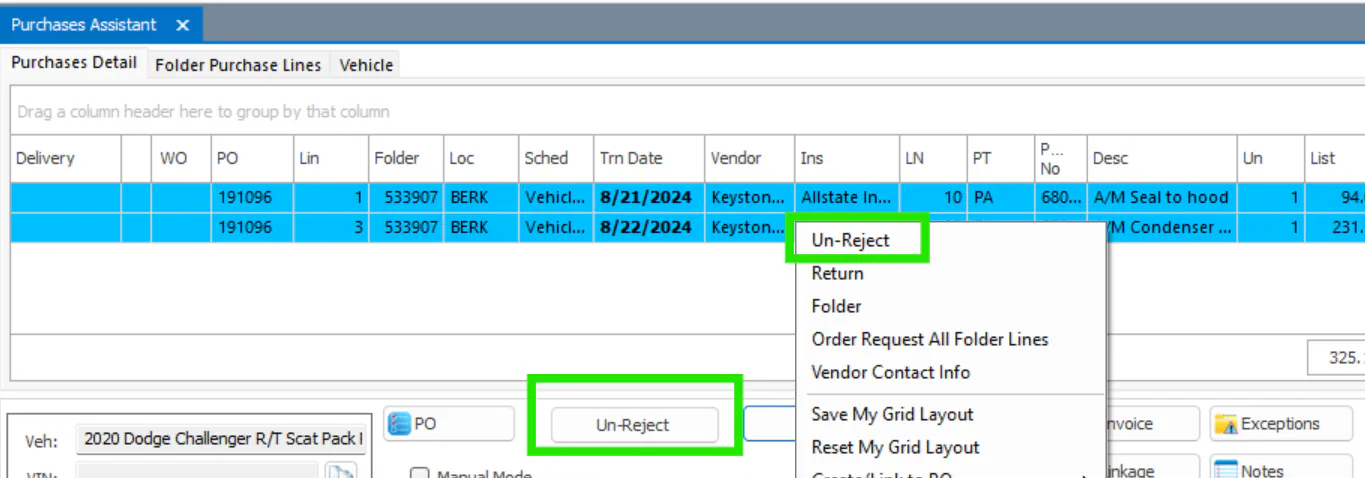
The rejected line is removed.