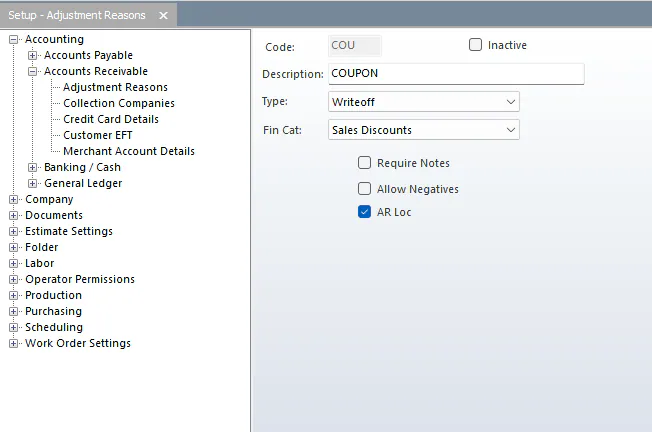
Set up adjustment reasons
Adjustment reasons fill the Reason drop-down on the A/R Adjustments screen and the Non-AR Payments screen. They’re the most detailed way adjustments are grouped in Nexsyis. Each reason can also have a financial category to post to, so users don’t have to choose one each time.
Review the list of adjustment reasons and add or remove reasons so it matches the list your shop wants to use.
Add an adjustment reason
Section titled “Add an adjustment reason”- Go to Setup › Accounting › Accounts Receivable › Adjustment Reasons.
- Select New at the bottom of the screen.
- Fill in the fields:
- Code: a short abbreviation.
- Description
- Type:
- Non-AR Payments: the reason appears in the Reason drop-down on the Non-AR Payments screen.
- Writeoff: the reason appears in the Reason drop-down on the A/R Adjustments screen.
- Fin Cat: the financial category to post the adjustment to. If you leave it blank, users are asked to choose one when they post.
- Require Notes: users must enter a note when posting with this reason.
- Allow Negatives: users can post a negative amount.
- AR Loc
- Select Save.