
Set up Nexsyis estimate tasks
An estimate task is a ready-made package of parts, labor and charges, with their current prices, that an estimator adds to a Nexsyis estimate in one step. Tasks save retyping, keep item descriptions, sales codes and prices consistent, and always use each item’s latest price.
Before you begin
Section titled “Before you begin”- Set up the estimate items you want in your tasks, with their prices.
- Add any attributes you want to tag tasks with, such as location names, repair procedures, insurance companies or vehicle makes.
Create an estimate task
Section titled “Create an estimate task”-
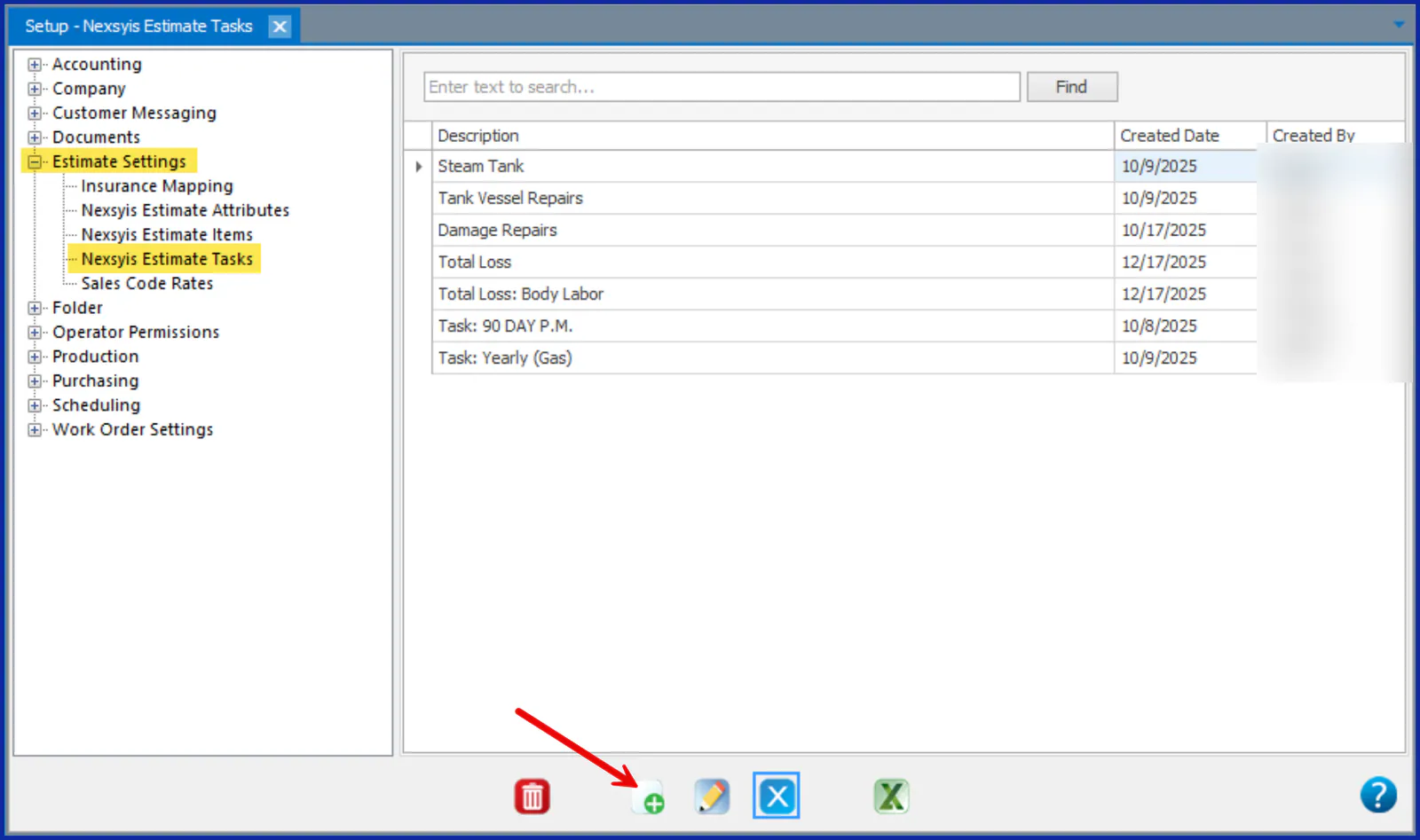
Go to Setup › Estimate Settings › Nexsyis Estimate Tasks.
-
Select New at the bottom of the screen.
-
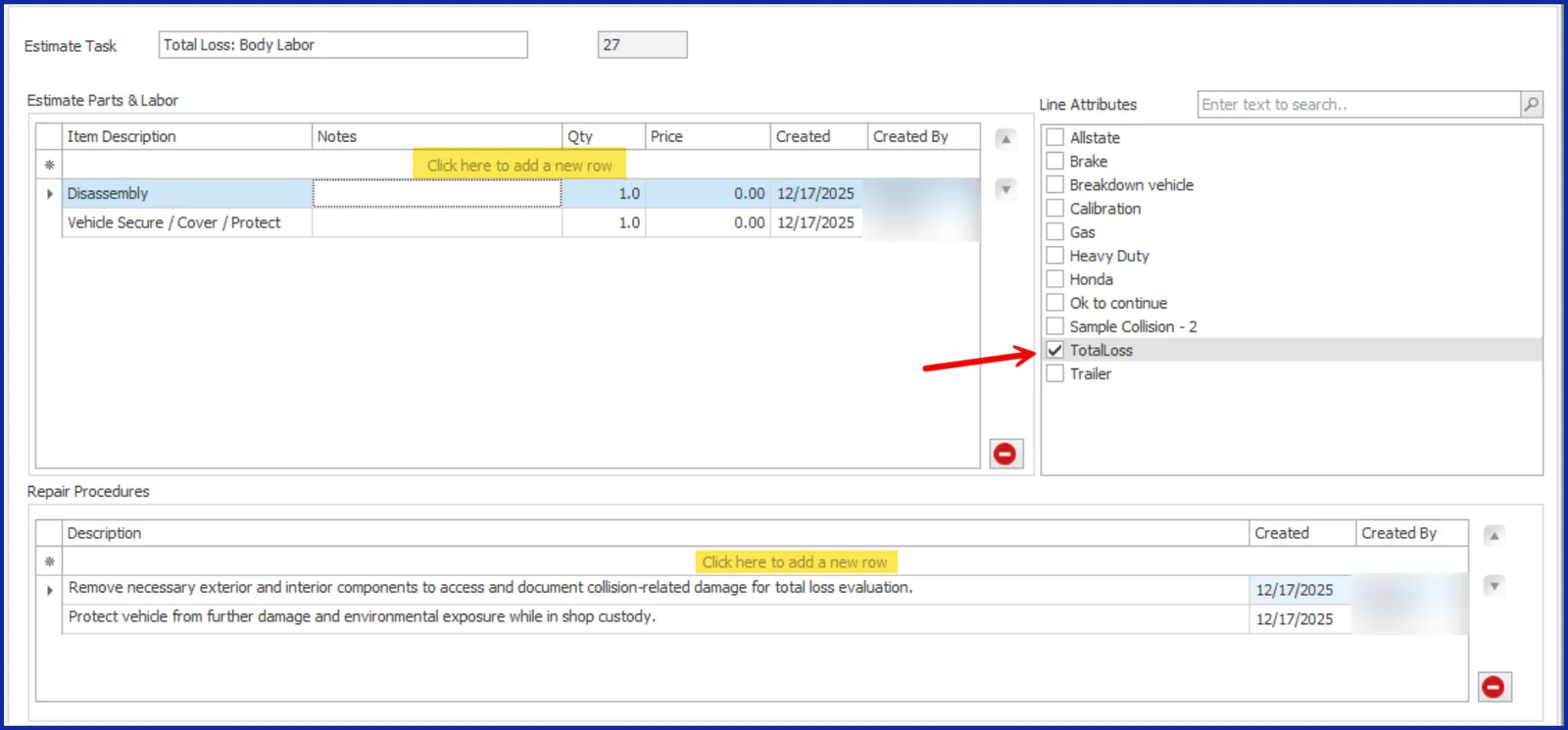
In Estimate Task, enter the task name. The task ID fills in automatically.
-
Under Estimate Parts & Labor, select Click here to add a new row and choose an estimate item. Repeat for each item in the task.
-
(Optional) Under Repair Procedures, add instructions for the task. Select Click here to add a new row and type the instructions. Press Enter to start a new line within the same row, and Tab to save the row. Each row can hold up to 900 characters. Repair procedures show on the estimate screen and on the printed estimate.
-
Under Line Attributes, select each attribute you want to tag the task with. Estimators can filter the task list by attribute when they build an estimate.
Your changes are saved automatically.
Change or delete a task
Section titled “Change or delete a task”- Change a task: in the Nexsyis Estimate Tasks list, double-click the task, or select it and then select the edit button at the bottom of the screen.
- Delete a task: select the task, then select the delete button at the bottom of the screen.
Use a task on an estimate
Section titled “Use a task on an estimate”On a folder’s Estimates tab, select New Nexsyis Estimate. On the New Estimate screen, add tasks or single items from the list to the right of the estimate. Every item in the task is added with its current price. See Write a Nexsyis estimate.