Turn on EFT
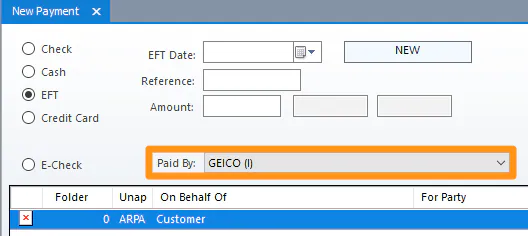
The Paid By list for EFT payments only shows payers that are set up for EFT. Turn it on in the setup for each type of payer.
Insurance company
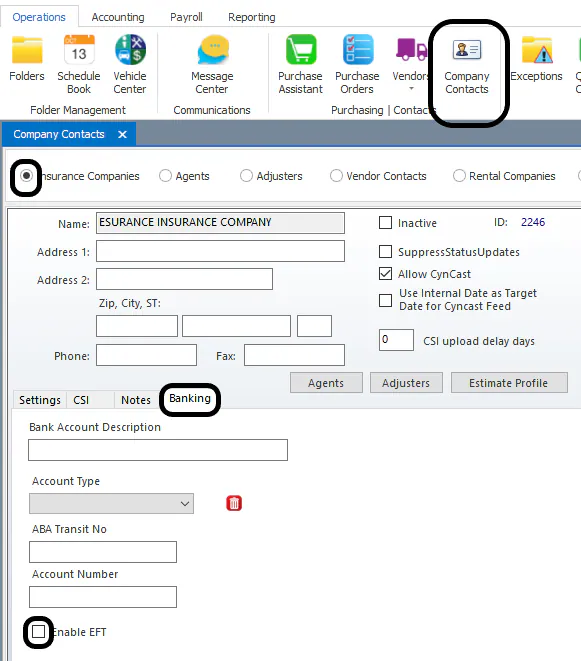
Section titled “Insurance company”- On the Operations tab, select Company Contacts.
- Select Insurance Companies, search for the insurance company, and double-click it.
- On the Banking tab, select Enable EFT.
- Select Save.
Vendor
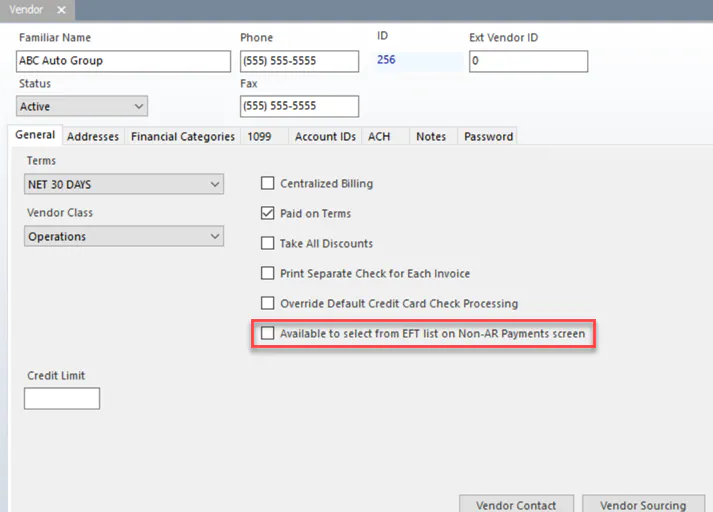
Section titled “Vendor”- Open the vendor from Vendors › AP Vendors.
- On the General tab, select Available to select from EFT list on Non-AR Payments screen.
Customer
Section titled “Customer”Set up the customer before you enter their first EFT payment.
-
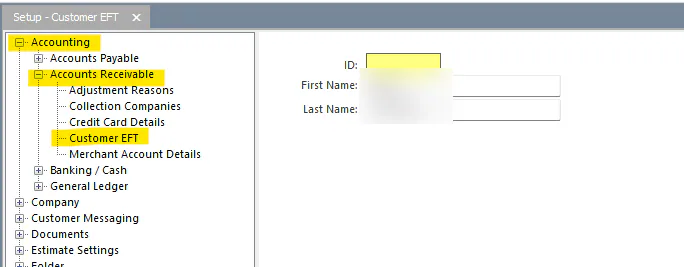
Go to Setup › Accounting › Accounts Receivable › Customer EFT.
-
Select New and enter the customer’s First Name and Last Name.
-
Select Save.
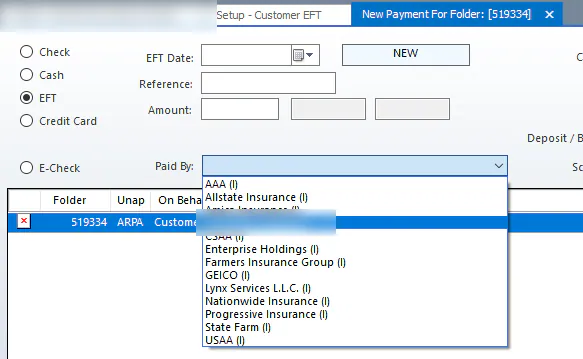
On the folder’s payment screen, select EFT. The customer’s name is in the Paid By list.
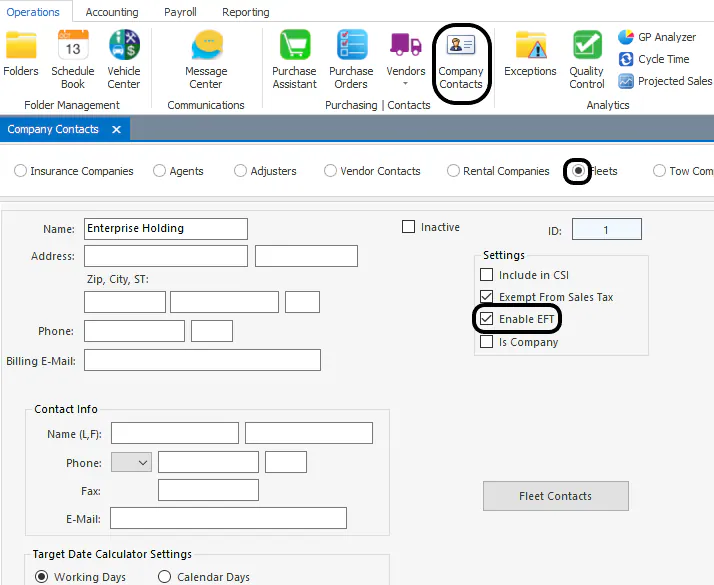
- On the Operations tab, select Company Contacts.
- Select Fleets, search for the fleet, and double-click it.
- Select Enable EFT.