
Set up repair plan templates
A repair plan template is a set of stages in order. New folders start with the default template’s stages, and you can choose a different template for a vehicle.
Before you begin
Section titled “Before you begin”Set up your stages first. See Set up repair plan stages.
Add a template
Section titled “Add a template”-
Open System › Setup › Production › Repair Plan Templates.
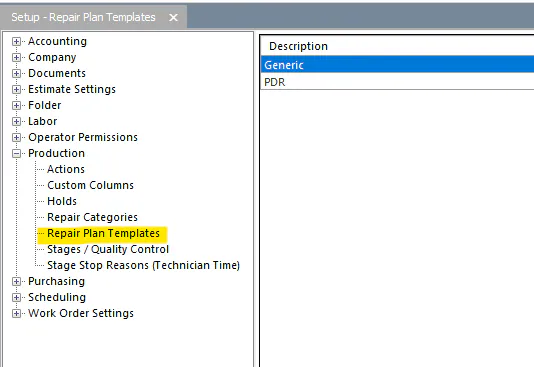
-
Select the new button (green +) at the bottom of the screen.
-
In Name, type the template name.
-
Move each stage you want from Available Steps to the grid on the right with the right arrow button.
-
To change the order, use the up and down buttons on the far right of the screen.
-
Select the save button.
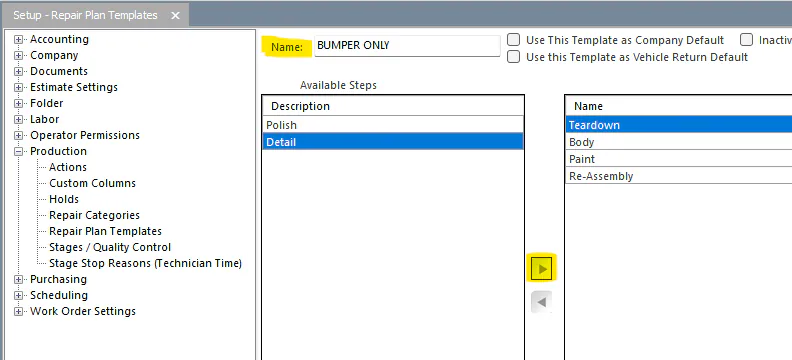
Your templates can now be chosen from the Templates drop-down on the repair plan.
Set the default template
Section titled “Set the default template”The default template is the one new folders start with. It should be the template used for most repairs, so make sure you have a generic or default template.
-
Company default: on the template, select Use This Template as Company Default.
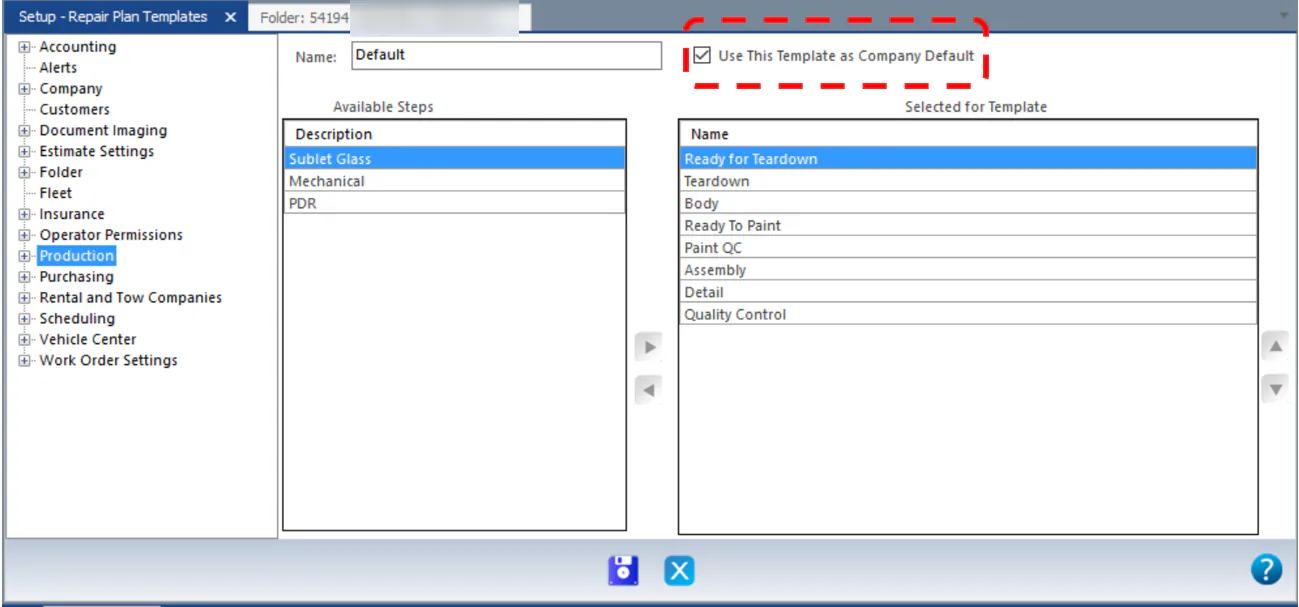
-
Location override: to use a different template for one location, open Setup › Company › Locations, select the location, and choose the template in Override Default Repair Plan Template on the Profile tab.
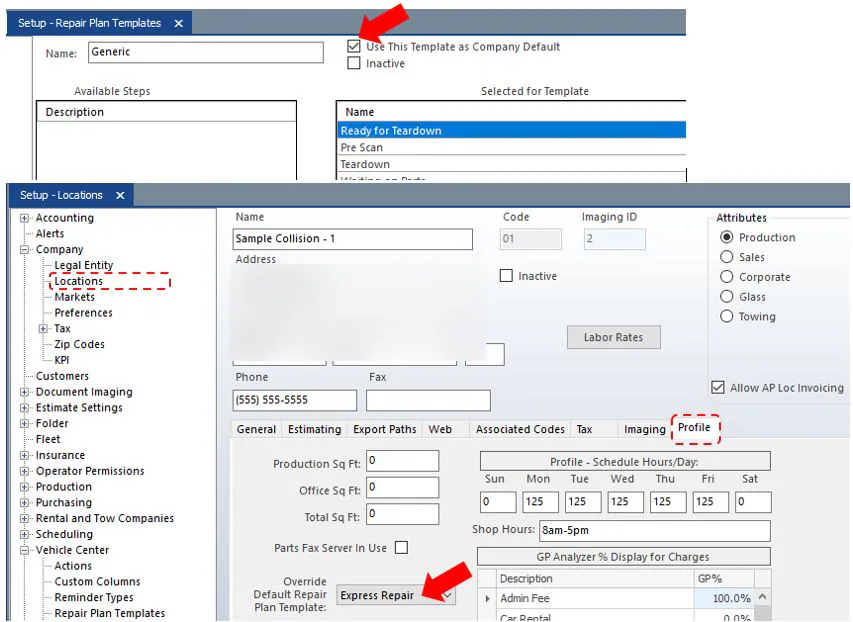
Folders assigned to a location with an override use that location’s template. All other folders use the company default.
Change a vehicle’s template
Section titled “Change a vehicle’s template”A new folder’s repair plan uses the default template and its stages.
- On the vehicle’s repair plan, open the Templates drop-down.
- Select the template you want.

The repair plan now shows the stages from the template you selected.
To change the template in NexsyisNow, see Edit a vehicle’s repair plan.