
Shop pay lines on AP invoices
An AP invoice line that’s attached to a folder but not to a purchase order (PO) line is a shop pay line. Nexsyis gives these lines a shop pay financial category automatically, so you can track what they cost.
Set the shop pay financial category
Section titled “Set the shop pay financial category”Each sales code has a Shop Pay Fin Cat in the sales code setup.
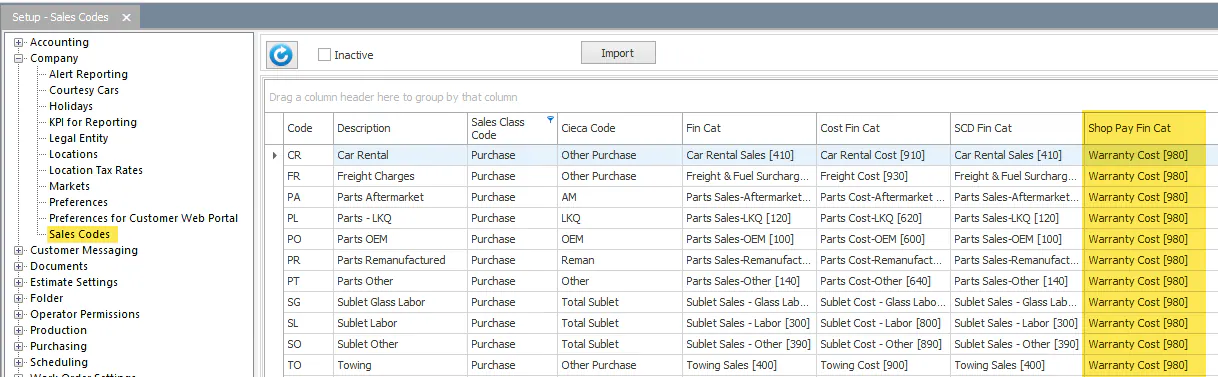
See Set up sales codes and financial categories.
What happens on the AP invoice
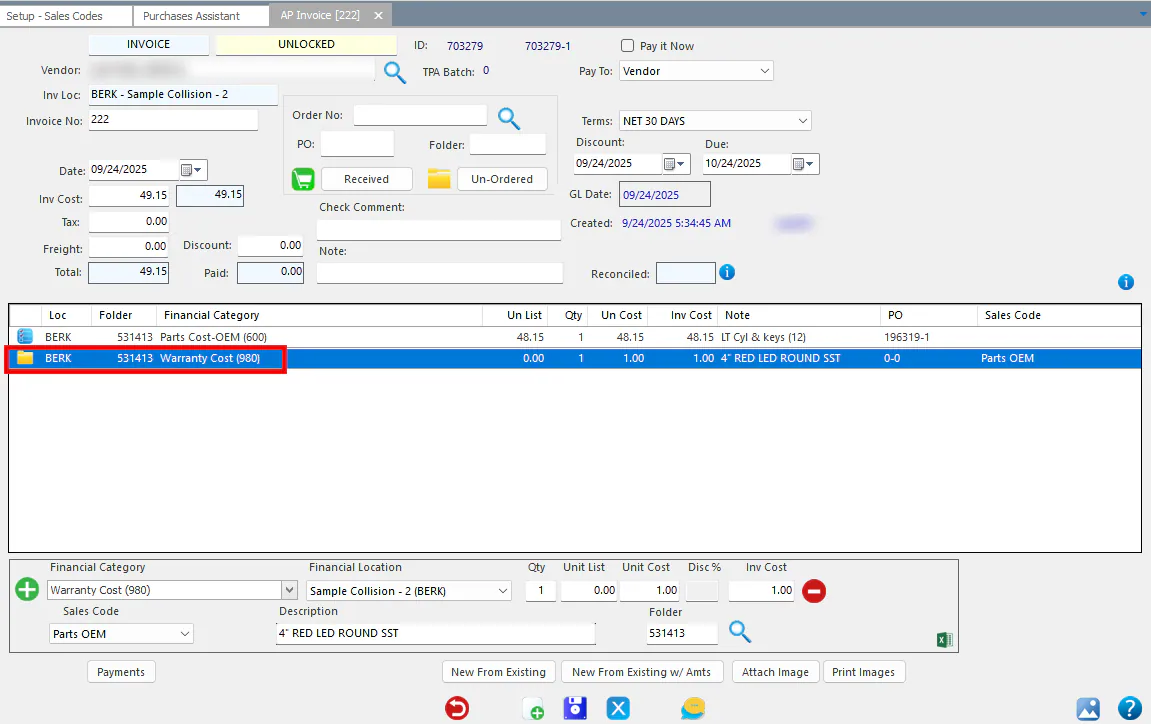
Section titled “What happens on the AP invoice”When you enter an AP invoice line that’s attached to a folder but not linked to a PO line, its financial category defaults to the Shop Pay Fin Cat from the sales code setup.
Change the financial category
Section titled “Change the financial category”A user with the Shop Pay Override transaction permission can change the financial category on a shop pay line.
