
Invoice location vs. financial location
An AP invoice has two location fields. Inv to Loc records which location the vendor billed. Financial Location on each line records which location the cost belongs to.
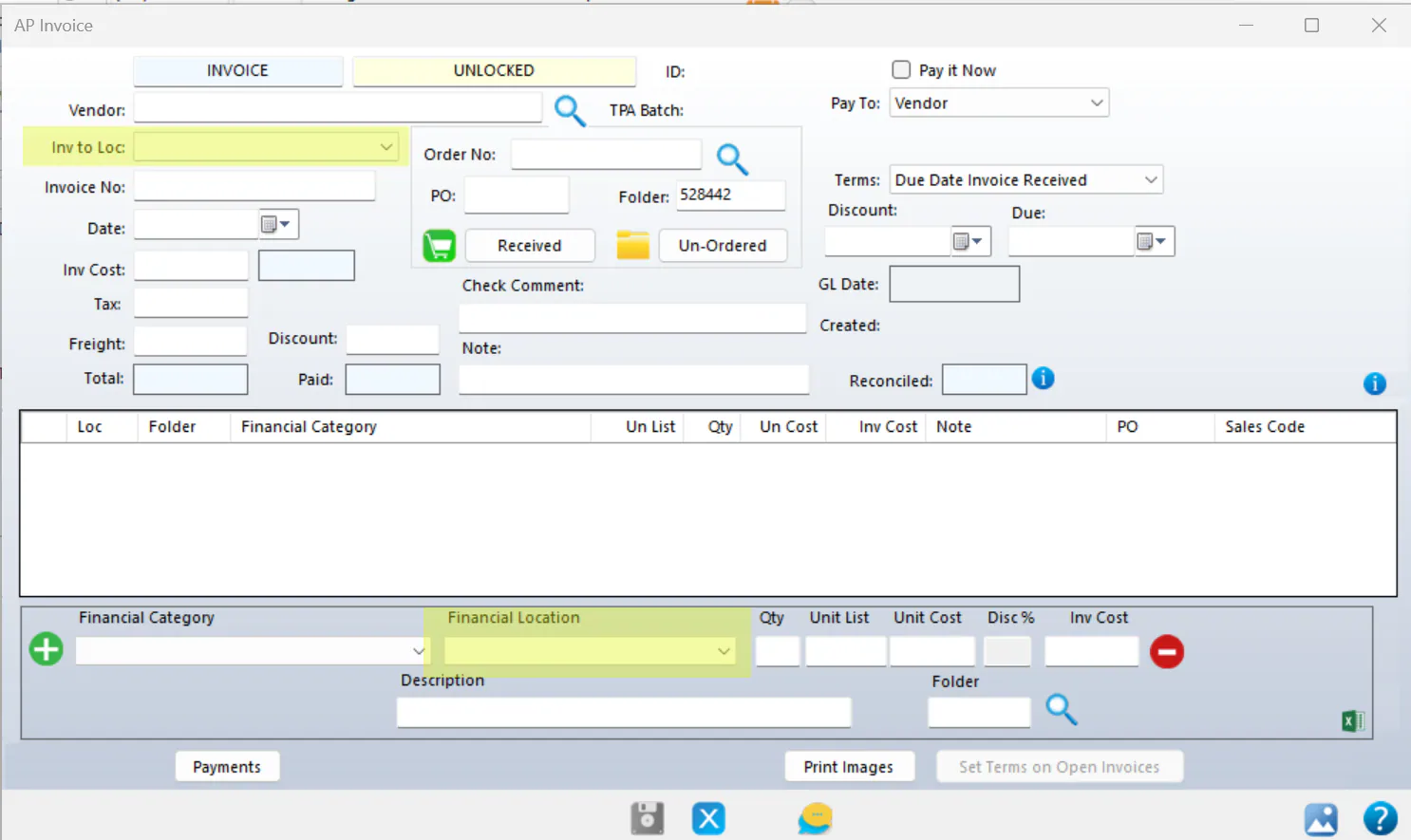
Inv to Loc
Section titled “Inv to Loc”Inv to Loc (invoice to location), at the top of the AP invoice, is the location the invoice was billed to. If the vendor billed Sample Collision – North, enter Sample Collision – North. This keeps the amount owed with the right location for that invoice.
On the A/P Invoices search screen, the LK column shows the Inv to Loc.
Vendors often bill each location separately. Make sure Inv to Loc matches the invoice. It shows where the vendor expects to be paid from, and makes reconciling vendor statements easier.
Financial Location
Section titled “Financial Location”At the bottom of the AP invoice, the Financial Location on each line is where that cost goes. You can spread an invoice’s costs across several locations.
When they differ
Section titled “When they differ”A vendor may bill Sample Collision – North and expect payment from it, while the work was done at Sample Collision – South. This is common for shops that share work between locations. Set Inv to Loc to Sample Collision – North, as the vendor billed, and set the Financial Location of the lines to Sample Collision – South.