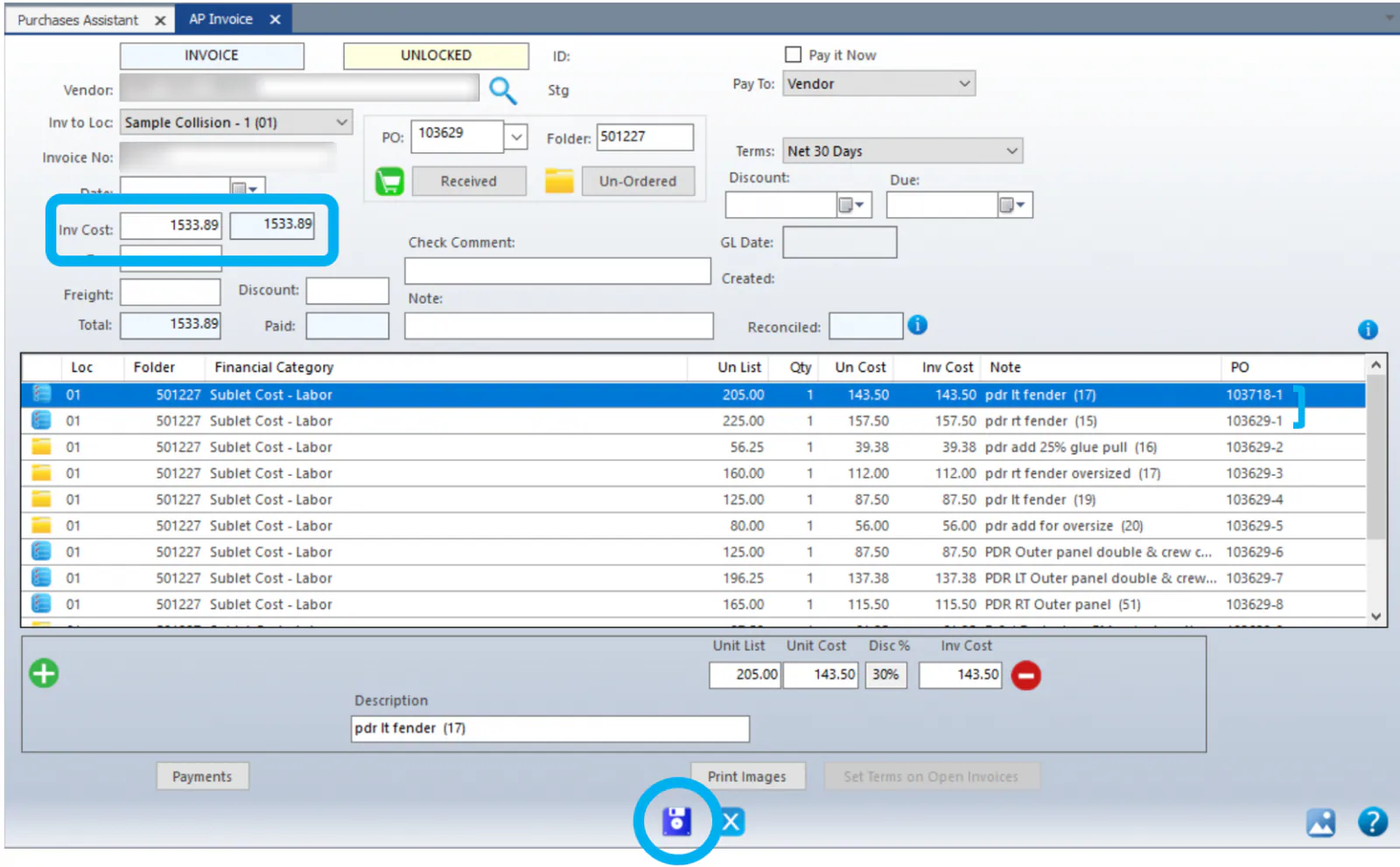
Invoice several POs on one invoice
When a vendor sends one invoice or credit memo for parts on several purchase orders (POs) or folders, enter it once and add the lines from each PO.
-
Invoice the first PO as usual. At the top, enter the exact Vendor, Date and Inv Cost from the vendor’s invoice. Select the green check mark below the lines to set the first PO.
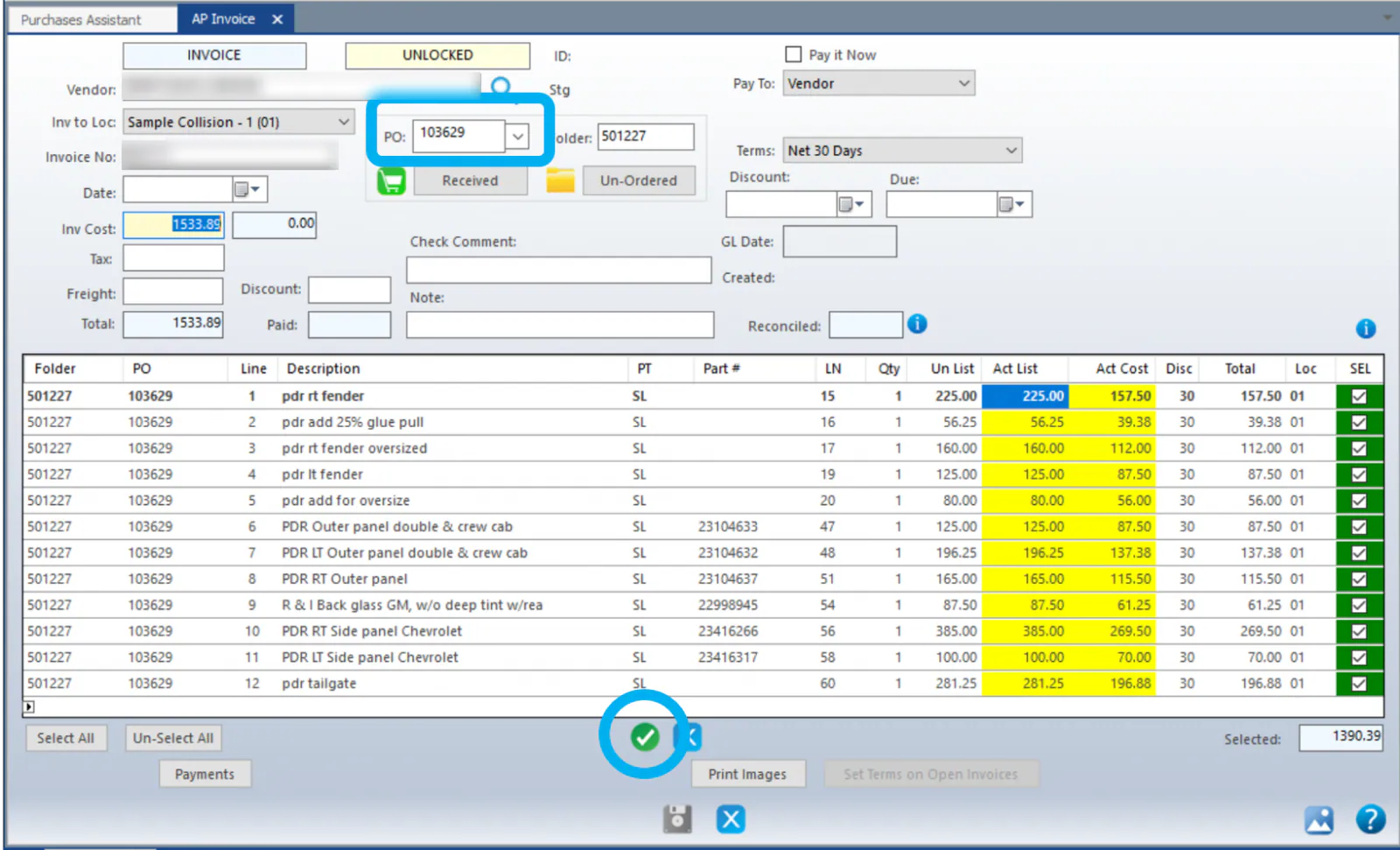
-
Enter the second PO number in the PO box at the top middle of the screen and select Received to load its lines. Correct the Act List and Act Cost as needed, then select the green check mark again.
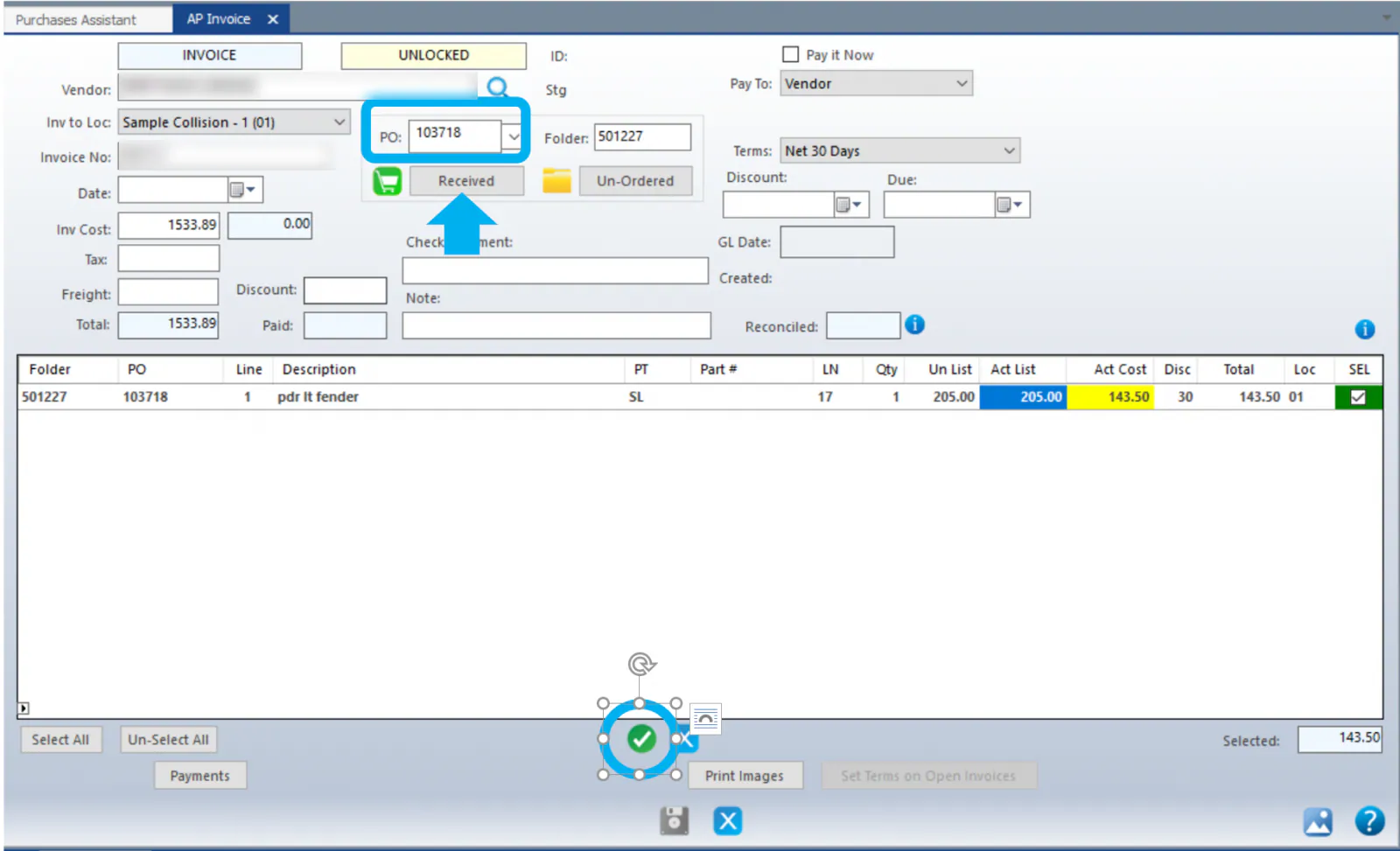
-
Repeat for each PO on the invoice.
-
When the total of the lines matches the Inv Cost, select Save.