Cancel an appointment
Cancel an appointment and record the reason. Nexsyis can also text or email the customer to let them know.
Cancel in Nexsyis
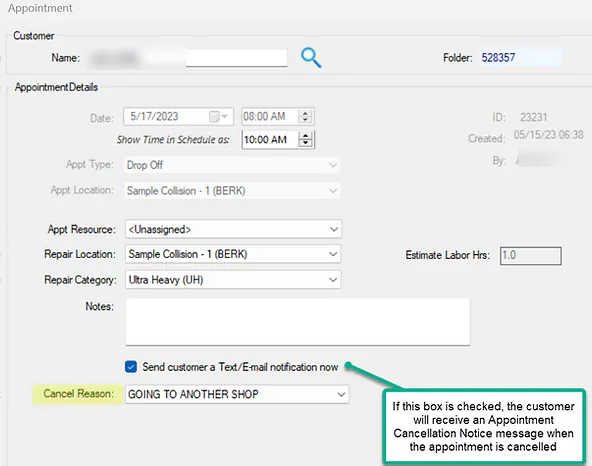
Section titled “Cancel in Nexsyis”- Open the appointment from the Scheduling screen.
- Choose a Cancel Reason.
- To let the customer know, leave Send customer a Text/E-mail notification now selected.
- Select Save.
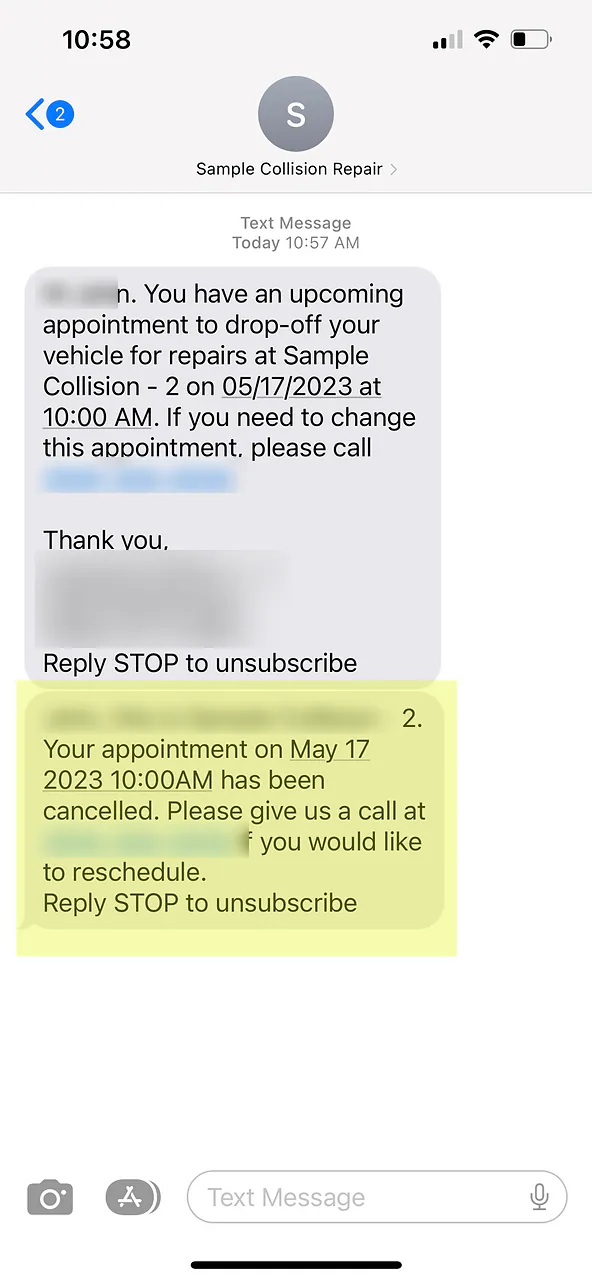
The appointment is cancelled. If the notification box was selected, the customer receives your Appointment Cancellation Notice message.
Cancel in NexsyisNow
Section titled “Cancel in NexsyisNow”- On the Scheduling screen, select the appointment. The Edit Appointment panel opens.
- Select Cancel Appointment.
To change a booking instead of cancelling it, see Reschedule an appointment.
Set up the cancellation message
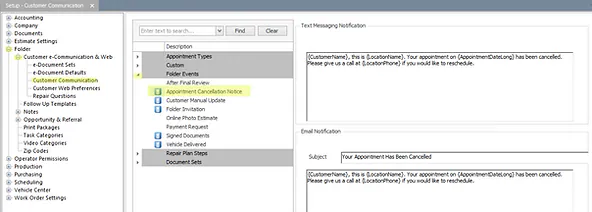
Section titled “Set up the cancellation message”- Open Setup › Folder › Customer e-Communication & Web.
- Choose the group Folder Events, then the message type Appointment Cancellation Notice.
- Edit the text message and email as needed, then save.