Set up referral sources
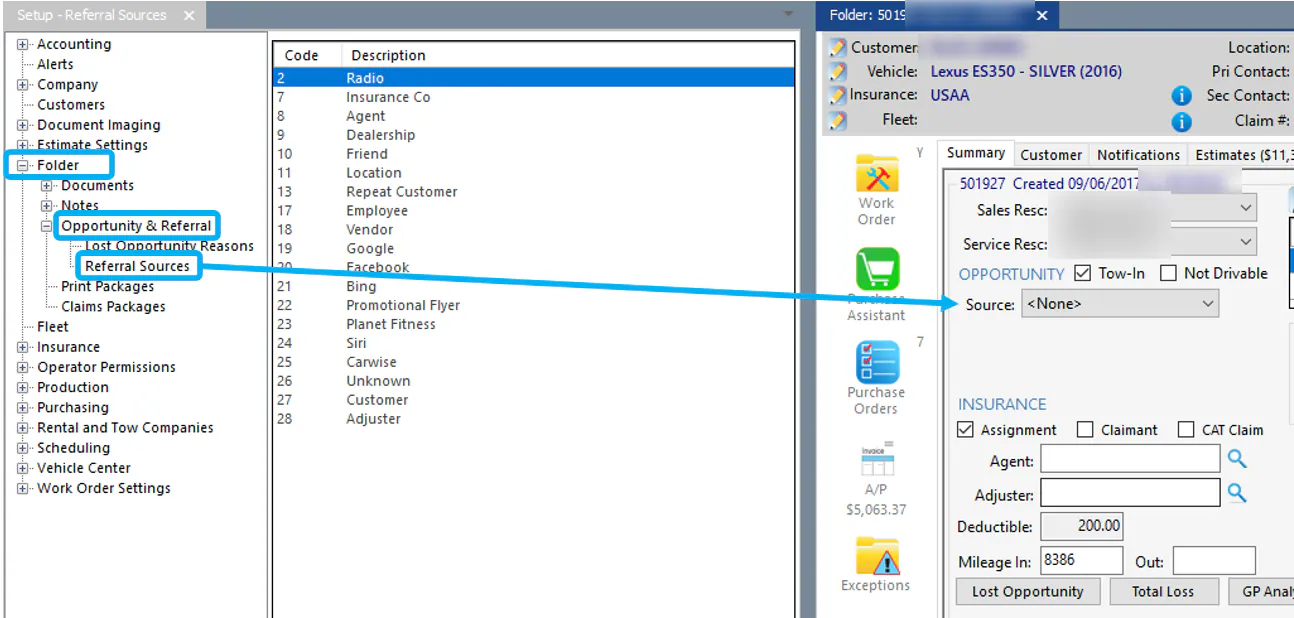
Referral sources fill the Source list in the Opportunity section of a folder’s Summary tab. Use them to track how customers found your shop.
Open Referral Sources
Section titled “Open Referral Sources”Go to Setup › Folder › Opportunity & Referral › Referral Sources.
Add or edit a referral source
Section titled “Add or edit a referral source”-
Select the new button (green +) at the bottom of the screen to add a referral source, or double-click an existing one to edit it.
-
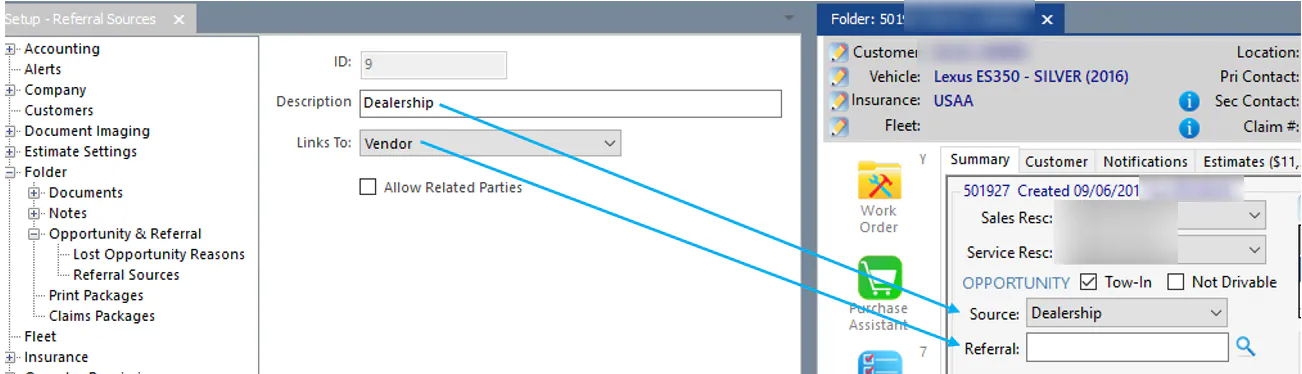
In Opportunity Source Name, type the name that shows in the folder’s Source list.
-
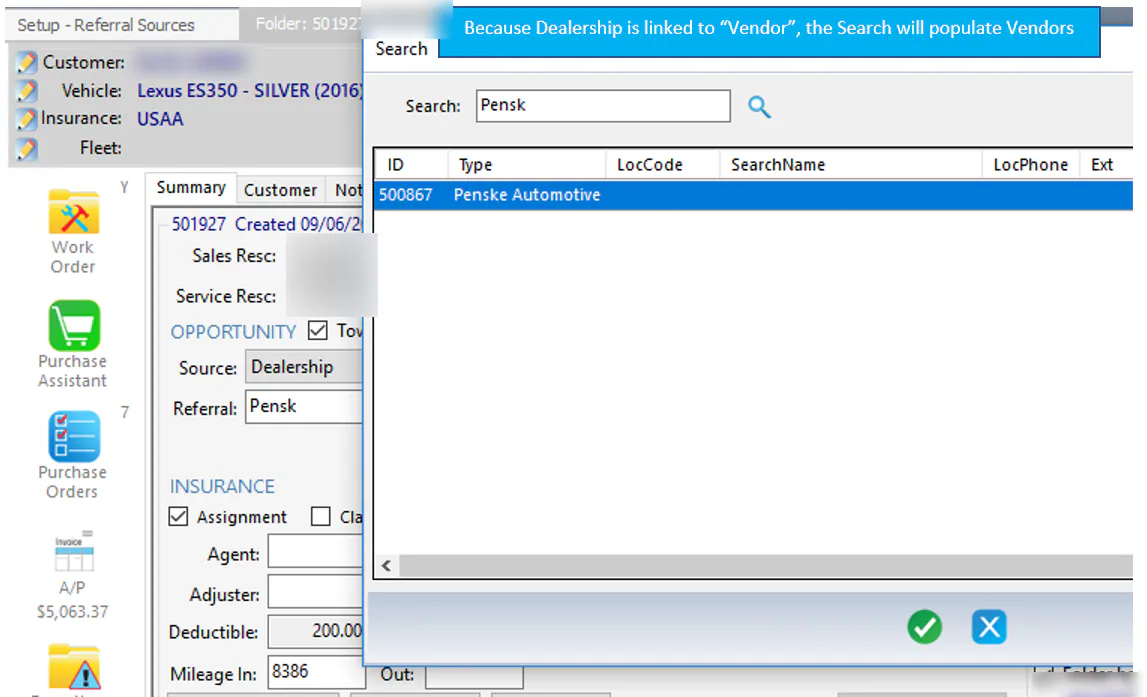
In Referral links to, choose what the folder’s Referral field searches. For example, Dealership is linked to Vendor, so the Referral search shows vendors.
-
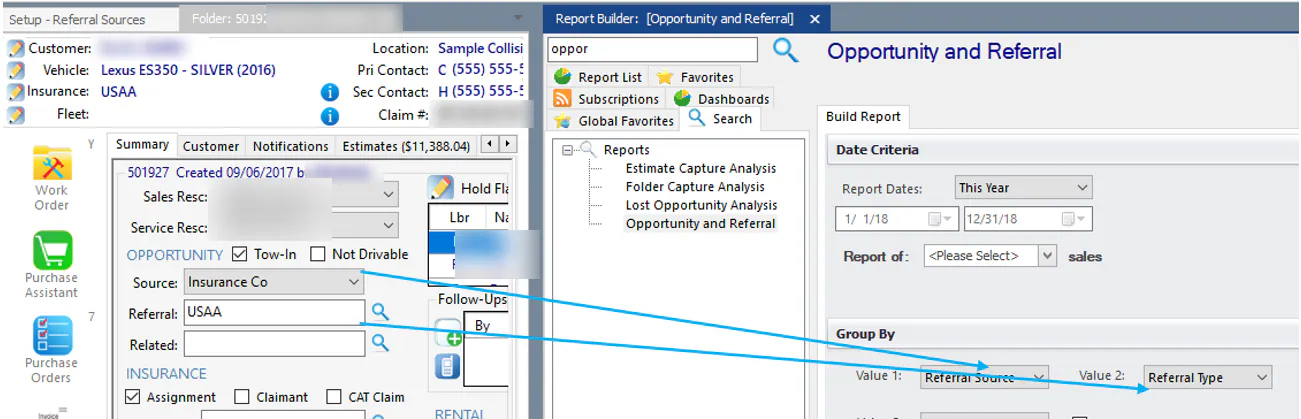
To add a third field, Related, to the folder, select Show textbox for related party name. For example, Source = Insurance Co, Referral = USAA and Related = the adjuster’s name.
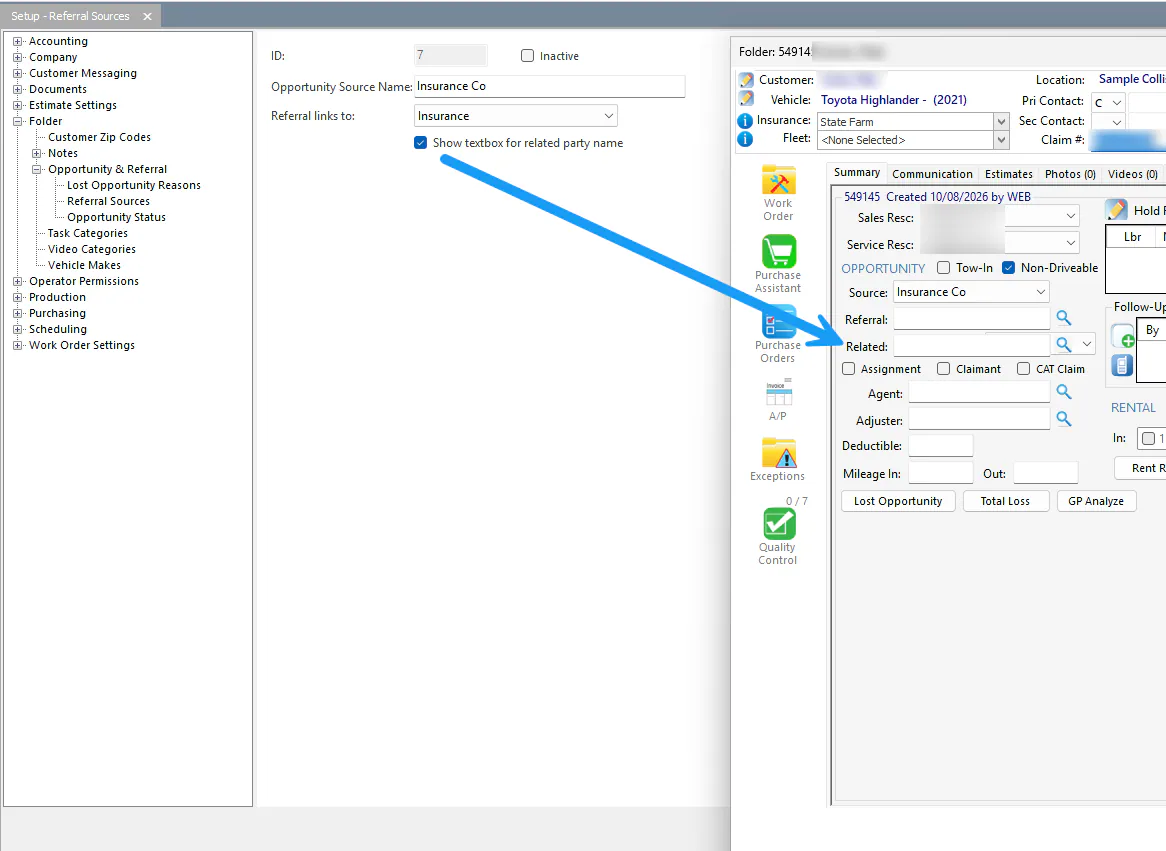
-
Select the save button.
Report on referral sources
Section titled “Report on referral sources”From the Reports menu, select the Opportunity and Referral report. In the report’s Group By options:
- Referral Source is the folder’s Source.
- Referral Type is the folder’s Referral.