Manager and regional manager review guide
Use this checklist each week to review how each location is doing. It covers production, follow-ups, scheduled drops, purchasing, exceptions, deposits and the financial statement.
Projected sales
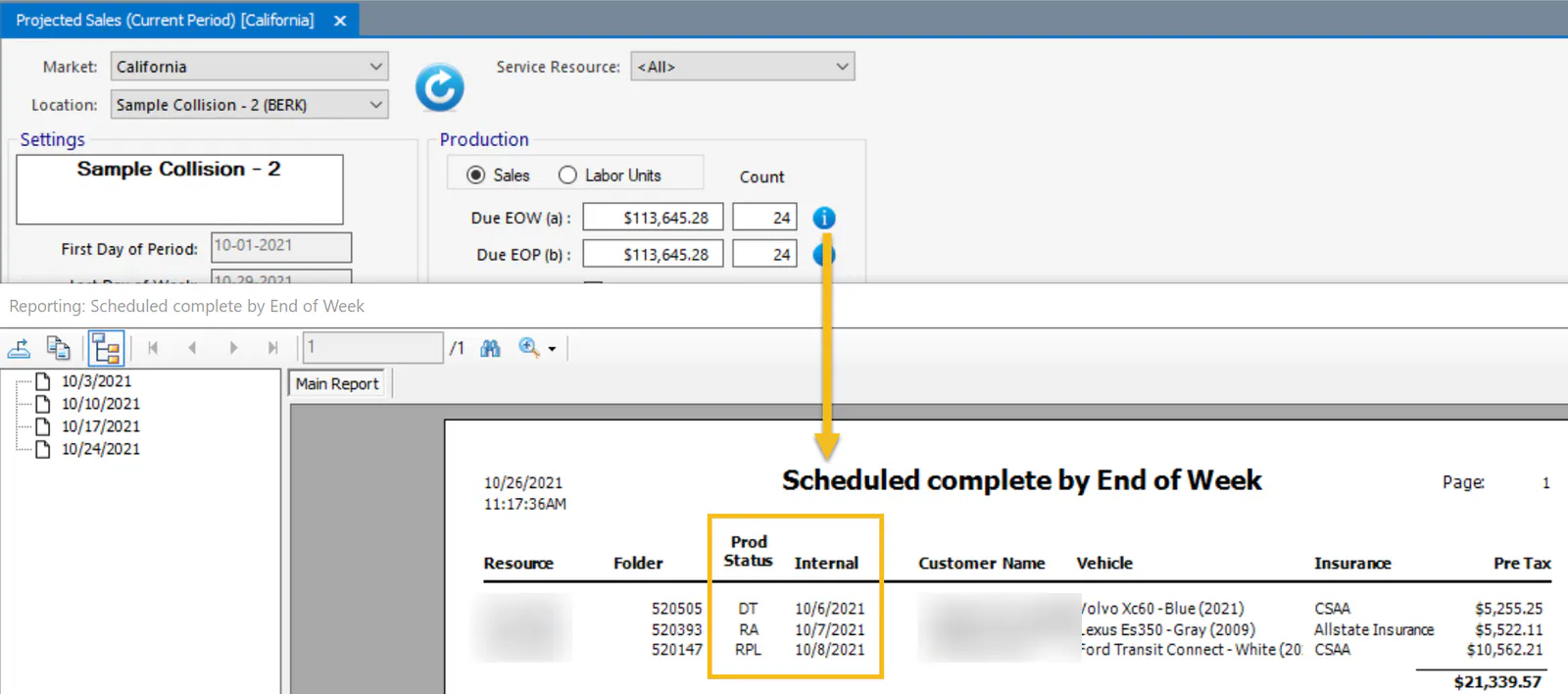
Section titled “Projected sales”Review what’s due by the end of the week (Due EOW). Open the detail and check each vehicle’s production status to see whether its Internal date should be updated.
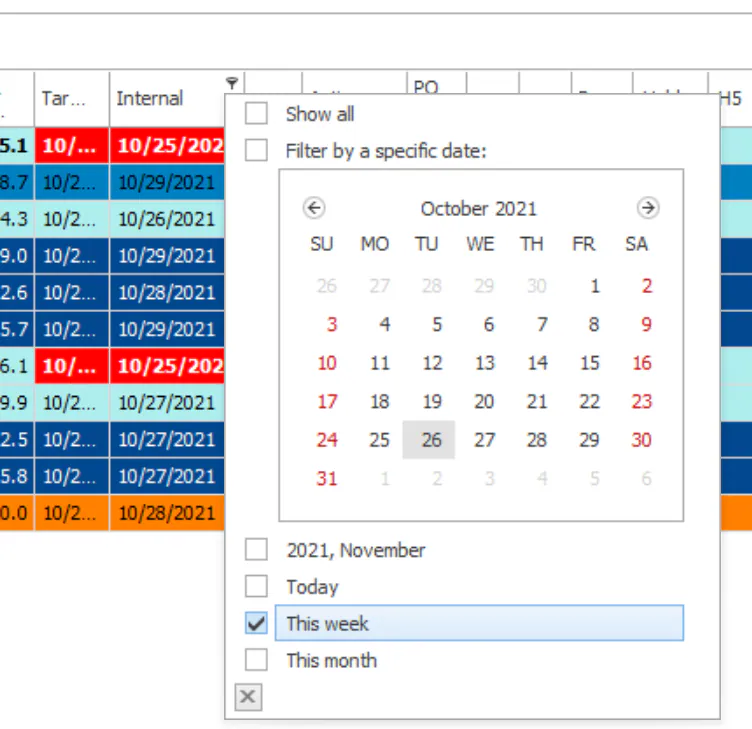
You can also filter the Vehicle Center by the Internal date column, choosing This week.
See Projected sales.
Vehicle Center
Section titled “Vehicle Center”Follow-Ups
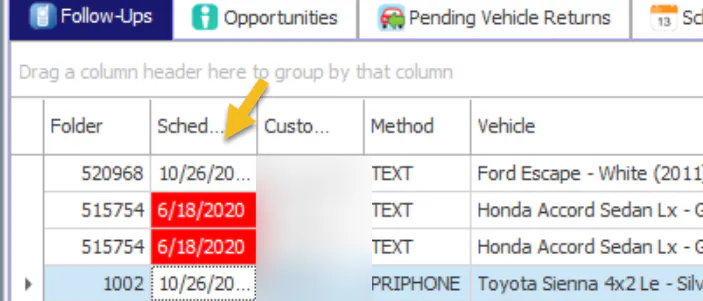
Section titled “Follow-Ups”Check that follow-ups are being completed and aren’t late.
See Create and complete follow-ups.
Scheduled Drops
Section titled “Scheduled Drops”Review missed appointments, shown in red.
Filter the Pre Ord column to Y to see missed appointments that have parts pre-ordered. Review the folder notes to find out what happened. If the appointment can’t be rescheduled, return the parts.
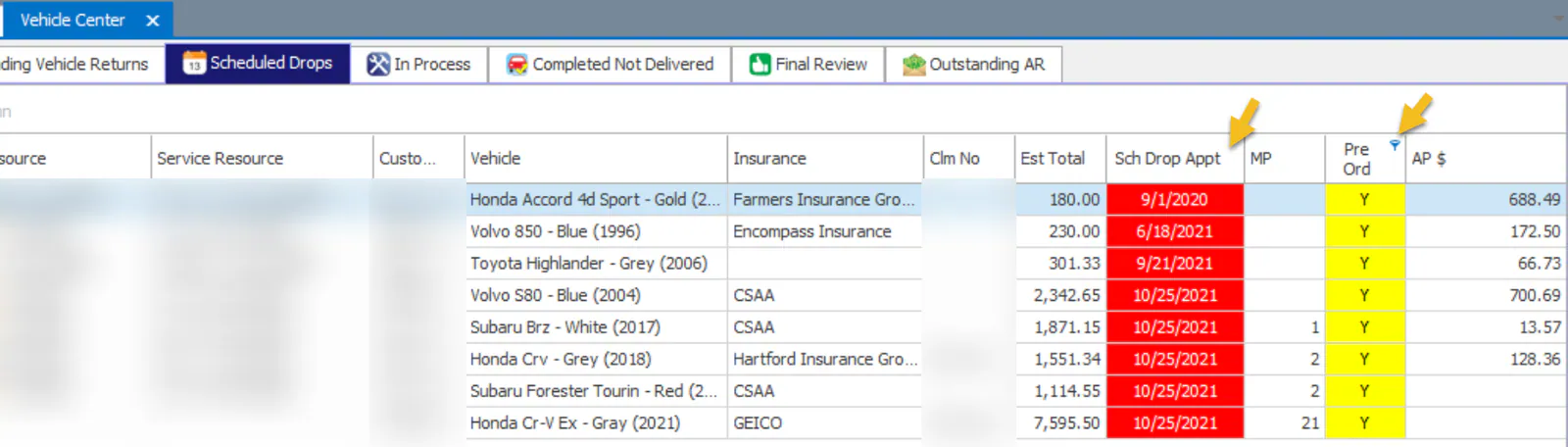
See Work the Scheduled Drops tab.
In Process
Section titled “In Process”-
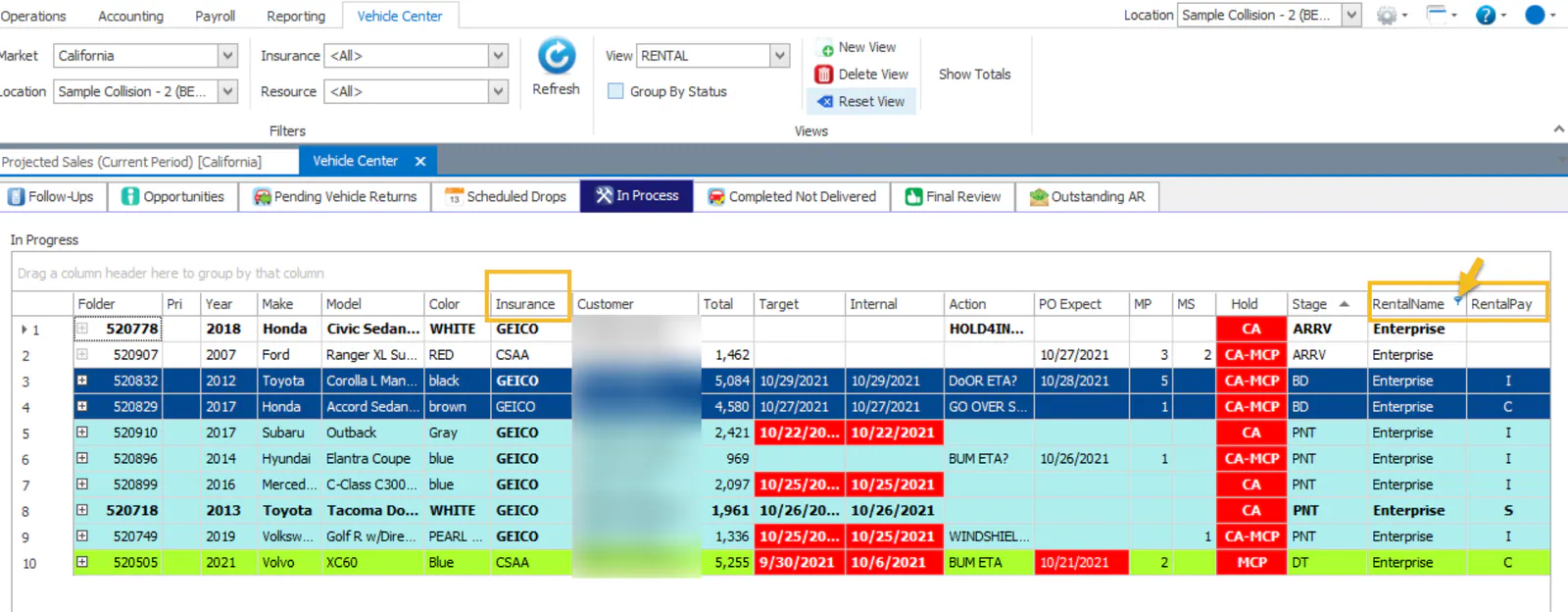
Review cars in a rental, especially DRP cars where the rental is paid by insurance (I in the RentalPay column).
-
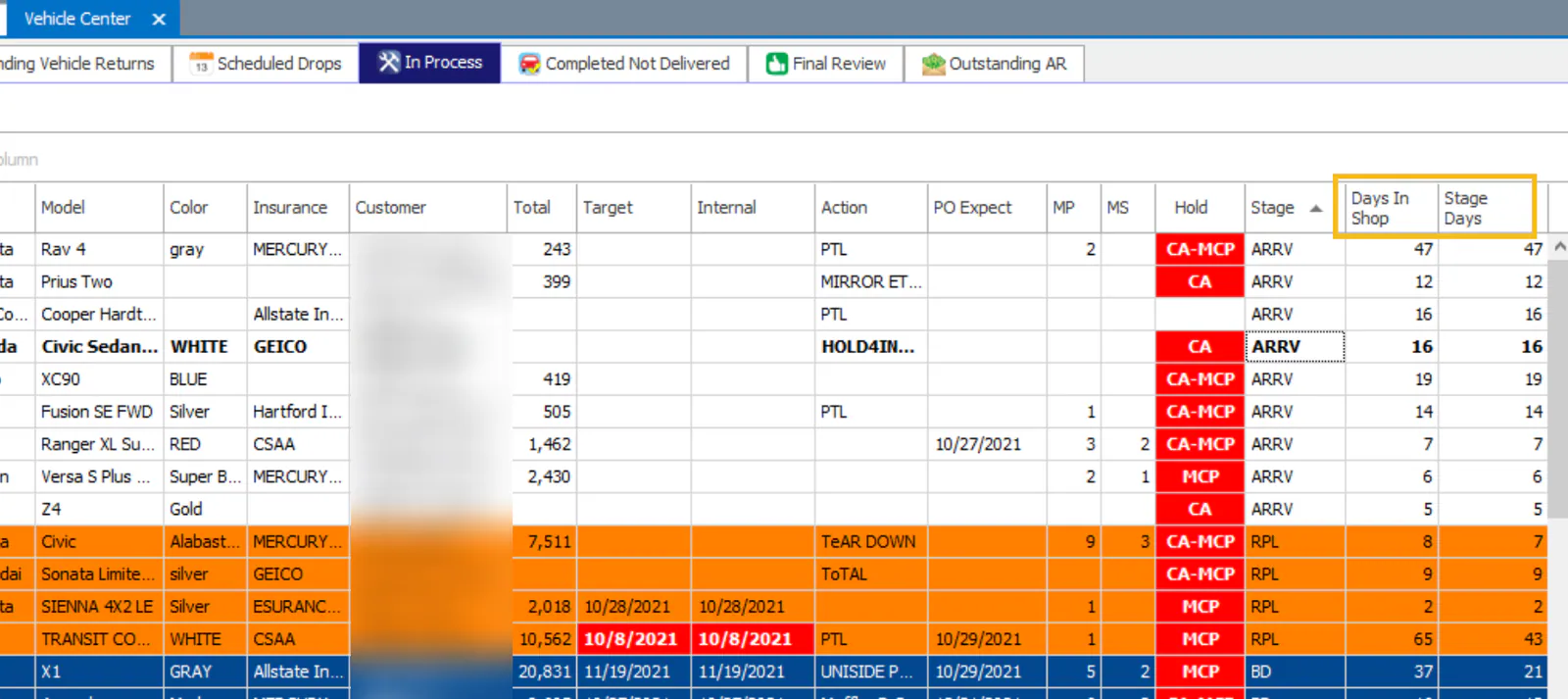
Review Days In Shop and Stage Days to find backlogs.
Final Review
Section titled “Final Review”Check that folders are being reviewed.
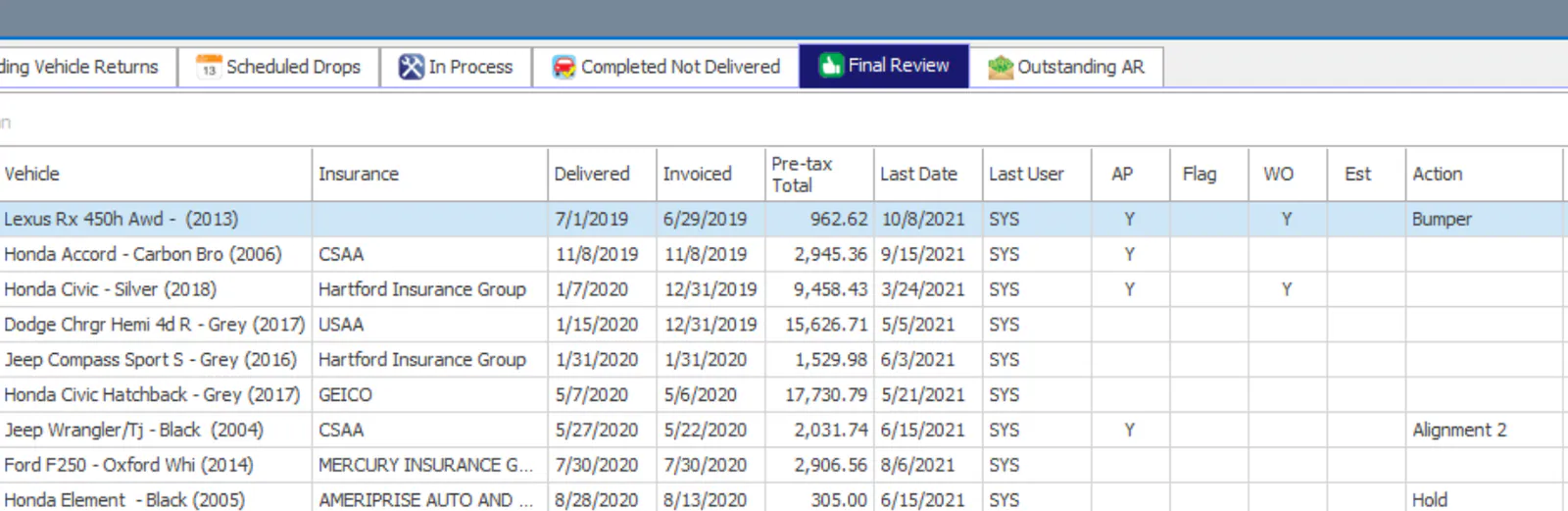
See Mark a folder as final reviewed.
Purchase Assistant
Section titled “Purchase Assistant”Review outstanding rejected parts and credits, and how old they are. Select Rejected (Not Returned) and Returned (No Credit Memo), then sort by Trn Date.
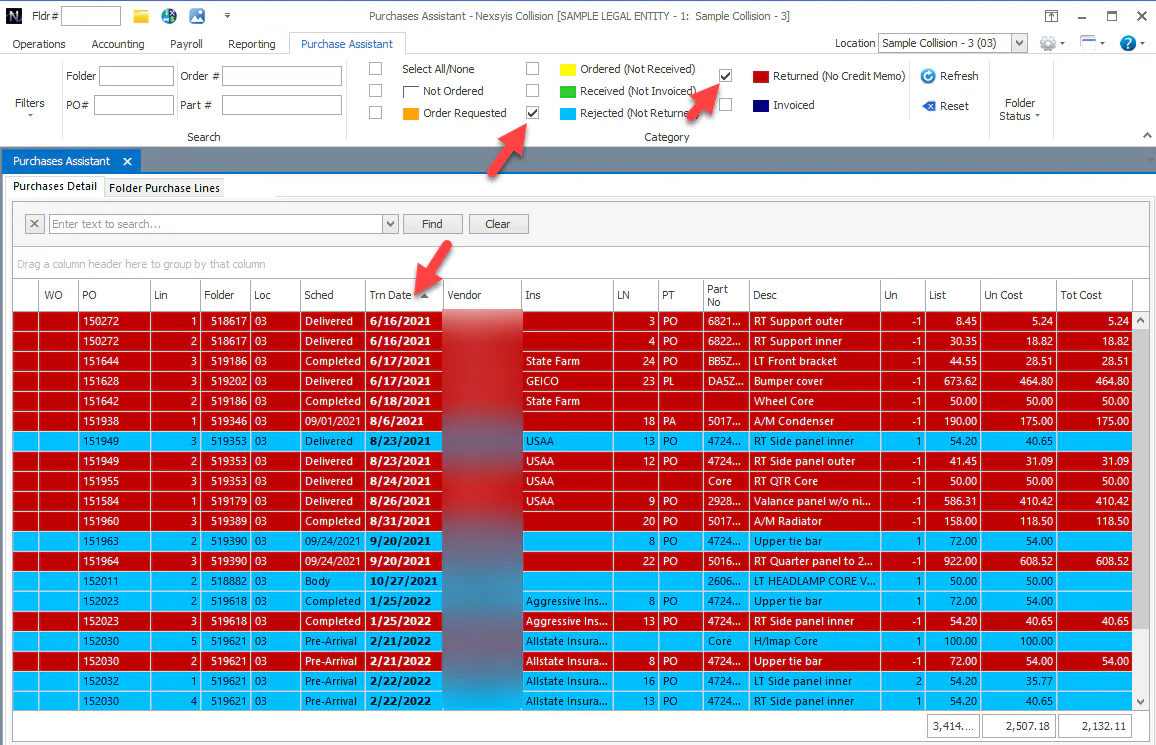
See Purchase Assistant overview.
Exceptions
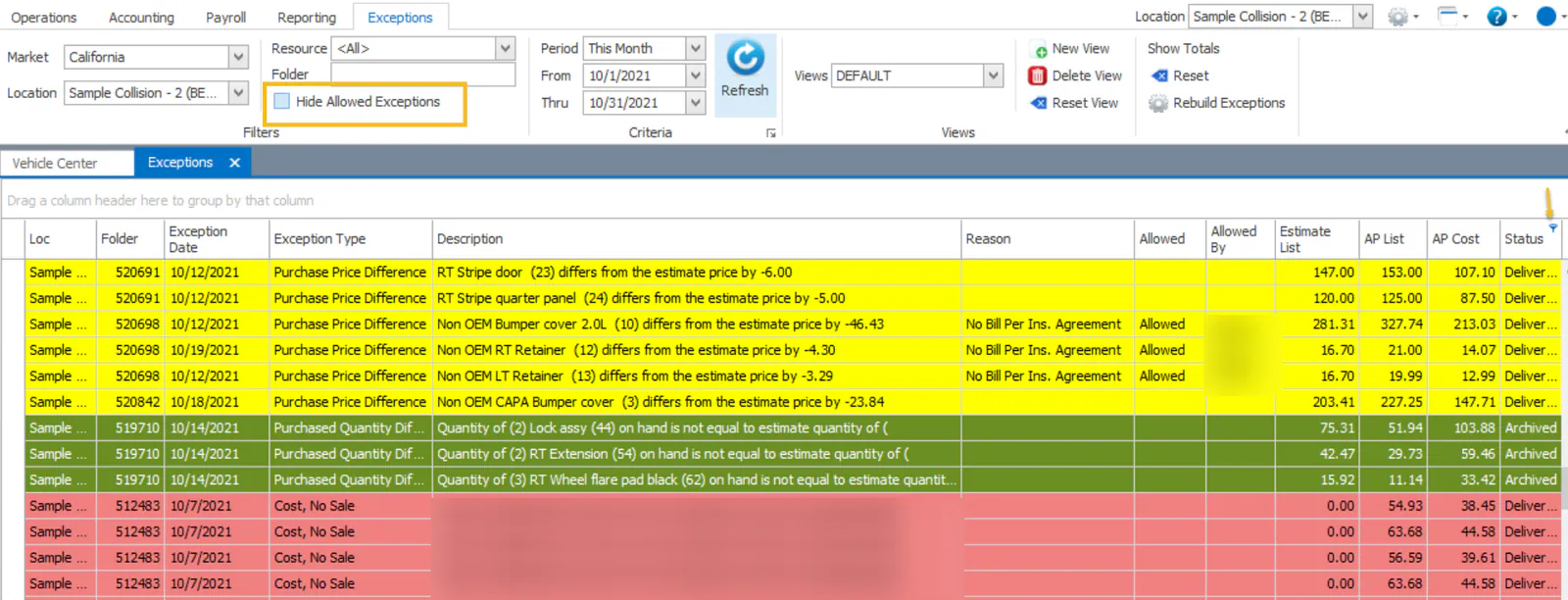
Section titled “Exceptions”Review exceptions on completed, delivered and archived folders.
You can also run the Shop Pay Report for Delivered vehicles, grouped by Location and then Reason.
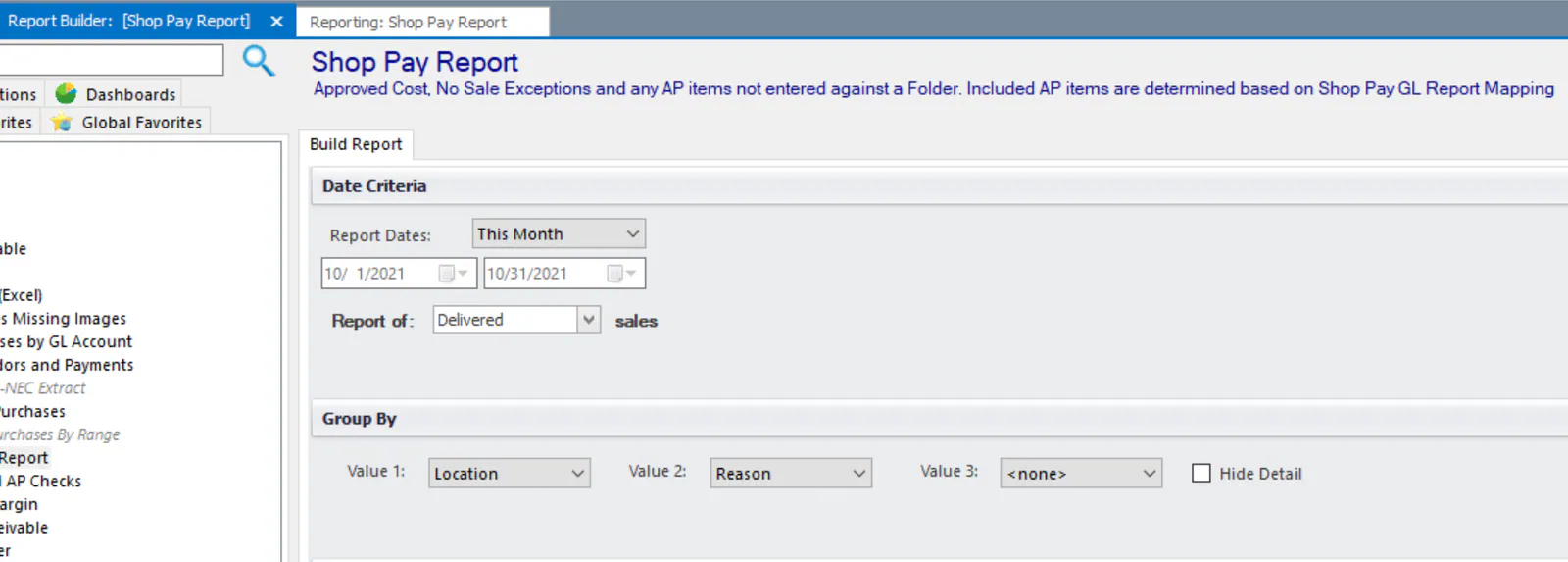
See Review exceptions and Shop pay report.
Deposits
Section titled “Deposits”- Review cash and checks that haven’t been deposited.
- Review checks on hold. It’s common to hold a check until the customer drops off the vehicle. Try to get these customers scheduled for a drop appointment, since the money is already waiting.
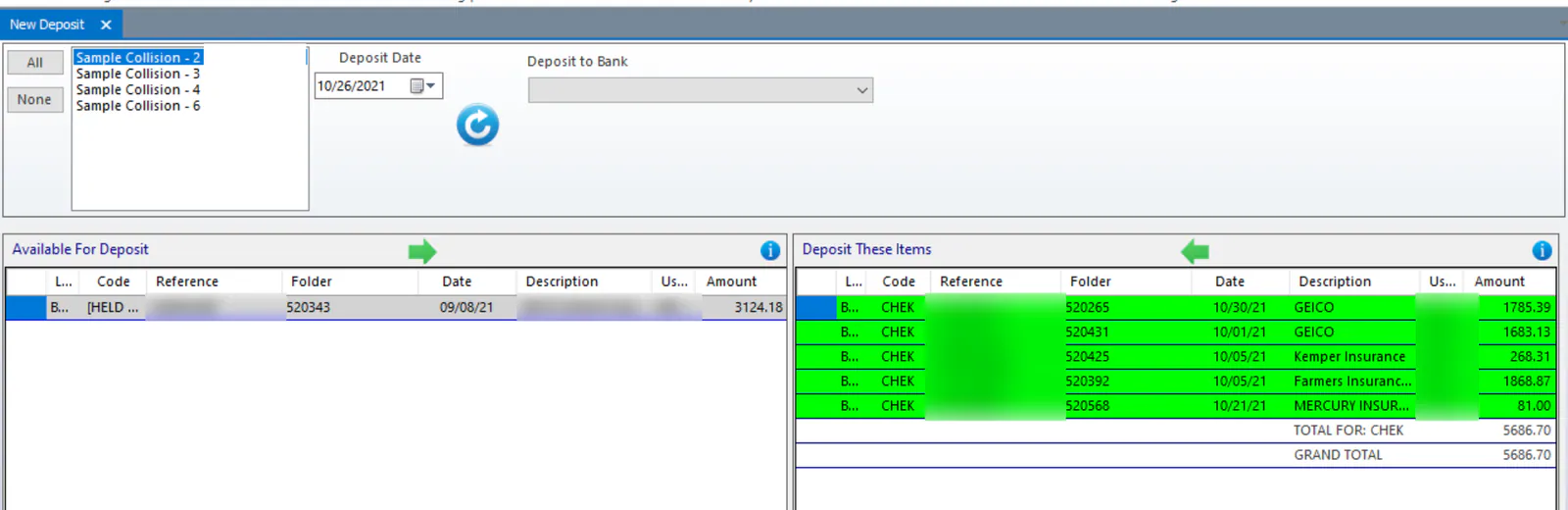
See Make a deposit and Hold a payment from a deposit.
Financial statement for the current month
Section titled “Financial statement for the current month”Run the financial statement for the current month. For each location, review:
-
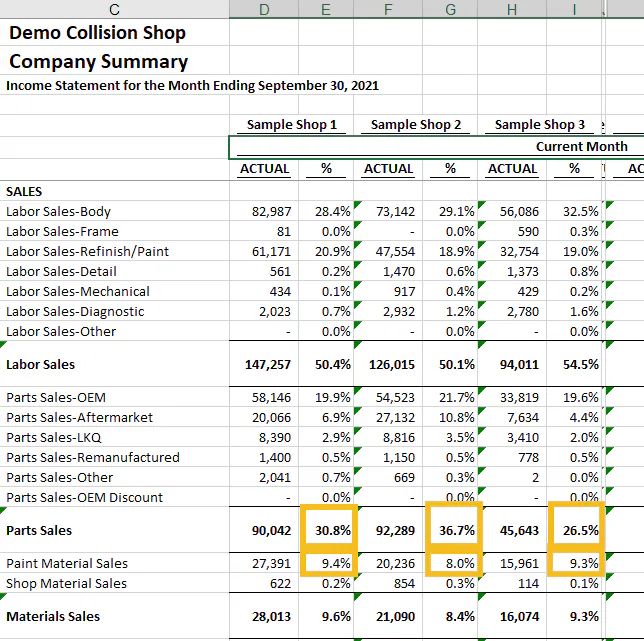
Parts % of sales: ideally under 40%.
-
Paint material sales: ideally over 10%.
-
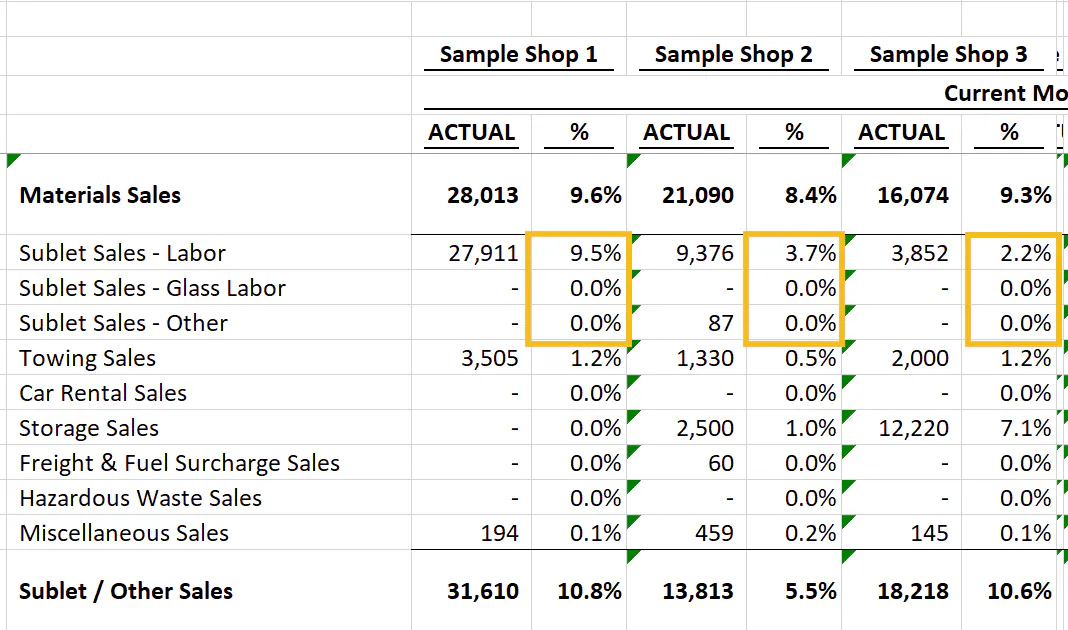
Sublet mix: ideally 5–6%.
-
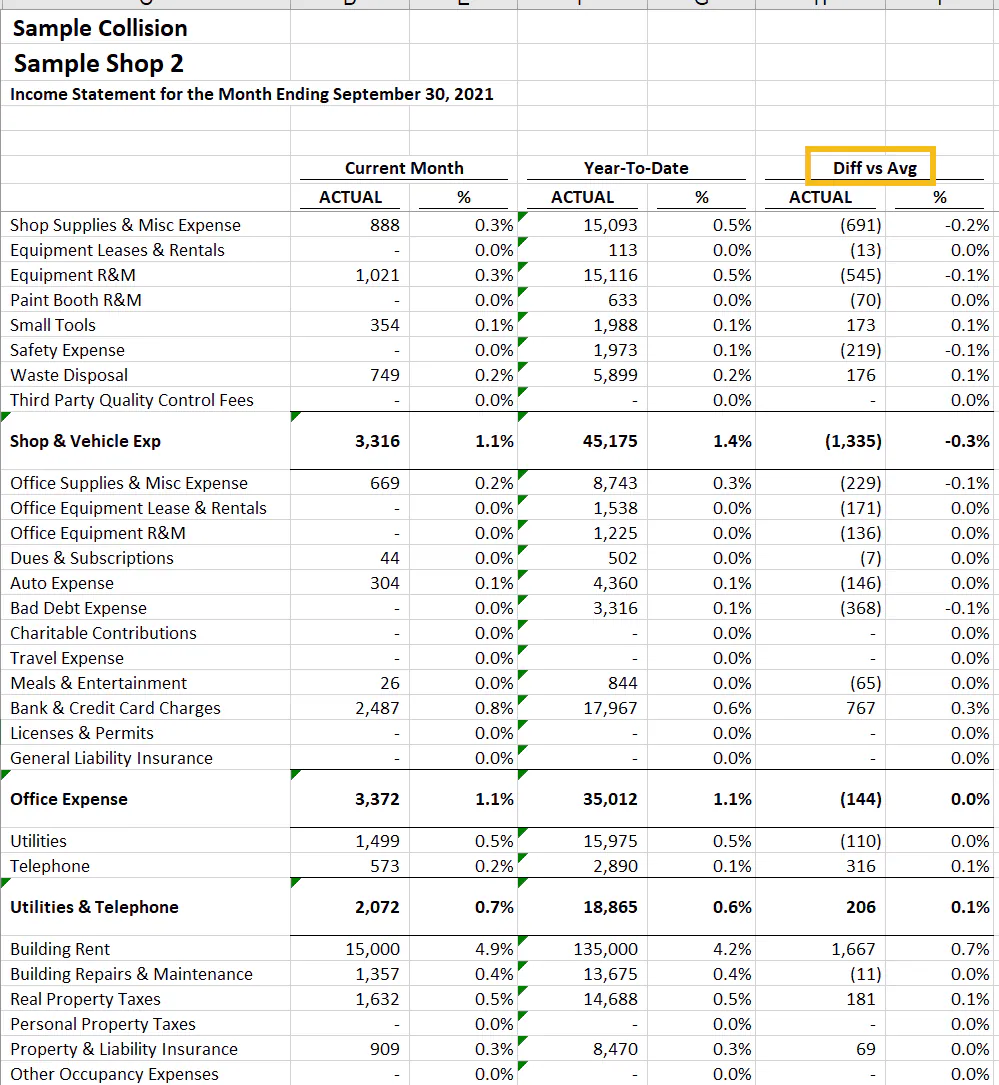
Overhead expenses: look for anything unusual. Look at each location separately and check Diff vs Avg, which shows whether the current month cost more than average.